
Yesterday during its WWDC 2026 keynote, Apple unveiled a plethora of new features that will be coming to iOS 27 once it is released to the public, which is likely to happen this fall.
Some of those updates include new ones in the Apple Wallet app. The reason behind this is that on top of Wallet being the place you go to for your credit or debit card, movie and concert tickets, or even your driver’s license/state ID, Apple wants to expand Wallet even more, making it even more personal in your daily life.
Here are some of the new features coming to the Wallet app in iOS 27:
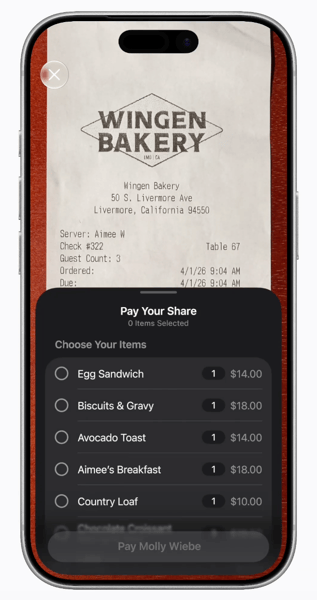
- Splitting the bill with Apple Cash: While using the new Siri Mode in the Camera app, you can have your iPhone’s camera scan a receipt and then be given an option to “Request,” in terms of others paying their share of the bill or “Pay Your Share.”
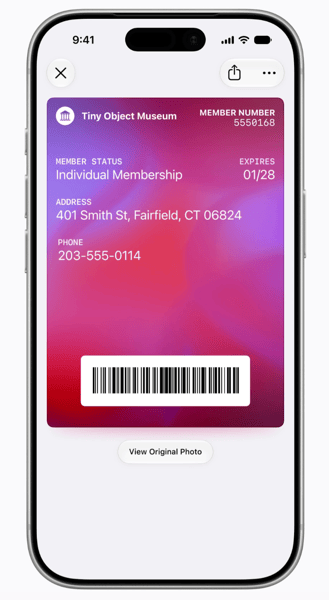
- Pass creation: In iOS 27, users can create their own passes with the Camera app on the iPhone and it using its AI-powered visual intelligence. The pass can be created manually and when done so, users are given the options to turn the pass into a Standard, Membership, or Event pass.
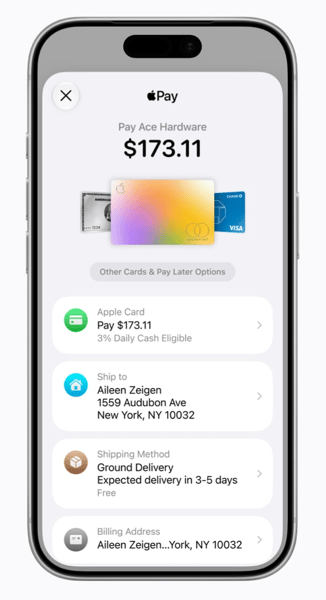
- UI updates: Apple has updated the overall user-interface of the Wallet app to modernize it, change it up a bit, and make things easier while also being visually-pleasing to the eyes as well.
Apple has additionally stated that there wiil be updates coming to hotel keys too in the Wallet app.
“With iOS 27, Apple Wallet will offer an enhanced key experience for participating hotels and resorts. Today’s key experience allows guests to seamlessly unlock their rooms and hotel amenities using their iPhone or Apple Watch. And with the new enhanced key experience, they will also be able to view even more details about their trips, receive timely updates about booked activities, access services available during their stay, and more — all in one place in Apple Wallet.”
What are your thoughts on the updates and changes coming to the Apple Wallet app in iOS 27? Comment below or let us know on X at @appleosophy.
Comments
Comments will load as you approach this section.