
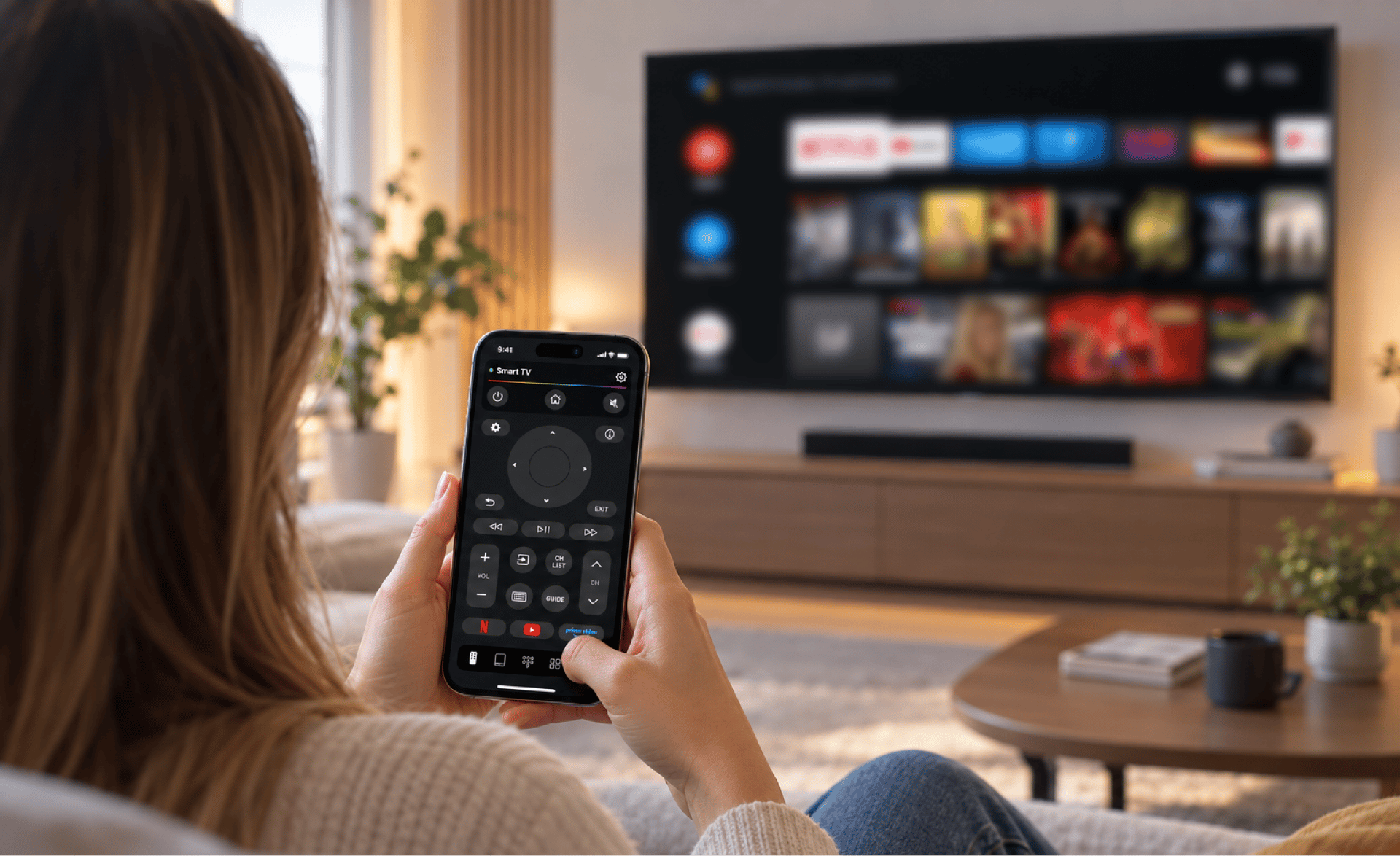
For something we use almost every day, the traditional TV remote can be surprisingly inconvenient.
I seem to lose mine exactly when I need it. It’s usually buried under a blanket, sitting somewhere between the couch cushions, or hiding on a completely different table. And even when I find it, using a bunch of tiny buttons to navigate a Smart TV isn’t always the easiest experience.
Smart TVs have become much more sophisticated over the years, but their remotes haven’t necessarily kept up.
You can stream movies, search through thousands of shows, install apps, and browse different services directly from your TV. Yet you’re often still expected to perform all of those tasks using a small physical remote.
At some point, I started wondering whether my phone could simply replace it.
Your iPhone is already the device you always have nearby
The obvious advantage of using a phone as a TV remote is that you already know where your phone is.
Unlike a traditional remote, it doesn’t disappear into the sofa cushions. And because you’re already holding your phone when you’re watching something, switching to TV controls doesn’t require looking for another device.
That’s where TVRem comes in.
Once connected to a compatible Smart TV over the same Wi-Fi network, the app turns your iPhone or iPad into a remote control. Instead of having one physical device for the TV and another for everything else, you can handle many of the basic TV controls from your phone.
The basic controls are all there
The first thing I noticed is that TVRem doesn’t try to reinvent the remote.
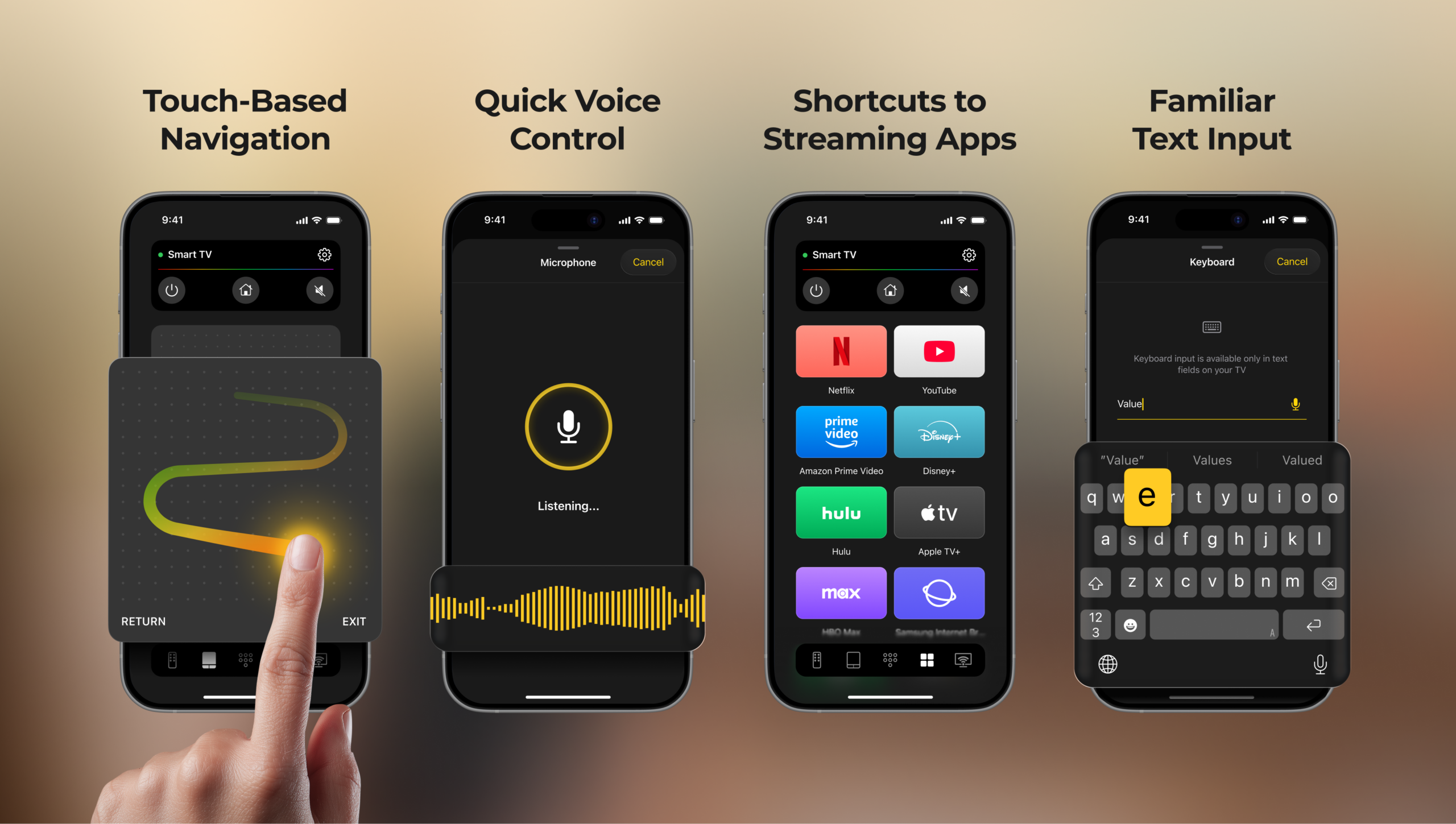
You still get the controls you’d expect: navigation, volume, playback, home, back, and other essential buttons. The difference is that they’re displayed on your phone’s touchscreen rather than squeezed onto a physical remote.
That makes it easy to access the controls you need without searching for a particular button on a small plastic remote.
You can use your phone to move through Smart TV menus, adjust the volume, pause or resume playback, and navigate around different apps.
It feels familiar, but having everything on a touchscreen makes the experience more flexible.
The phone becomes more than just a replacement remote
Replacing the physical remote is useful on its own, but that’s not really the biggest advantage.
A smartphone gives you input methods that a traditional TV remote simply can’t match.
One example is typing.
Searching on the TV doesn’t have to mean pressing tiny buttons
Anyone who has searched for a movie or YouTube video using a standard TV remote knows how tedious it can be.
You select one letter, move across the on-screen keyboard, press another button, and repeat the process. Even a short search can take longer than it should.
With TVRem, you can use your iPhone’s keyboard to enter text.
That makes searching for movies, shows, videos, or other content much quicker. Rather than navigating an on-screen keyboard one character at a time, you can type directly from the device you’re already familiar with.
And when you’re searching frequently, that small difference adds up.
Touch controls make navigation feel more natural
TV menus aren’t always designed around traditional buttons either.
Depending on what you’re doing, using a touchpad can feel more convenient than repeatedly pressing directional buttons. TVRem includes touchpad control, allowing you to navigate using familiar swipe gestures on your phone.
It’s particularly useful when moving through menus or navigating interfaces that feel awkward with a conventional D-pad.
Instead of thinking about which physical button to press next, you can interact with the TV more like you interact with your phone.
One phone can handle the entertainment setup
Another reason I like the idea of using a smartphone as a remote is that modern TVs aren’t really just TVs anymore.
There’s Netflix, YouTube, Prime Video, streaming services, media players, and plenty of other apps. Switching between them can mean reaching for the remote and hunting through menus.
TVRem includes shortcuts for launching popular entertainment apps, including Netflix, YouTube, and Prime Video.
Less switching between devices
This is where using a phone starts to feel less like a workaround and more like a convenient way to control the TV.
You have your phone in your hand. You can search for something, navigate the TV, adjust the volume, and launch an app without picking up another device.
It’s a small change, but it’s one that makes the whole setup feel less cluttered.
It’s especially useful when the physical remote isn’t around
There are plenty of situations where a phone-based remote becomes useful.
Maybe the physical remote is lost. Maybe the batteries are dead. Maybe someone else is using it. Or maybe you simply prefer using your phone because it’s easier to type and navigate with.
That’s the main reason I’ve kept using a phone-based remote.
It’s not necessarily about throwing the physical remote away forever. It’s about having another option that is always within reach.
A simpler way to control a Smart TV
Smart TVs have evolved into full entertainment platforms, so it makes sense that controlling them should evolve too.
A phone gives you a touchscreen, a full keyboard, touch controls, voice input where supported, and quick access to apps in addition to the traditional remote functions.
For me, the biggest change is simply not having to think about where the remote is anymore.
My iPhone is already next to me.
So instead of searching the couch for a tiny plastic remote, I can just use the device that’s already in my hand.
Comments
Comments will load as you approach this section.