
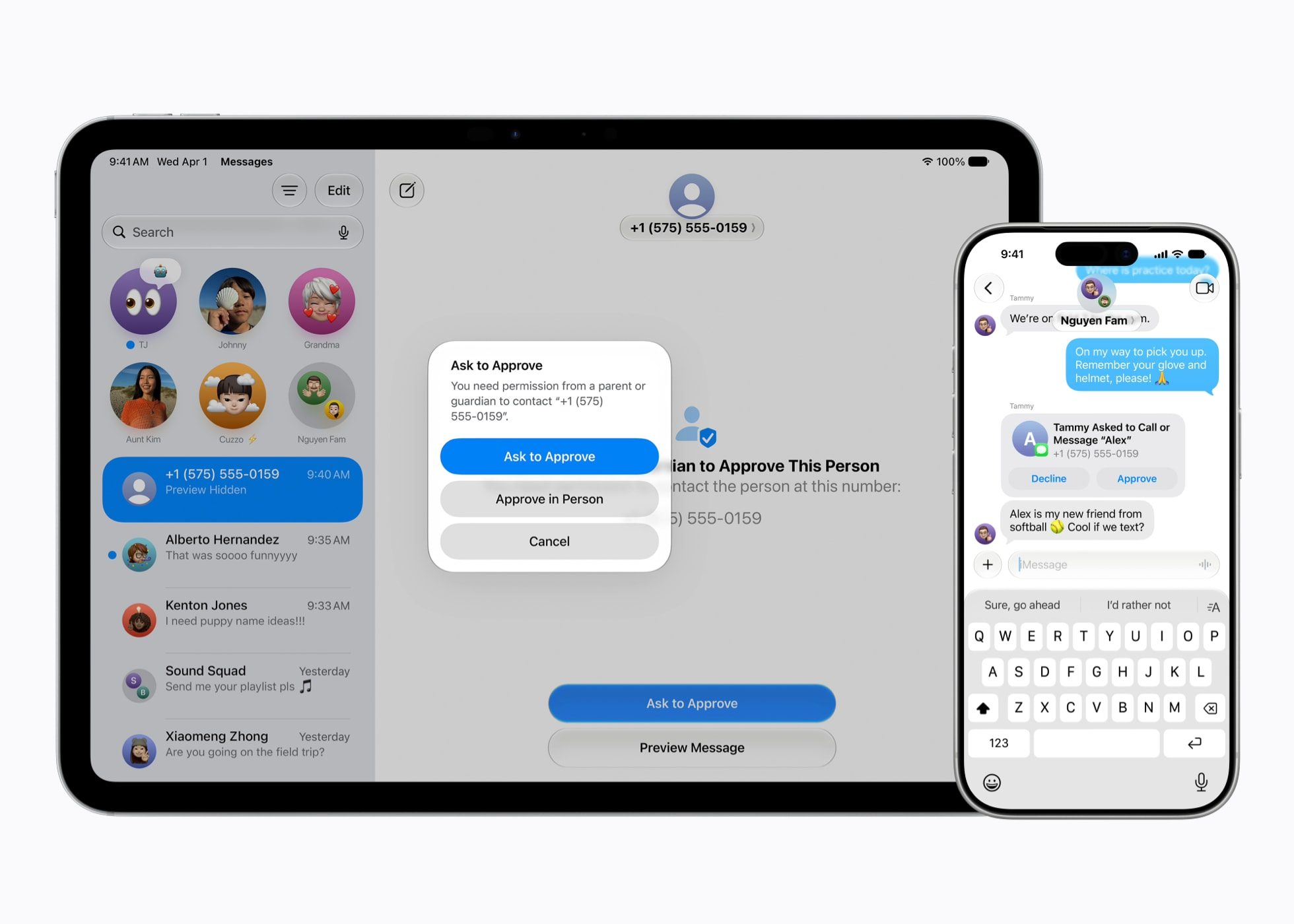
Apple just dropped a very detailed announcement at WWDC 2026 that will make life a whole lot easier for parents trying to navigate their children through the digital world. The tech giant previewed an extensive new suite of powerful, intuitive parental controls and child safety features arriving later this year. Integrated deeply into iOS 27, iPadOS 27, and macOS 27, these updates focus on helping families build healthier digital habits.
Setting up protections starts with the foundation of a dedicated Child Account. Apple has completely streamlined this process to guide parents automatically when configuring a new device for a minor. A Child Account is mandatory for kids under 13 and available for anyone up to 18. Once activated, it instantly turns on system-wide safeguards tailored to the child’s specific age group. These default guardrails automatically restrict adult websites, filter explicit media, and apply appropriate age gates in the App Store.
‘Ask to Browse’ for Safari
Parents can now select a highly curated list of essential apps to start with and gradually unlock more as their child matures. Apple is also expanding its popular “Ask to Buy” purchase approval framework into the web browser with a new feature called Ask to Browse. If a child wants to visit a new website in Safari, they must send a remote request to their parent’s device for instant approval. This works seamlessly across iPhone, iPad, and Mac.
Communication Safety Upgrades
Keeping kids safe from unwanted or harmful interactions remains a massive pillar of Apple’s ecosystem. Parents already have full control over whitelisting contacts across Phone, Messages, and FaceTime. However, Apple is taking its internal filtering a step further with this latest software cycle. The existing Communication Safety tool, which automatically blurs detected nudity by default for minors, is receiving a major capabilities boost. The updated system will now actively intervene to block explicit gore and violent content in shared images or videos before a child ever sees them.
Smarter Boundaries with Time Allowances
Screen Time has received a total visual and functional redesign to offer a clear, at-a-glance summary of daily device usage. The headline addition here is Time Allowances, a tool that introduces expert-backed usage limits for specific app categories like Games, Entertainment, and Social Media. Apple worked directly with the American Academy of Pediatrics (AAP) to integrate official clinical guidelines right into the setup process.
These advanced safety upgrades will arrive as software updates this fall alongside the official releases of iOS 27, iPadOS 27, and macOS 27. To complement the rollout, Apple has also launched a dedicated family safety website filled with educational guides, tutorials, and answers to common troubleshooting questions. Existing tools, such as Screen Time Passcode Notifications and Apple Watch For Your Kids (featuring Find My tracking and Schooltime mode), will continue to work side-by-side with these new additions.
What are your thoughts? Will the new “Ask to Browse” feature change how you manage your kids’ screen time? Let’s discuss in the comments section below! Stay updated with the latest news on this by downloading the Appleosophy App from the App Store or by visiting our website.
Comments
Comments will load as you approach this section.