
Google launched a native Gemini App for macOS back in April, allowing users to access its features in a more efficient and productive way on their Mac. Since then, the Gemini app has received various new features, including support for Gemini Spark for select subscription plans, which can access and sort files on your device, connect to Google services, and more.
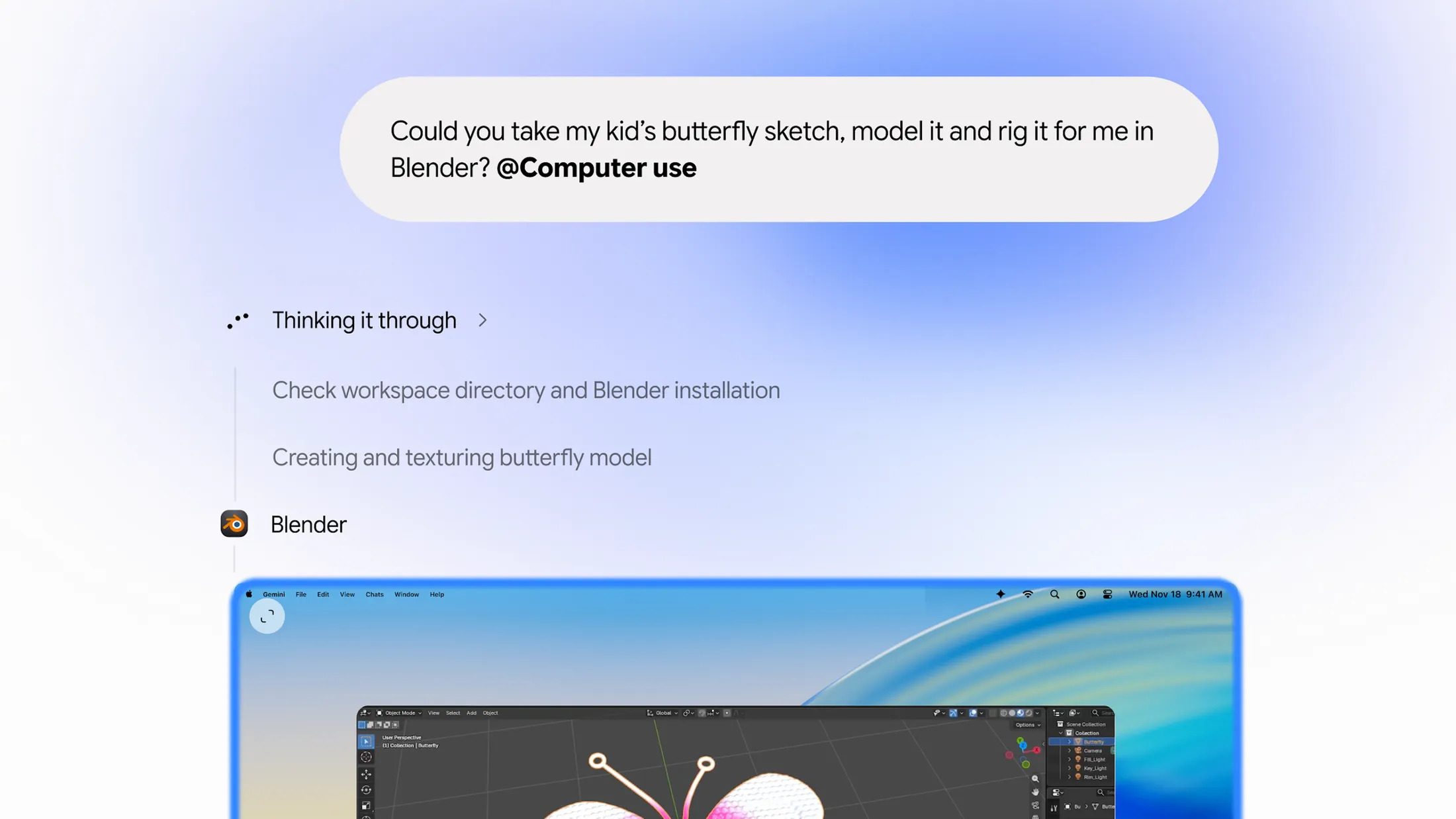
Today, Google has enabled Computer-use on the Gemini app for macOS. Unlike Gemini Spark, this gives Gemini more control over your Mac, with it now being able to click, type, and scroll.
As shared by Google,
“Gemini works inside an isolated background window with a live preview right in your chat. Your main screen and cursor remain completely free, so you can keep typing, designing, or taking calls without interruption. Privacy and safety are built in: you choose which apps Gemini can access, watch every step live, pause at any time, and approve key actions before they happen.
Here are a few ways you can start trying it today:
- Speed up creative workflows: Batch color-grade photos in your favorite design software or set up complex 3D scenes.
- Skip manual form entry: Extract weights, dimensions, and addresses from local PDFs to fill out multi-box shipping quotes.
- Turn live data into ready-to-present decks: Pull metrics and screenshots from live dashboards across multiple regions and build a presentation in Google Slides.
- Batch-list items for sale: Analyze clothing photos from a local folder, research pricing, log item details, and stage listings on resale platforms.”
If this is your first time installing Gemini on your Mac, here are the requirements:
- A Mac running macOS Sequoia 15 or later
- 8 GB of RAM or more
- 200MB of Free Disk Space for Installation
- A stable internet connection, as the app still needs to access its servers for Gemini features
The new Computer use capability is available for users subscribing to the Google AI Plus, Pro, and Ultra plans in the U.S.
Would these features increase your productivity? Let us know down in the comments or tweet to us at @appleosophy! Be sure to download the Appleosophy App from the App Store or visit our website to stay updated with the latest Apple News and Deals!



0 comments
No comments yet. Start a thoughtful conversation.