We’ve seen our beloved brand Apple change over the years since its inception in 1976. Although there’s one thing that’s been consistent with Apple, becoming more evident in recent years — Privacy. “Privacy is a fundamental human right.” is a core value embedded in Apple’s principles. At a time when most of the tech industry is moving towards collecting and monetizing data, Apple is standing strong on its Privacy-centric pillar. We’ve reviewed and compiled a range of practices and features that Apple has kept at its core for maintaining the everyday user’s privacy. Here are some ways in which Apple has elevated its position as a privacy-centric company:
On-Device Processing and Private Cloud Compute:
Apple focuses heavily on local device processing instead of offloading tasks onto the cloud. Features like Face ID and Touch ID rely on storing and processing biometric data within the device in the Secure Enclave. A more recent implementation of local processing is Siri and Apple Intelligence, where certain simple tasks no longer require an Internet connection, and only complex tasks rely on Apple’s Private Cloud Compute system.
According to Apple, “Apple Intelligence is the personal intelligence system that brings powerful generative models to iPhone, iPad, and Mac. For advanced features that need to reason over complex data with larger foundation models, we created Private Cloud Compute (PCC), a groundbreaking cloud intelligence system designed specifically for private AI processing. For the first time ever, Private Cloud Compute extends the industry-leading security and privacy of Apple devices into the cloud, making sure that personal user data sent to PCC isn’t accessible to anyone other than the user — not even to Apple. Built with custom Apple silicon and a hardened operating system designed for privacy, we believe PCC is the most advanced security architecture ever deployed for cloud AI compute at scale.”
Privacy Indicators:
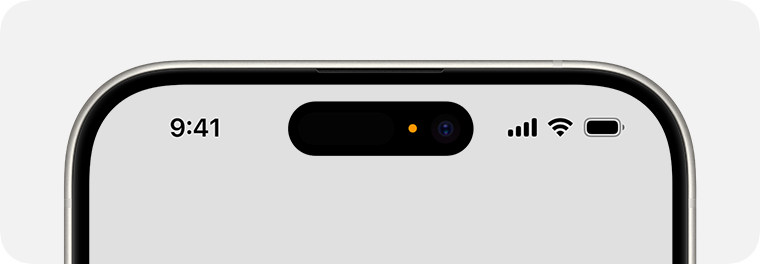
Privacy indicators are a feature released with iOS 14, allowing users to know if their camera or microphone is being actively used. If there is an orange indicator in the Dynamic Island or the status bar, it means that only the microphone is being used. On the other hand, if the indicator is green, it means that both the camera and microphone are being used at that time. Going into the Control Center helps users know about the apps that are currently using these sensors and the ones that have recently used them.
App Tracking Transparency and App Privacy Report:
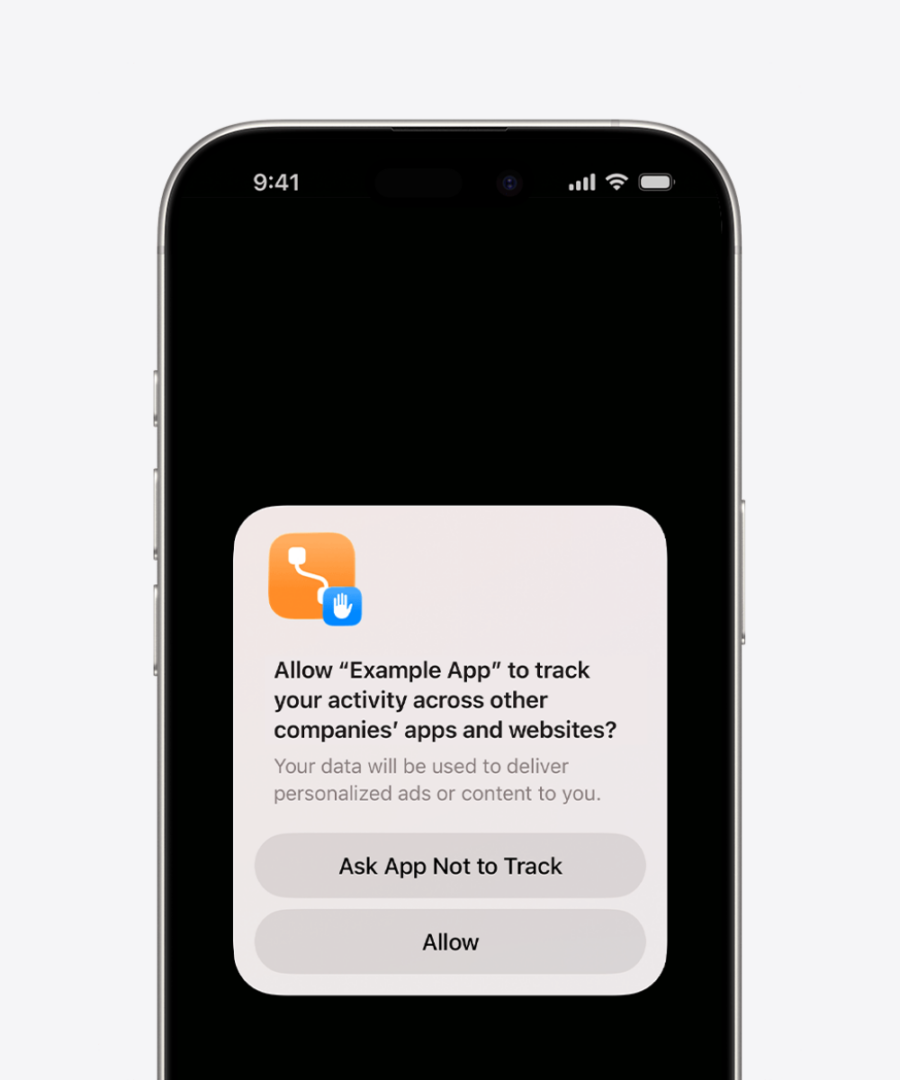
These are two of Apple’s signature features. The former was introduced with iOS 14.5 and works by enabling users to control which apps are allowed to track their usage in apps and websites to recommend advertisements. Users can disallow apps from even asking for this permission.
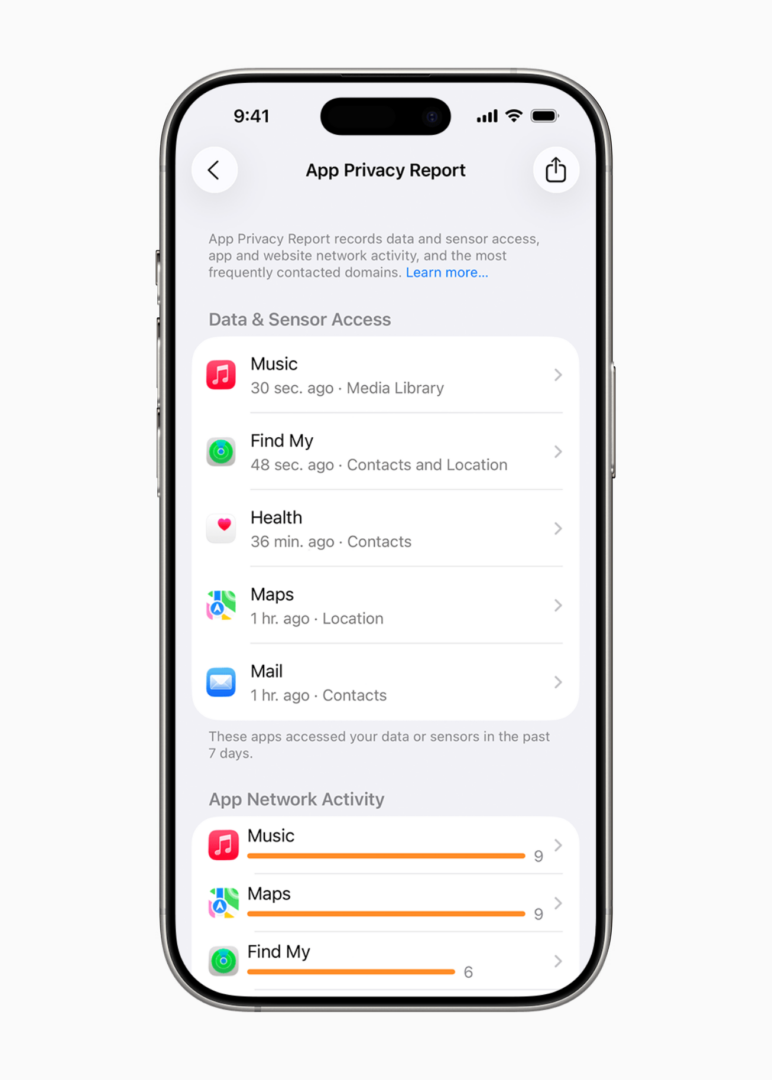
The Privacy Report, enabled by iOS 15.2, monitors the sensor usage data and network activity. For example, you can check the exact time at which an app like Instagram accessed your Camera or Contact. Features like these provide iPhone users with more control over their data.
Advanced Data Protection on iCloud:
Announced in December of 2022, it is an optional security feature that can be used to encrypt data on the cloud. With this being turned on, everything from your Backups to your Notes will be encrypted, such that, even if you yourself forget your recovery key or don’t have access to a recovery contact, there is no way to recover the data. After Advanced Data Protection is enabled, Apple cannot decrypt the data, meaning that only you can access it.
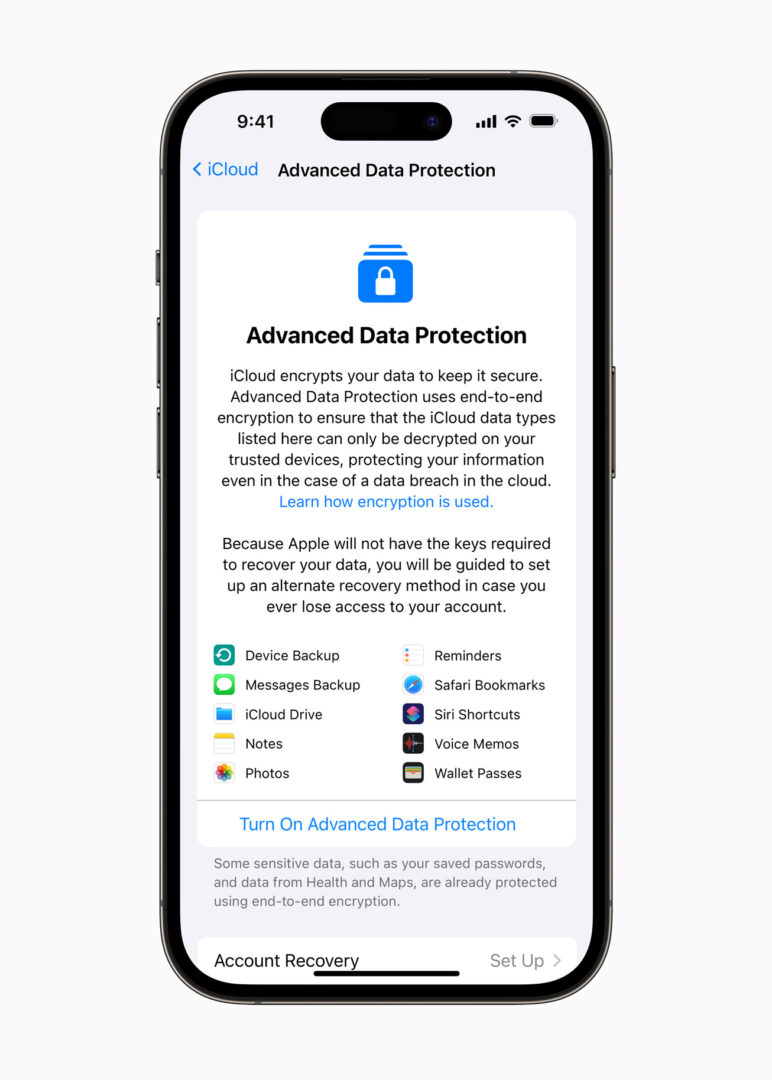
Here’s how it works and which data is protected, according to Apple:
“By default, iCloud secures your information by encrypting it when it’s in transit, storing it in an encrypted format, and securing your encryption keys in Apple data centers. In addition, many Apple services use end-to-end encryption; your information is encrypted using keys derived from your devices and your device passcode, which only you know.
For the highest level of cloud data security, you can turn on Advanced Data Protection (iOS 16.2 or later required). It uses end-to-end encryption on more data categories such as the following:
-
- Device backup
- Messages backup
- iCloud Drive
- Notes
- Photos
- Reminders
- Safari bookmarks
- Siri Shortcuts
- Voice Memos
- Wallet passes”
Private Browsing and Tracking Protection:
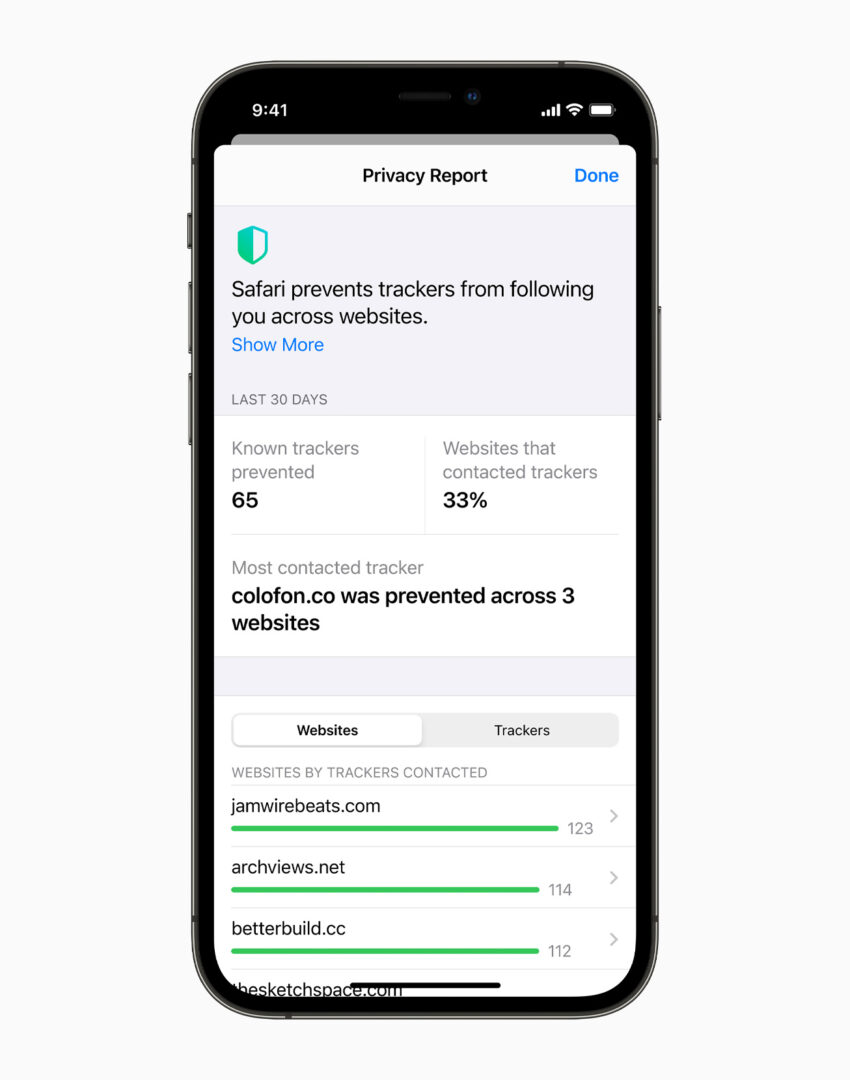
Unlike most other web browsers, Apple has intelligent privacy protection built in. Modern Websites include trackers, which allow them to gather data to display targeted ads on another website or on social media. With Safari, this layer of tracking is limited due to its level of privacy protection offered to web browsers. Moreover, for added transparency to its users, Safari will also display a report on the number of trackers prevented, including the website that had those tracking services enabled for advertising services.
iCloud Private Relay:
Apple introduced this feature back in 2021 with iOS 15, adding another layer of security and privacy to your online browsing. This feature, however, is only available to iCloud+ subscribers. According to Apple, this is how the feature works:
“Normally, when you browse the web, information contained in your web traffic, such as your DNS records and IP address, can be seen by your network provider and the websites you visit. This information could be used to determine your identity and build a profile of your location and browsing history over time.
iCloud Private Relay is designed to protect your privacy by ensuring that when you browse the web in Safari, no single party – not even Apple – can see both who you are and what sites you’re visiting.
When Private Relay is enabled, your requests are sent through two separate, secure internet relays.
-
Your IP address is visible to your network provider and to the first relay, which is operated by Apple. Your DNS records are encrypted, so neither party can see the address of the website you’re trying to visit.
-
The second relay, which is operated by a third-party content provider, will generate a temporary IP address, decrypt the name of the website you’ve requested and connect you to the site.”
Mail Privacy Protection:
With the launch of iOS 15 in 2021, Apple introduced Mail Tracking Protection, preventing senders from tracking users with pixels. You might be asking, how can senders track users with pixels? When you receive an email, and you open it, it might be embedded with a tiny invisible pixel image file, which, when loaded after you read that email, can transmit information such as the date and time at which the email was opened, the recipient’s IP address, device information, and more. How does Apple prevent it? Images in emails read on the Mail App are loaded through Apple’s servers, and the IP Address is hidden from the sender. This feature has rendered one of marketing’s most relied upon metrics, email opening rates, far less reliable.
Hide My Email and Sign in with Apple:
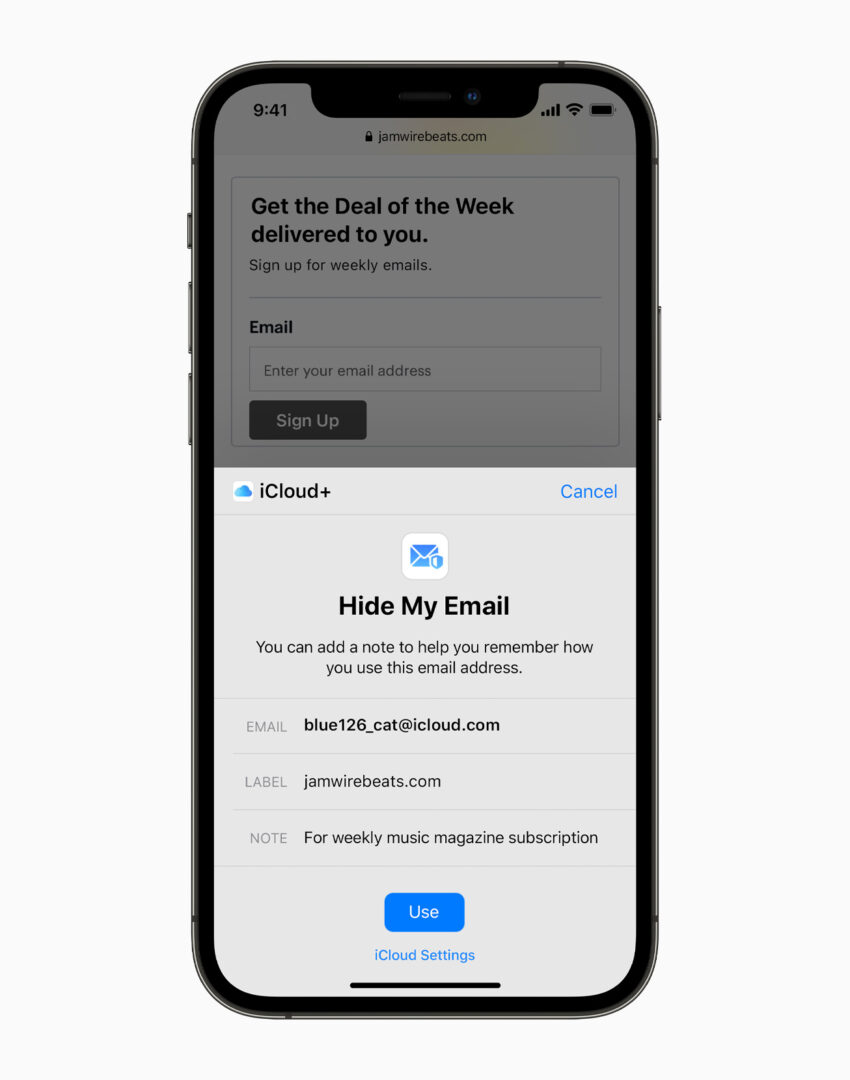
With an iCloud+ subscription, users can create a temporary email address to sign up for various websites and platforms. These temporary email addresses forward emails to the primary iCloud email address, but it can be turned off if the specific website starts spamming your email with ads. Sign in with Apple allows users to sign up for a website or platform, and users are given an option whether to share or hide their primary email address.
Lockdown Mode:
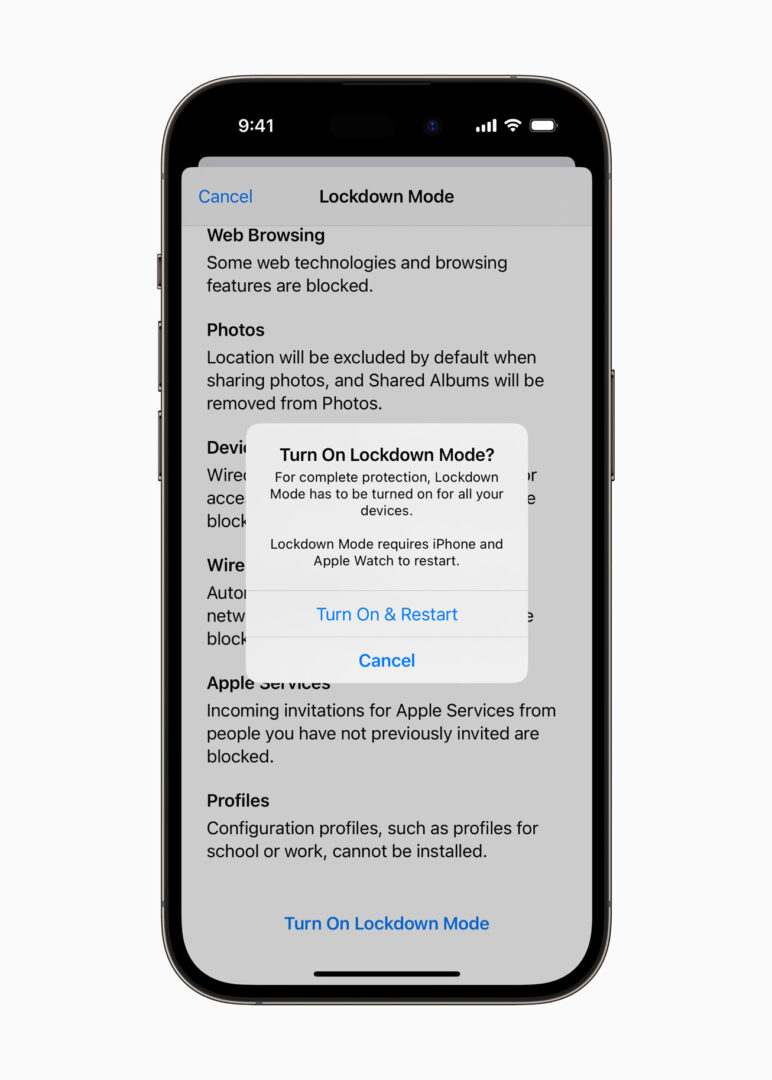
As the name suggests, this puts your device in a very secure state and can be enabled, followed by a restart. According to Apple,
“Lockdown Mode is an optional, extreme protection that’s designed for the very few individuals who, because of who they are or what they do, might be personally targeted by some of the most sophisticated digital threats. Most people will never be targeted by attacks of this nature.
When Lockdown Mode is enabled, your device won’t function like it usually would. To reduce the attack surface that could potentially be exploited by highly targeted mercenary spyware, certain apps, websites and features will be strictly limited for security, and some experiences may not be available at all.
Lockdown Mode is available in iOS 16 or later, iPadOS 16 or later, watchOS 10 or later, and macOS Ventura or later. Additional protections are available starting in iOS 17, iPadOS 17, watchOS 10 and macOS Sonoma.
For a complete set of protections, update your devices to the latest software before turning on Lockdown Mode.
How Lockdown Mode protects your device:
When Lockdown Mode is enabled, some apps and features will function differently, including:
-
Messages: most message attachment types are blocked, other than certain images, video and audio. Some features, such as links and link previews, will be unavailable.
-
Web browsing: certain complex web technologies are blocked, which may cause some websites to load more slowly or not operate correctly. In addition, web fonts may not be displayed, and images may be replaced with a missing image icon.
-
FaceTime: incoming FaceTime calls will be blocked unless you have previously called that person or contact within the past 30 days. Features such as SharePlay and Live Photos are unavailable.
-
Apple services: incoming invitations for Apple services, such as invitations to manage a home in the Home app, will be blocked unless you have previously invited that person. Focus and any related status will not work as expected. Game Center is also disabled.
-
Photos: when you share photos, location information will be excluded. Shared albums are removed from the Photos app, and new Shared Album invitations are blocked. You can still view these shared albums on other devices that haven’t enabled Lockdown Mode.
-
Device connections: to connect your iPhone or iPad to an accessory or another computer, the device needs to be unlocked. To connect your Mac laptop with Apple Silicon to an accessory, your Mac needs to be unlocked and you need to provide explicit approval.
-
Wireless connectivity: your device won’t automatically join non-secure Wi-Fi networks and will disconnect from a non-secure Wi-Fi network when you turn on Lockdown Mode. 2G and 3G mobile support is turned off for iPhone and iPad.
-
Configuration profiles: configuration profiles can’t be installed, and the device can’t be enrolled in Mobile Device Management or device supervision while in Lockdown Mode.
Phone calls and plain text messages continue to work while Lockdown Mode is turned on, although incoming calls won’t ring on a paired Apple Watch. Emergency features, such as SOS emergency calls, will not be affected.”
Restricted APIs:
System APIs such as Device Identifiers, Usage Data, Browsing History, and more are restricted, as well as monitored by Apple, in order to prevent misuse of that data by developers.
In order to use these APIs within their apps to be listed in the App Store, developers need to provide information about the usage of this API and the reason they require it. If the API is not needed anymore or if the reason is not adequate, Apple may reject the app during its strict review process.
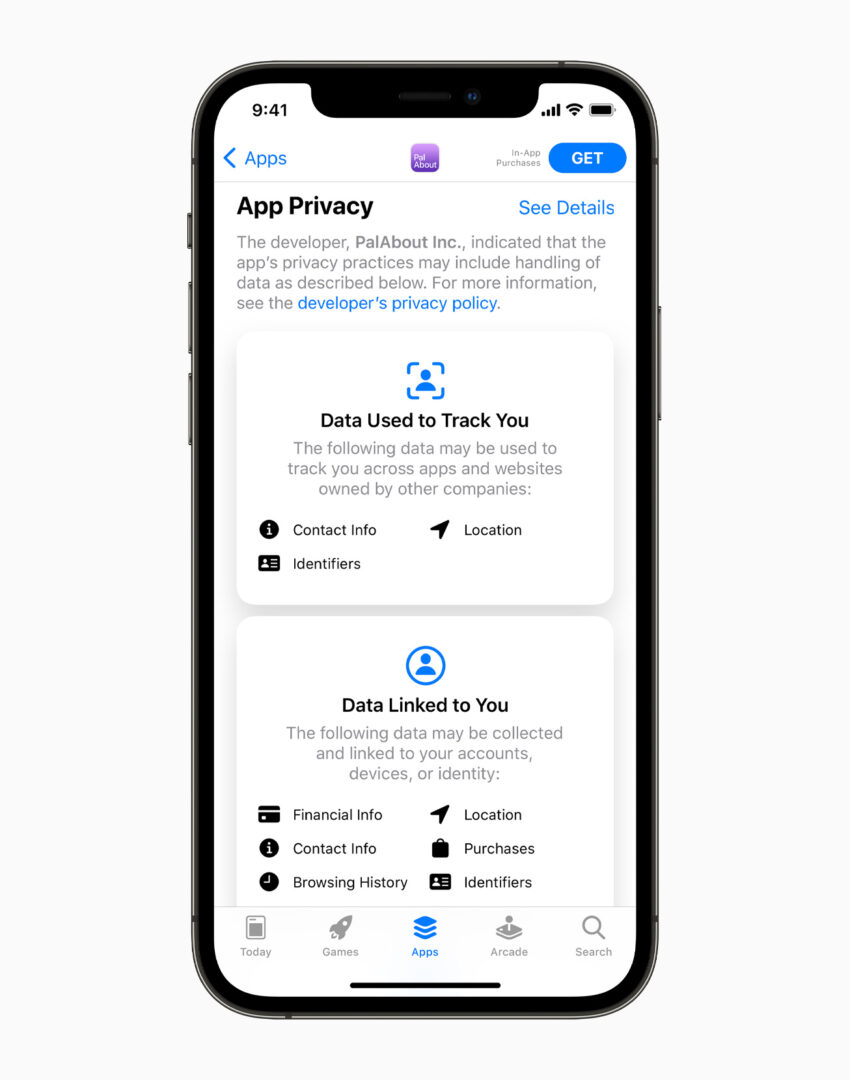
According to Apple, “Some APIs that your app uses to deliver its core functionality — in code you write or included in a third-party SDK — have the potential of being misused to access device signals to try to identify the device or user, also known as fingerprinting. Regardless of whether a user gives your app permission to track, fingerprinting is not allowed. Describe the reasons your app or third-party SDK on iOS, iPadOS, tvOS, visionOS, or watchOS uses these APIs, and check that your app or third-party SDK only uses the APIs for the expected reasons.”
Privacy has become one of the defining debates of modern technology, including the latest trends in AI, and Apple has managed to keep it as a core part of the development of its products and services.
As Apple adds more privacy awareness to the market, privacy is no longer considered an optional add-on feature, but rather a must-have feature. It is now becoming a key factor in how consumers select the brand and its technology.
Which is your favorite Privacy Feature? Let us know down in the comments or write to us on @appleosophy! Be sure to download the Appleosophy App from the App Store or visit our website to stay updated with the latest Apple news!