

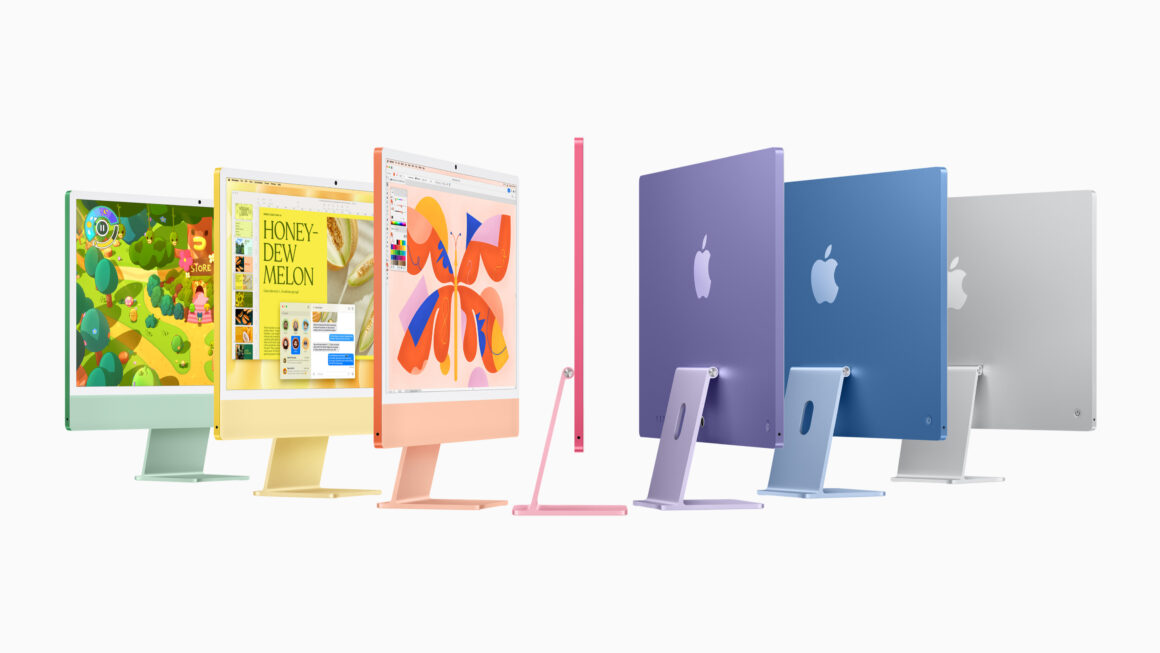
Back on April 20, 2021, Apple unveiled the 24-inch iMac that was completely redesigned from the ground up for Apple Silicon. Featuring an ultra-thin design that’s 11.5 millimeters thin on the side, along with light gray bezels, the iMac comes in seven vibrant colors that pay homage to the original iMac. To this day, the iMac continues to start at $1,299, which is a good deal for an all-in-one desktop computer, right?
When Apple introduced the redesigned 24-inch iMac back then, it touted Touch ID as one of the new features for the iMac, and similar to Touch ID on MacBooks, Apple implemented Touch ID on the Magic Keyboard. However, the base $1,299 does not include the Magic Keyboard with Touch ID; instead, it comes with the base Magic Keyboard (with Lock Key) by default.
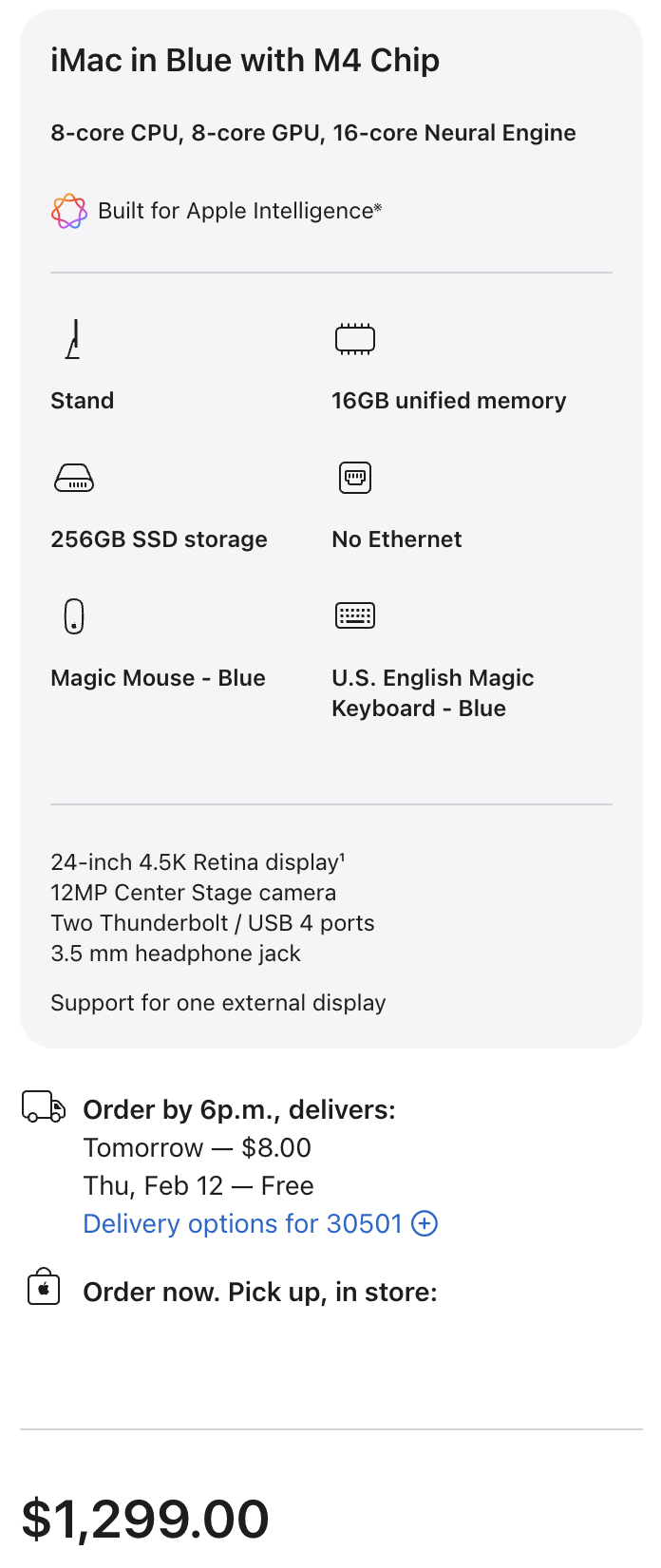
If you go to the iMac’s buy page and configure the base iMac model that has two Thunderbolt ports (by the way, Apple recently revamped the ordering process for a Mac to match that of other Apple products), you’ll be presented with two configuration options for the Magic Keyboard:
- Magic Keyboard (with Lock Key)
- Magic Keyboard with Touch ID and Numeric Keypad
Previously, for the base M1 and M3 iMacs, you could configure them to the (compact) Magic Keyboard with Touch ID (but without the Numeric Keypad) or either of the options above. But now, since Apple removed the option for the compact Magic Keyboard with Touch ID, the only option if you still prefer Touch ID would be to select the Magic Keyboard with Touch ID and Numeric Keypad, which would be a $80 upgrade for the base iMac model.
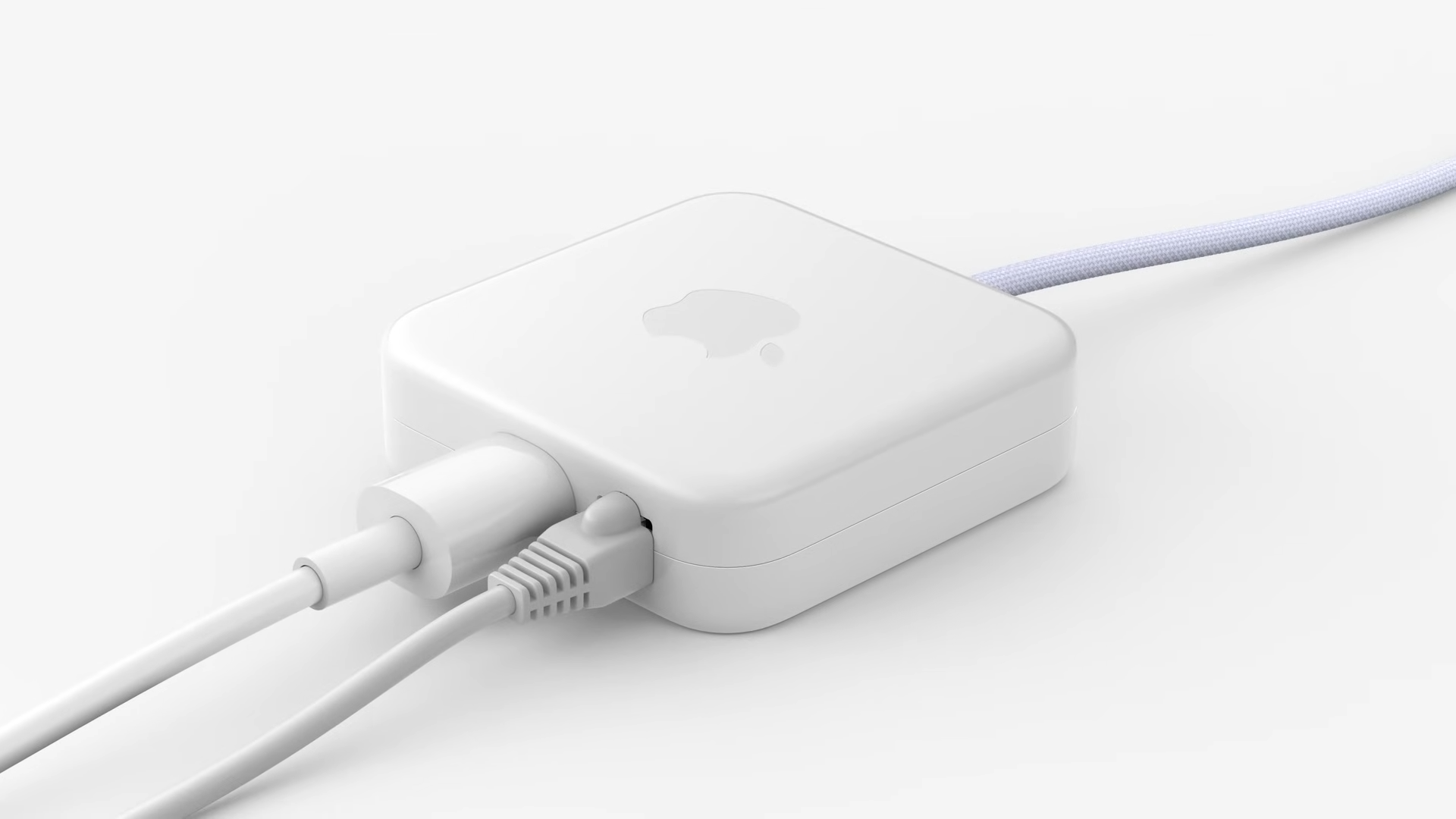
During the iMac’s introduction, Apple touted that the Ethernet port was relocated to the power adapter instead of directly on the iMac to “keep your desktop less cluttered”. However, the base iMac model does not include Ethernet either, so if you prefer to have Ethernet built-in (without using some Ethernet-to-USB-C adapter to take up one of the ports), that upgrade would set you back $30.
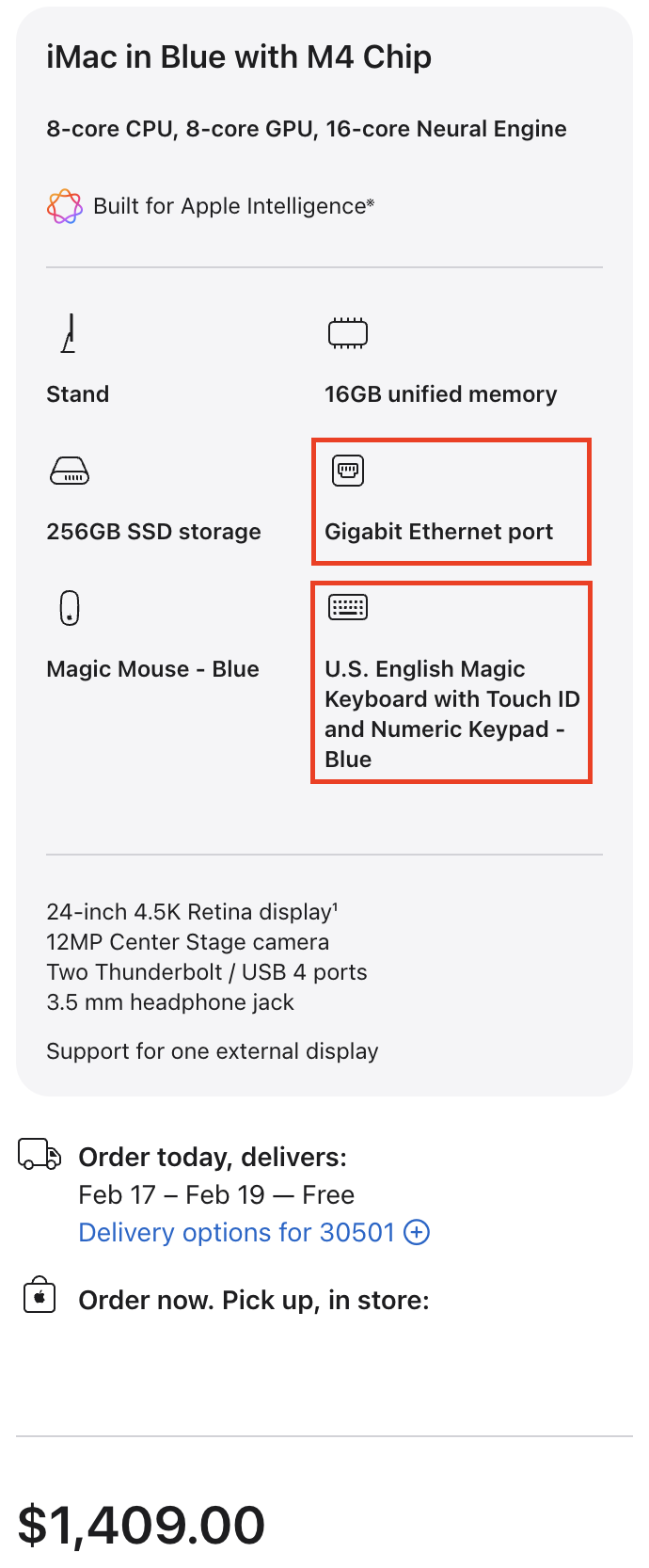
So as you can tell, the base iMac does not include Touch ID or Ethernet by default; configuring that to both of these options would set you back $110 in total, bringing the price from $1,299 to $1,409 (and that’s before any memory/capacity upgrades):
- Magic Keyboard with Touch ID and Numeric Keypad (+$80)
- Gigabit Ethernet port (+$30)
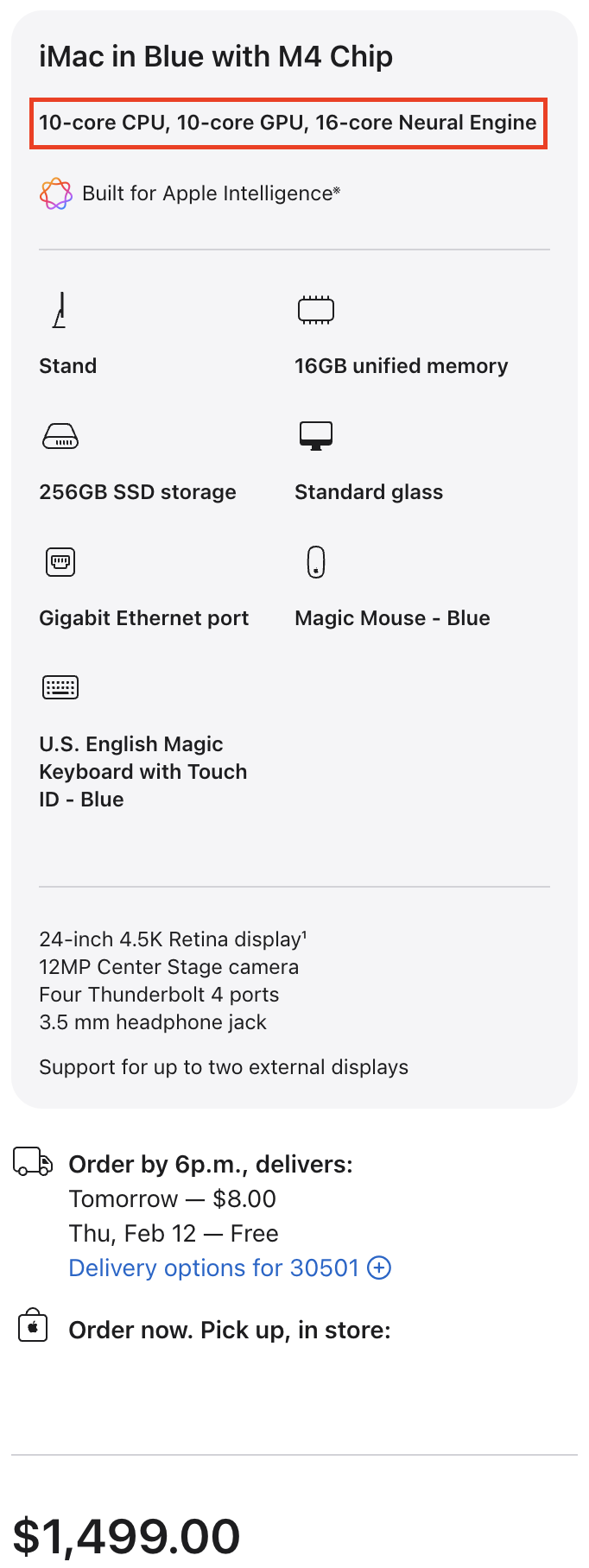
On the other hand, if you go with the model with four Thunderbolt ports, you’ll see that the compact Magic Keyboard with Touch ID is included, so there’s no need to upgrade to the extended Magic Keyboard with Touch ID and Numeric Keypad if you care about that feature. Gigabit Ethernet is included with the four-port model as well. On top of those two benefits, you’ll get the full-fledged M4 chip with a 10-core CPU and a 10-core GPU (vs. 8-core CPU/8-core GPU on the two-port model). Previously, on both the M1 and M3 four-port models, two of the USB-C ports supported Thunderbolt, and you could connect that model to one external display at up to 6K resolution at 60Hz. But now, since the full-on M4 chip has two Thunderbolt controllers, this means that all four USB-C ports support Thunderbolt on the upgraded model. Even better, that upgraded model can drive up to two external displays at 6K resolution at 60Hz. Internally, the four-port model has two fans to cool the motherboard, whereas the two-port model just has one fan (as shown in iFixit’s teardown). The upgraded four-port model still starts at just $1,499, making this model a far better value than ever before.
For many products, Apple usually sells two variants of the same product: one that’s stripped down in some way and one that’s “the complete package,” and the iMac is no exception. Over ten years ago, Apple started offering a stripped-down version of the 21.5-inch iMac at a lower price point, and that model featured a dual-core Intel processor, whereas the higher-end “mainstream” 21.5-inch iMac models featured quad-core processors.
Arguably, you’d consider how big your budget is towards buying an all-in-one, so you start with the base $1,299 two-port model; however, as soon as you make those two upgrades that we just discussed, you’d find out you’re not too far off from the upgraded $1,499 four-port model that could offer even more niceties. So really, you’re going up this price ladder as Apple is trying to upsell you into buying the better model. Apple went through a lot of engineering and development towards designing this marvel, so it would make sense for them to make more profit using this pricing strategy.
Even though you may consider the iMac as “expensive” or “overpriced,” you’re really paying for the brilliant design, the technology made possible by the silicon, and the tight integration of the display, microphone, speakers, and the I/O ports. There’s really no other 4.5K monitor in existence that matches the quality of the iMac, and the iMac is such an even better product now with all of these under-the-hood upgrades. If you’re looking to buy an iMac, I would strongly recommend you skip the base model and go for the four-port model, as that’s the one that is now worth spending more for the best value for an all-in-one.