The MacBook Neo features two USB-C ports for solid expansion, but as we previously mentioned, although both of those USB-C ports look identical with no indicators, they’re actually not created equal.
The rearmost USB-C port is the more capable one, as it supports:
- Charging
- DisplayPort
- USB 3 (up to 10Gb/s)
On the other hand, the right USB-C port is actually weaker as it supports:
- Charging
- USB 2 (up to 480Mb/s)
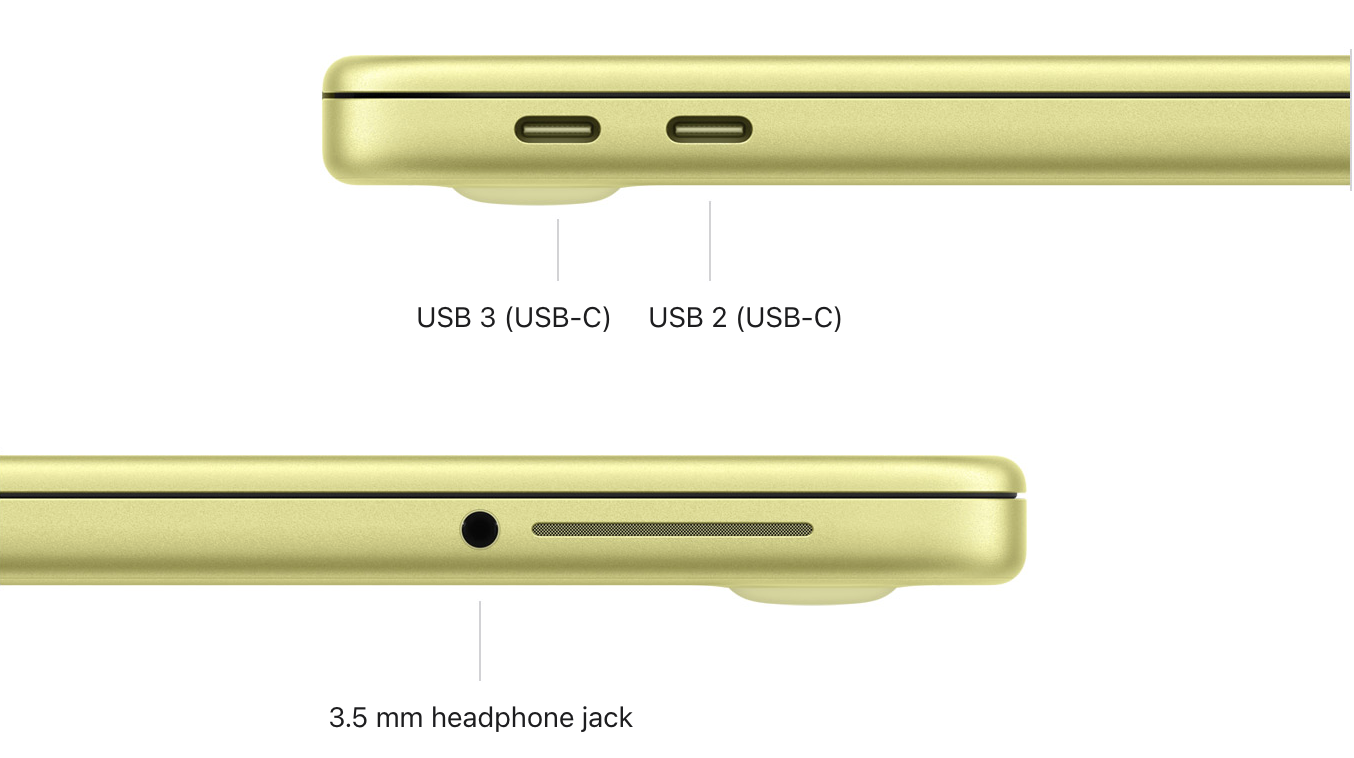
This means that you can only connect to an external monitor using the USB 3 port, and it would be in your best interest to connect any external drives to that same port for the maximum transfer speeds. At least the MacBook Neo has two USB-C ports, so you can use the right port for charging while using the rearmost one to connect to other peripherals, unlike the 12-inch MacBook, which had only one USB-C port.
But what if you connect an external monitor using the wrong port? According to John Gruber at Daring Fireball, Apple confirmed that macOS would alert you that you were using the wrong port.
Another spec worth mentioning is that according to Apple, the MacBook Neo could connect to just “one external display with up to a native resolution of 4K at 60Hz.” Apple also added in the footnotes that “enabling scaled resolution higher than the native resolution of the external display may affect availability of some refresh rate or HDR modes in display preferences.” Consequently, Apple also confirmed that the MacBook Neo technically works with the just-updated Studio Display models, but the Neo won’t take advantage of the 5K resolution, for it will output to 4K resolution at most.
The MacBook Neo starts at $599 for 256GB and $699 for 512GB. You can pre-order the Neo today with availability starting Wednesday, March 11.