
Today at WWDC 2026, Apple introduced the next iteration of its iPhone software, iOS 27. iOS 27 brings several requested features to the iPhone, including changes to Liquid Glass, a new Siri, improvements to Apple Intelligence, and more.
Apart from the already known usual changes, Apple has added one useful change to Sound Settings that most users will appreciate.
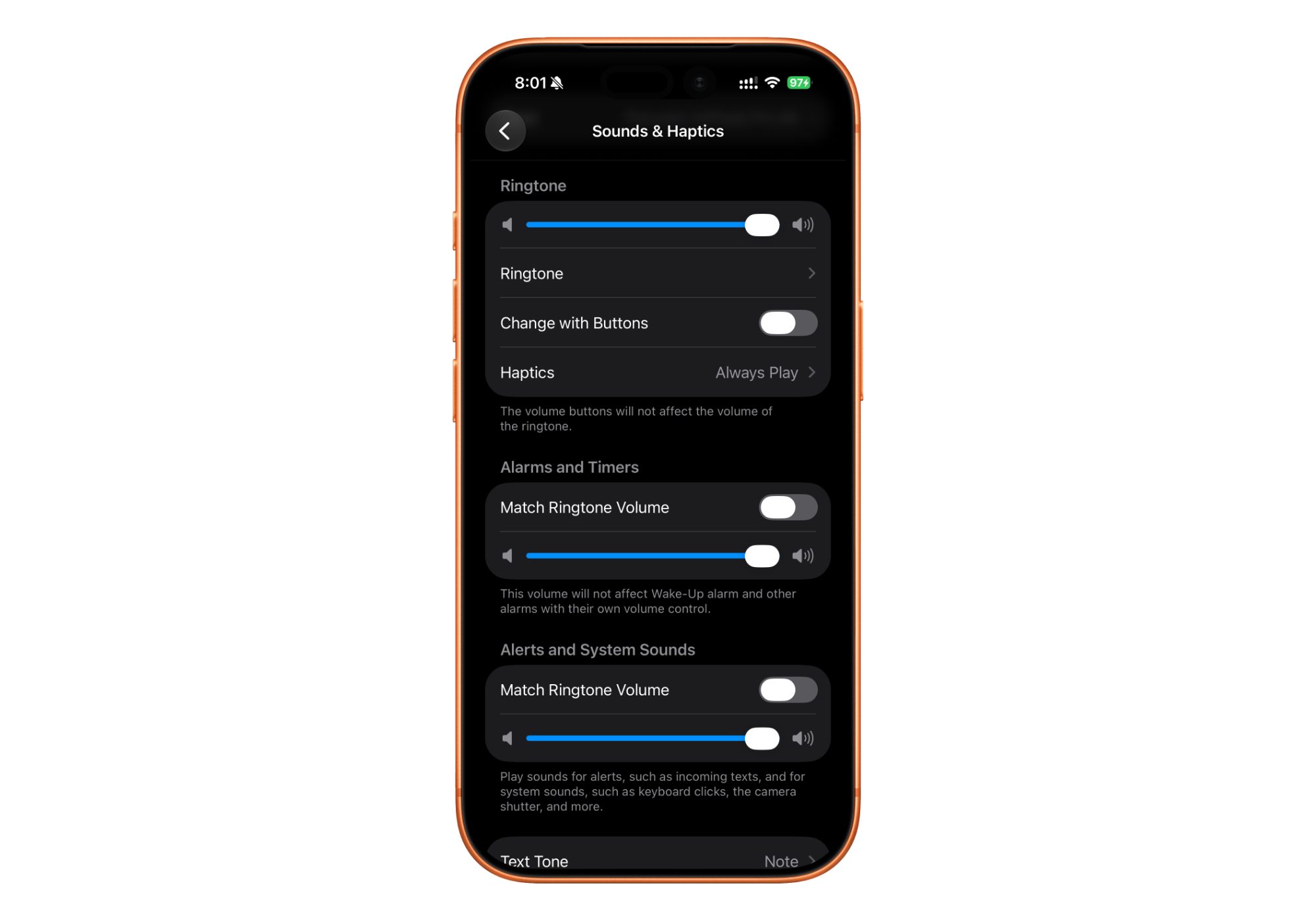
Up until iOS 26, there was only one volume control for all system-based sounds, so if you had set your iPhone to ring at a particular volume, your alarms would also use the same volume.
With iOS 27, this has changed. Apple has added separate volume controls for Ringtones, Alarms, Timers, and Notifications. For example, if you want your alarms to go off at maximum volume and your call ringtone to be at about 50% volume, you can set it!
Similarly, you can have a different volume set for notifications and your ringtone.
Users who are registered as a developer on www.developer.apple.com can opt in to receive beta updates by going into Settings>General>Software Update>Beta Updates and selecting Developer Beta.
Do note that these versions are not stable and are meant for testing purposes. They are not recommended to be downloaded on a primary device due to the nature of beta software. What’s your favorite feature? Let us know down in the comments or write to us on @appleosophy! Be sure to download the Appleosophy App from the App Store or visit our website to stay updated with the latest Apple news!
Comments
Comments will load as you approach this section.