
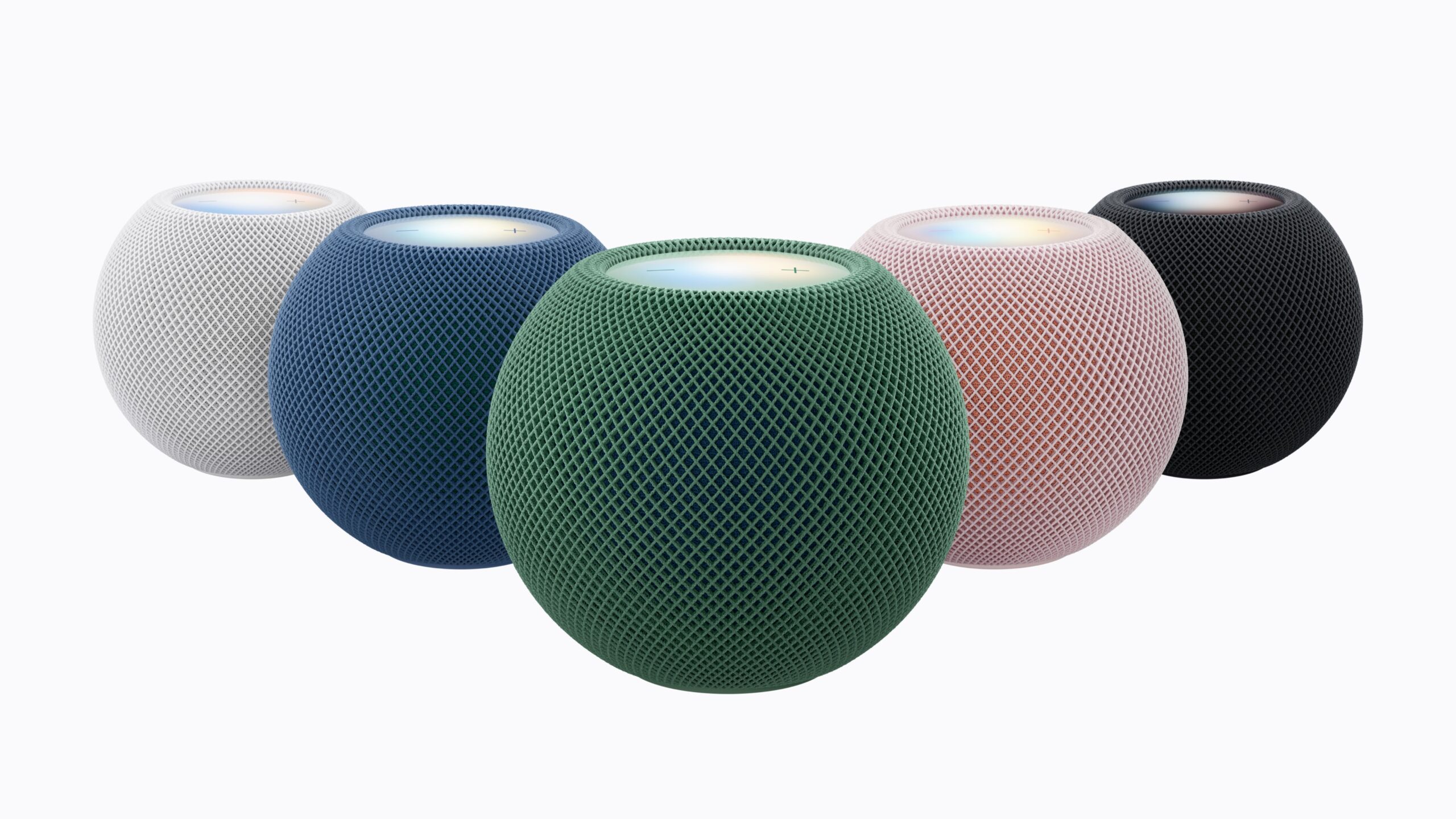
Apple has started rolling out version 27.2 for the HomePod for all models. The update brings many of the features that were announced alongside the HomePod mini 2 earlier this month, including Sound Glow.
According to Apple’s Release Notes for the new HomePod software version, “HomePod software version 27.2 brings the new Sound Glow visual experience, home theatre surround sound with Apple TV 4K (4th generation), and support for using HomePod speakers with your Mac, along with bug fixes and security updates for your HomePod.
• Sound Glow on HomePod mini, HomePod mini 2 and HomePod (2nd generation) turns the top of HomePod into a visual display that pulses and glows in sync with your media and shows matching light animations for soundscapes
• Home theatre surround sound supports connecting four HomePod speakers to Apple TV 4K (4th generation) for an immersive listening experience. Requires matching front and rear pairs of HomePod mini 2 or HomePod (2nd generation)
• HomePod speakers with your Mac lets you set HomePod as the audio output for everything you do on your Mac, with a responsive and persistent AirPlay connection
• Lock controls let you disable the touch controls on top of HomePod to prevent accidental taps from pausing music, skipping songs, or changing the volume”
HomePod users can install this update with the Home App on their iPhone, iPad, and Mac, and users will also need to install macOS 27.2 and tvOS 27.2 to use some of these features.
Unfortunately, the new ‘Sound Glow’ feature is not supported on the original HomePod that launched in 2017, although it is still commendable that Apple provides updates for a nine-year-old speaker.
Here’s how Apple describes the Sound Glow feature: “the top of HomePod mini transforms into a visual canvas that glows and pulses in sync with the music, reacting in real time to bass and treble. The song’s album artwork from Now Playing generates a color-matched light experience that’s unique to every song, and users can pick a soundscape like rain to trigger bespoke animations for a soothing atmosphere.”
Here’s how Sound Glow looks:
Did you find any more features in this update? Let us know about your experience down in the comments or write to us at @appleosophy! Be sure to download the Appleosophy App from the App Store or visit our website to stay updated with the latest Apple news!
0 comments
No comments yet. Start a thoughtful conversation.