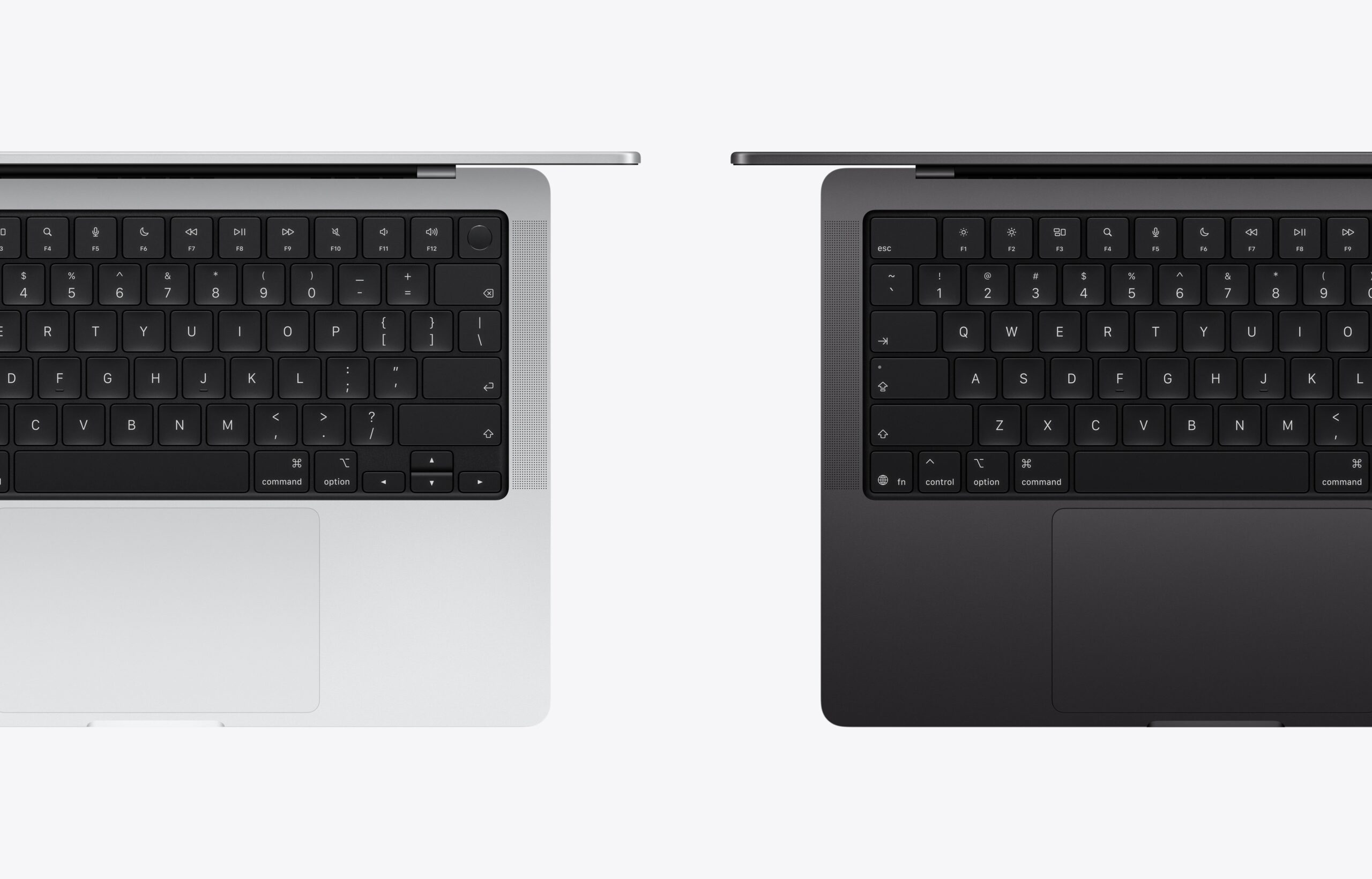
UPDATE: These changes on the Magic Keyboard also apply to the MacBook Neo.
Earlier today, Apple introduced the MacBook Air with M5 and the MacBook Pro with M5 Pro and M5 Max. Although they both share the same design as their respective predecessors, there is one slight change that may help you differentiate the latest MacBooks from previous generations.
You may not know this, but last year, Apple tweaked the mute icon on the F10 key to have a slash in front of the speaker icon. Also, the Control, Option, and Command symbols changed their positions to be further away from the space bar, and the “fn” on the globe/function key is now adjacent to the globe icon. These subtle design changes appeared on the MacBook Air with M4, which was introduced last March, and the base 14-inch MacBook Pro with M5, which was introduced last October.
For the latest MacBook Air and MacBook Pro models that were just announced, Apple made even more subtle tweaks to the Magic Keyboard for those machines. This time, Apple did away with the words on the Tab, Caps Lock, Delete, Return, and Shift Keys in favor of the symbols on each of their respective keys.
It’s unclear why Apple made this subtle change, but I guess it would be for the sake of consistency. Still, that’s one subtle way to easily identify the MacBook Air and MacBook Pro models introduced this year from older MacBook models.