

Introduction
42 years ago on this day, January 24, Apple introduced the original Macintosh. Since then, Apple has been leading the way in revolutionizing the personal computer. Apple has introduced several of its most iconic Macs, but the one Mac that stood out to me the most has been the Power Mac G4 Cube. While it had an interesting history, it laid the foundation of one of the Mac computers in today’s lineup. Let’s take a trip down memory lane to learn about the history of the Power Mac G4 Cube.
The Ultimate Combination of Power and Simplicity
On July 19, 2000, when Steve Jobs first introduced the G4 Cube at MacWorld New York, he first presented a 2×2 grid that depicted a very simple lineup of the Mac, where desktops and laptops were catered to both professionals and consumers. This would be the first time that Apple would expand the lineup with an additional desktop model. Apple’s ambition for this desktop was to combine “the power of the Power Mac G4 with the desktop elegance and miniaturization that the company learned from designing the iMac”, and that was what Apple did with the Power Mac G4 Cube, which sat perfectly between the iMac and the Power Mac G4 Tower.
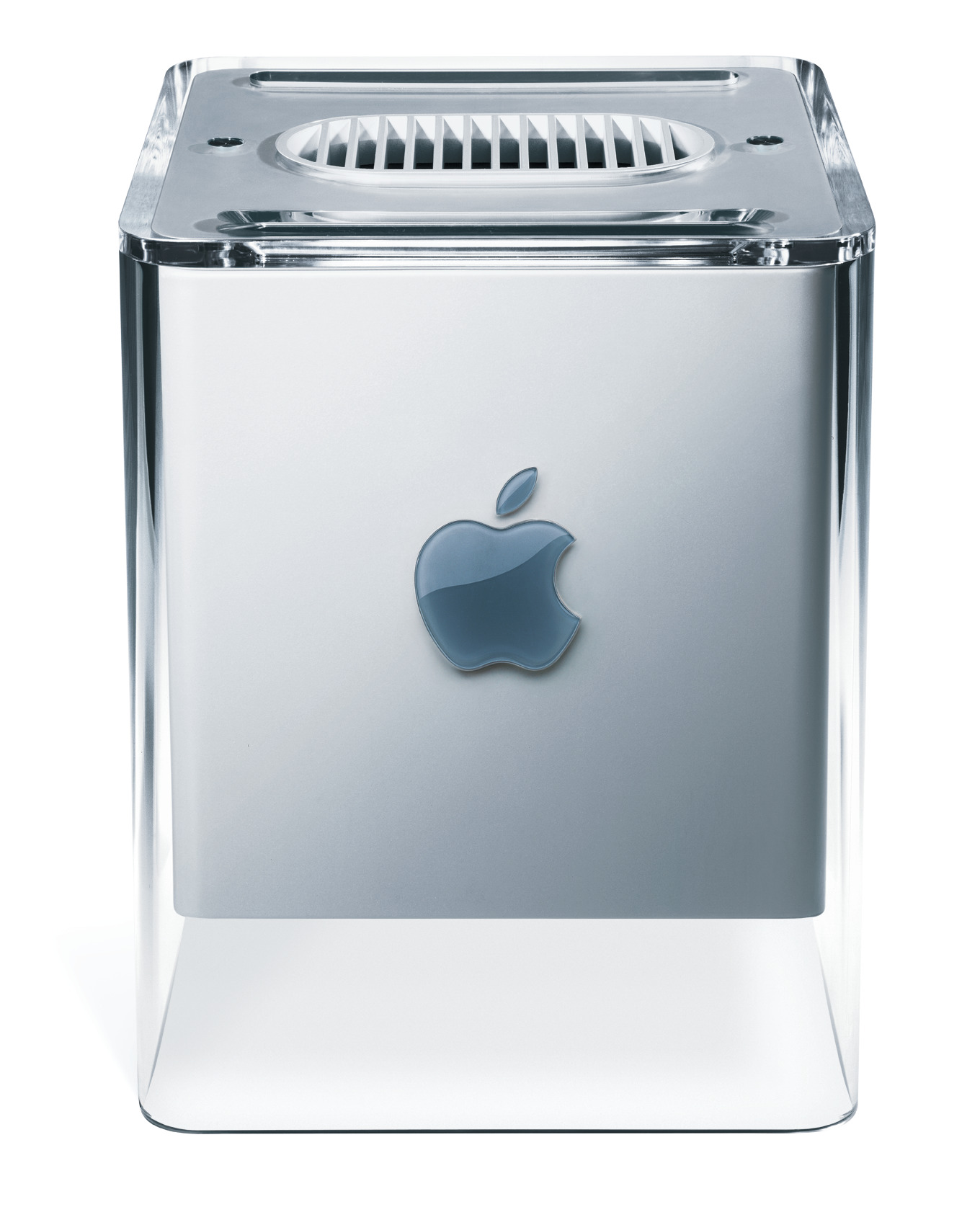
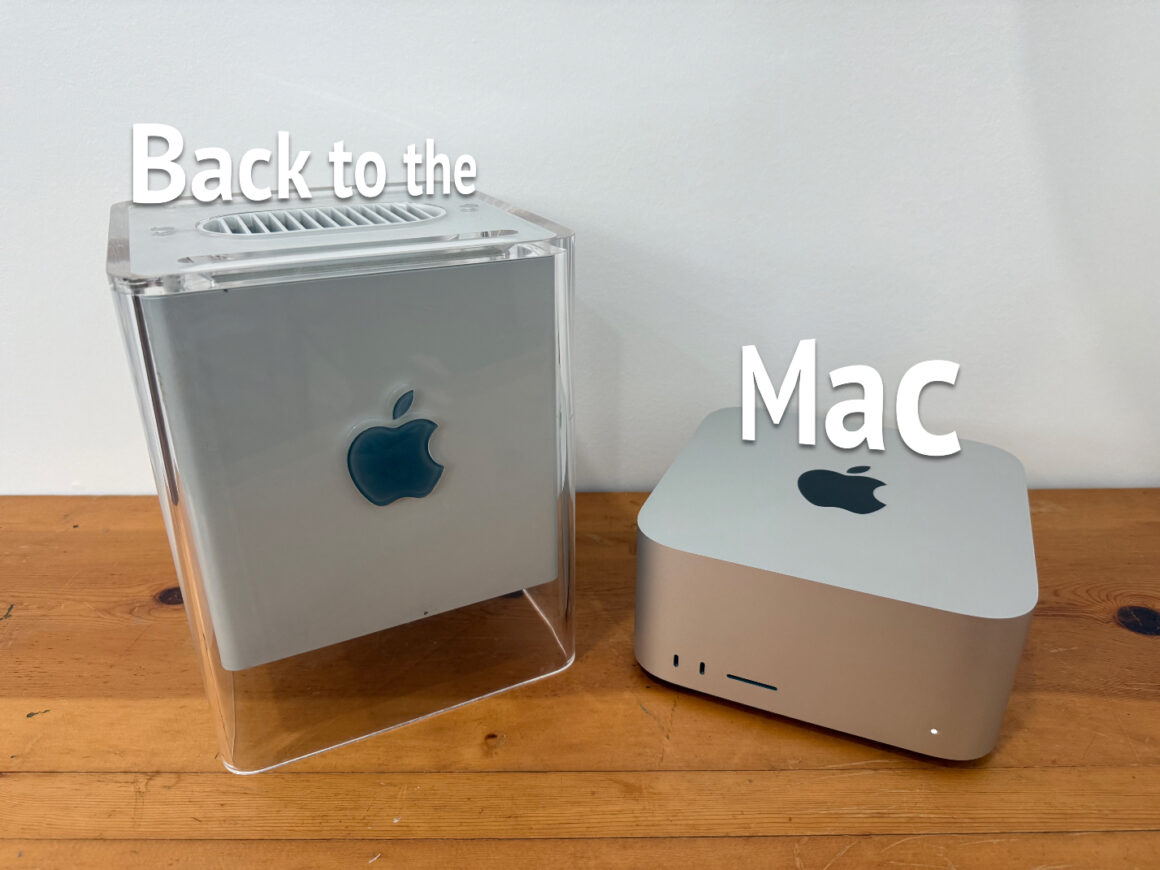
It featured the same G4 chip as the high-end Power Mac G4 had (hence the name), yet it featured the desktop elegance and miniaturization that was inspired by the iconic iMac, as all of the power and performance were packed in an 8-inch cube, which was about one-fourth the overall volume of the G4 Tower. The design of the Cube looked like it was ahead of its time with its stunning crystal-clear enclosure, which gave the “illusion” that the computer itself was suspended in mid-air.
Although the G4 Cube was quite small in volume, Apple made the computer as modular as the tower version. To access the internals of the Cube, you turn the computer upside down, and you press down the handle. The handle would come up, and you literally pull the entire computer out of the enclosure. That way, you could upgrade both the hard drive and the RAM to your heart’s content.
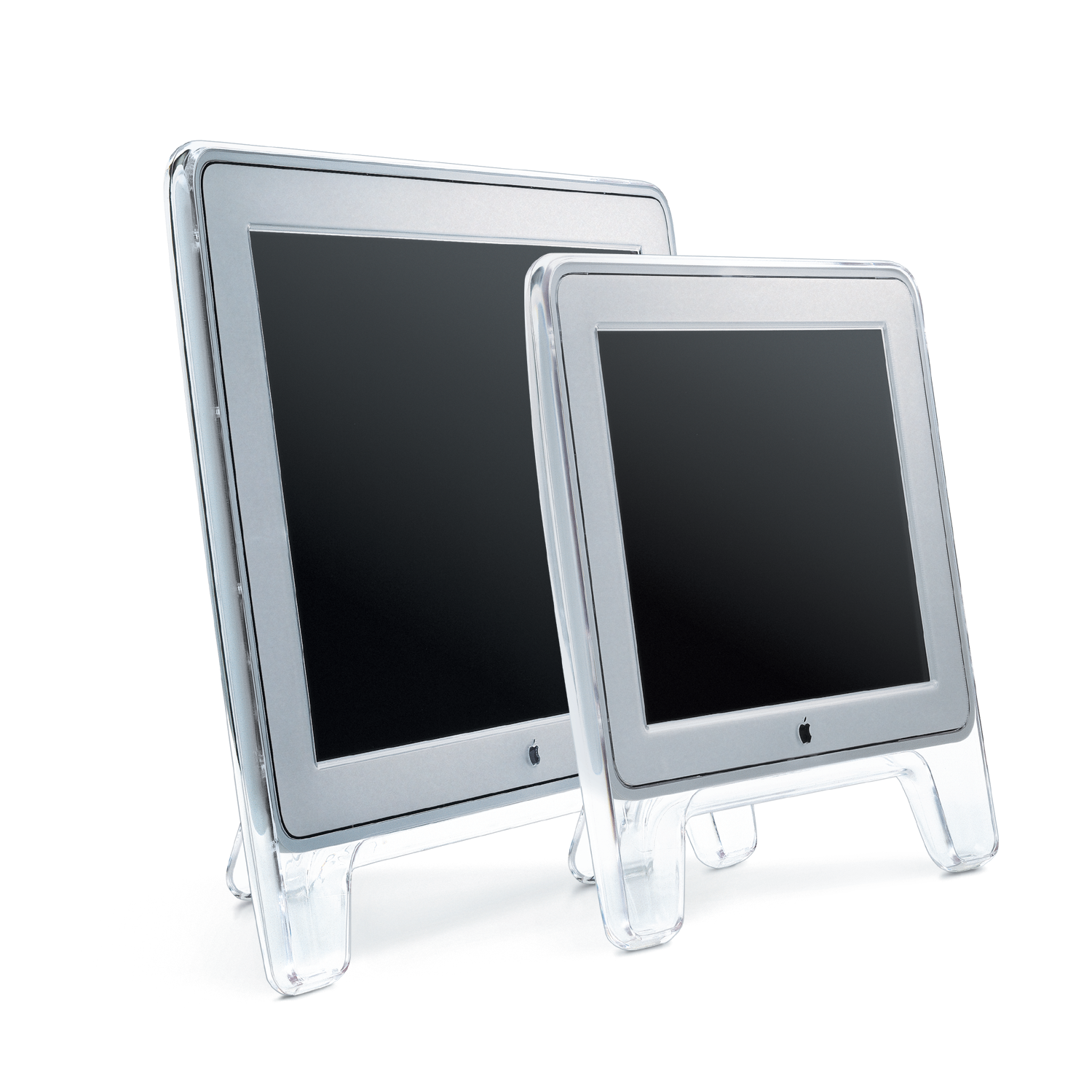
However, Apple didn’t stop there. Apple wanted to offer several accessories to complement the Power Mac G4 Cube beautifully by debuting the Pro Keyboard and Pro Mouse, both of which had an elegant design with clear cases, black keys on the Pro Keyboard, and a black interior on the Pro Mouse. The company also went above and beyond by introducing three monitors that had the same design aesthetic as the Cube: the 17-inch Apple Studio Display (CRT), the 15-inch Apple Studio Display (LCD), and the 22-inch Apple Cinema Display (LCD). The biggest feature that these monitors had was the Apple Display Connector, which was an innovative technology that carried both analog and digital video signals, USB data, and power in one single cable. (Does this sound familiar?) This meant that you didn’t need to have a separate power cord to power any of these monitors, as either the Power Mac G4 Tower or the Cube could power any of these monitors through one ADC cable, which helped reduce cable clutter and simplified setting up your desktop.
One Door Closes, Another One Opens
Apple saw major success with its iMac and iBook as those products undeniably saved the company from bankruptcy, so with the G4 Cube’s futuristic design, you would think it would succeed, right? Not even close. You see, the G4 Cube started at $1,799, and that came with a 450 MHz G4 Processor; however, you could get the G4 Tower at a lower starting price at $1,599, albeit with a bit slower processor at 400 MHz. So you’d be paying more for form over function. To add insult to injury, the 500 MHz configuration of the G4 Cube was available for $2,299, but for $200 more, you could get the G4 Tower with dual processors instead, so the G4 Cube was not a good value to begin with. Apple later dropped the price for the 500 MHz model to $1,999; however, the G4 Cube still didn’t appeal to many people who were looking for serious performance. On July 3, 2001, Apple put the G4 Cube on ice. Its sudden discontinuation came just less than a year after it was introduced. However, that didn’t stop Apple from experimenting with smaller desktop form factors.
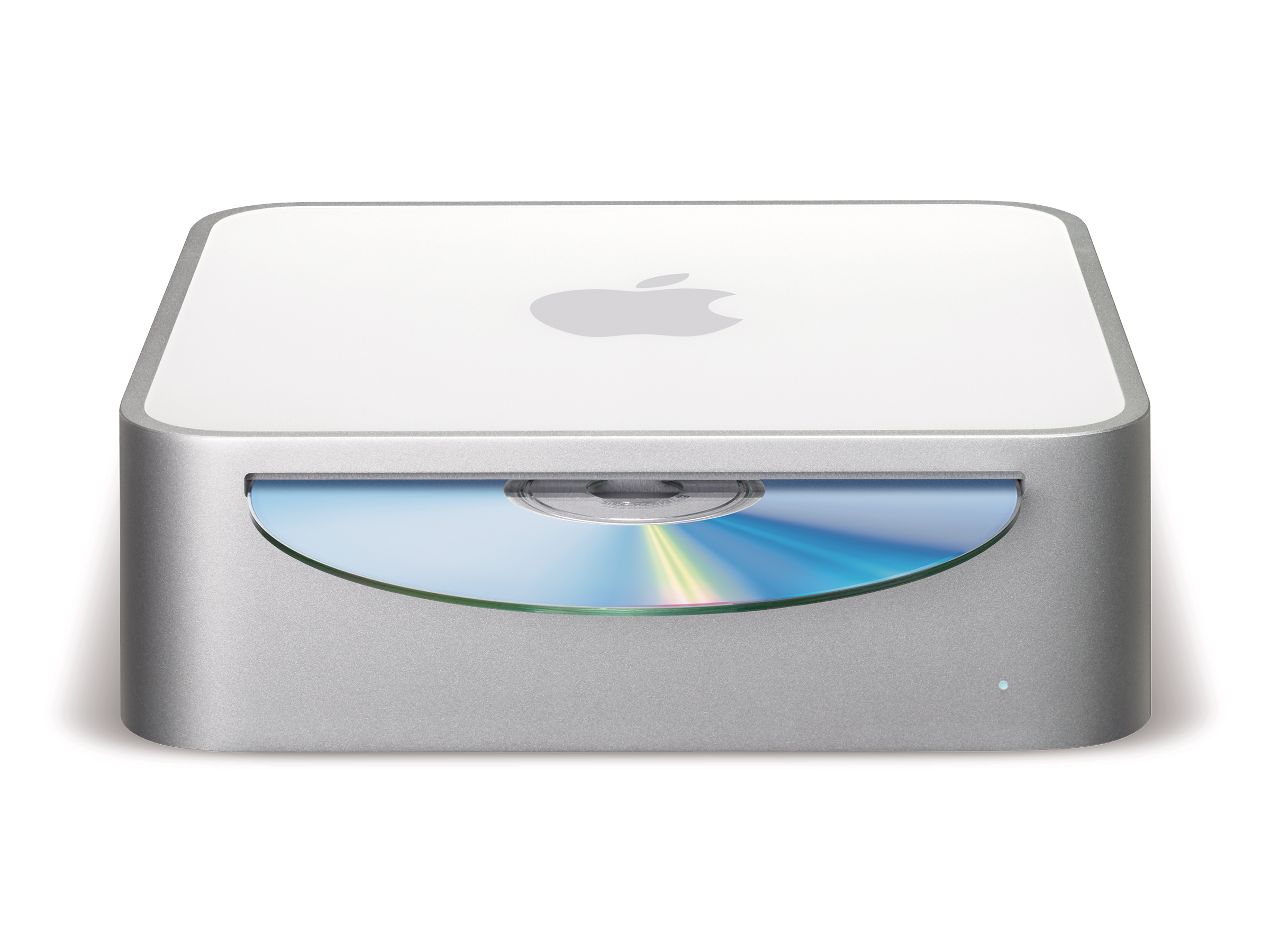
On January 11, 2005, Apple debuted its newest addition to the lineup: the Mac mini, which was smaller than the Power Mac G4 Cube; however, it was aimed at a different market as it was positioned as an entry-level Mac that served as an affordable option for PC switchers. If you’re coming from a PC, chances are you’d have all the peripherals needed for a desktop setup, hence the term “BYODKM”, which stands for “Bring Your Own Display, Keyboard, and Mouse.” The original Mac mini featured the G4 processor, and at the same time, Apple was selling the Power Mac G5, which, hence the name, featured the very powerful G5 processor. That processor was actually worse than the G4 in terms of energy efficiency, which meant it became too power hungry and heat intensive for small thermal envelopes such as laptops and smaller desktops.
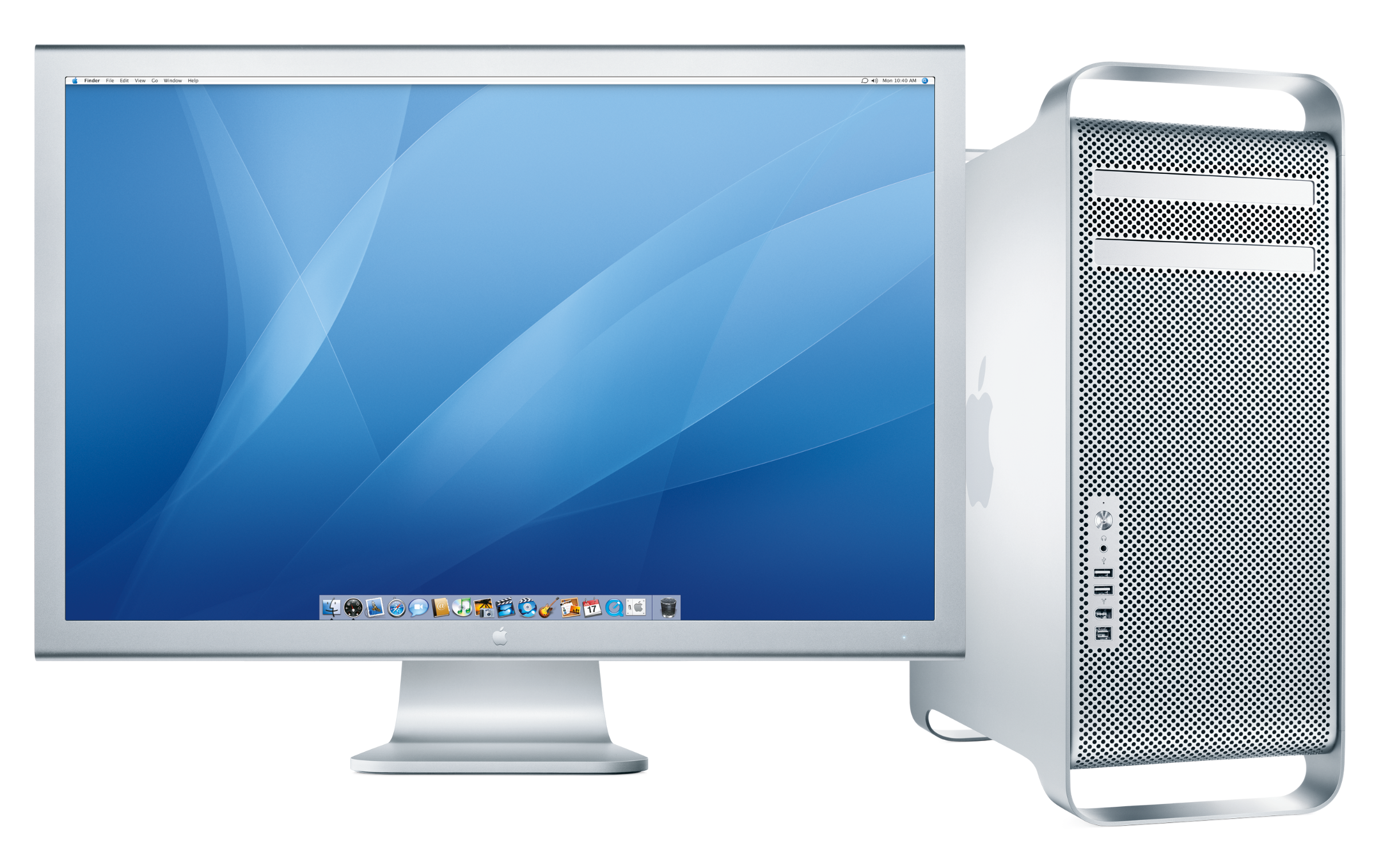
On June 6, 2005, at WWDC, Apple announced that it would transition its entire Mac lineup from the PowerPC to Intel processors starting next year, and on August 7, 2006, Apple completed that transition with the introduction of the Mac Pro, which replaced the Power Mac G5, yet it carried the same design as its predecessor.
Progression Towards Miniaturization
With Intel processors being more power-efficient, this led to more radical designs that Apple would experiment with, particularly the MacBook Air, which Apple claimed was the world’s thinnest notebook. The MacBook Air’s development challenged Apple to miniaturize the logic board. That’s a story for another time, but I previously discussed it in an article that you should go read as well. Anyways, over the next few years, as Apple continued to improve its MacBook lineup with thinner unibody enclosures and all-flash storage, the Mac Pro seemed to be on the back burner as it received less frequent or minimal updates. Shortly after WWDC 2012, when Apple gave the Mac Pro just a speed bump without any other new technologies, such as Thunderbolt, Apple promised it was working on something great for the following year.
On June 10, 2013, at WWDC, Apple teased the next-generation Mac Pro with Phil Schiller infamously saying on stage, “can’t innovate more in my ass.” This Mac Pro featured a radically cylindrical design, which later became known as the “trash can” Mac Pro. It was significantly smaller in volume than the one it replaced. In other words, the 2013 model was one-eighth the volume of its predecessor. In fact, it was similar in height to that of the Power Mac G4 Cube. Just like the G4 Cube, it was thoughtfully designed since all the components are mounted around the unified thermal core. This Mac Pro launched on December 19, 2013; although its design looked promising, this Mac Pro quickly faced its shortcomings as its thermal architecture was just not made for future processors and graphics cards. The “trash can” Mac Pro never saw an update for almost six years until Apple apparently went back to the drawing board, and on June 3, 2019, at WWDC, Apple unveiled the Mac Pro with a more traditional design that was a lot more upgradable.
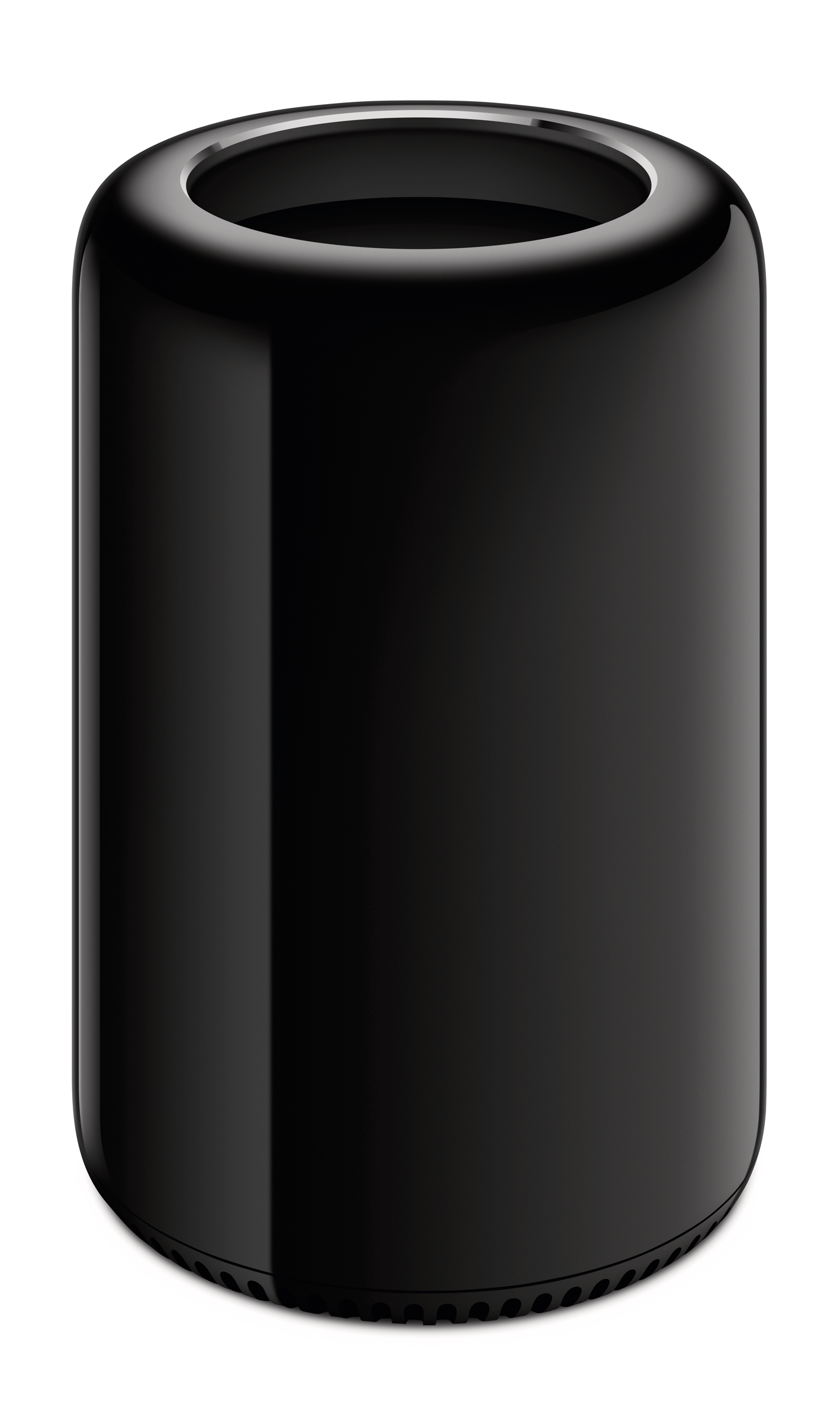
Around the same time, as MacBooks became thinner, Apple had several thermal throttling issues, particularly with the MacBook Pro. It became so bad that on June 22, 2020, at WWDC, Apple officially announced that it would transition its Mac lineup from Intel processors to its own in-house silicon. This was a huge step for Apple, and it would lead to Apple designing an entirely new desktop from the ground up.
Apple Fulfilled its Vision of a Compact Supercomputer
On March 8, 2022, Apple introduced an entirely new computer that was made only possible with Apple Silicon, and that was the Mac Studio. The Mac Studio inherited most of the DNA from the Power Mac G4 Cube in many ways. For one, the Mac Studio combined the workstation performance that the future Mac Pro would have with the simplicity and miniaturization that Apple learned from designing the Mac mini (and arguably the iMac as well), and the Mac Studio sat perfectly between the Mac mini and the Mac Pro. Featuring the M1 Max and M1 Ultra, it was faster than the Intel-based Mac Pro as well as the 27-inch Intel iMac that Apple discontinued that day. Needless to say, the Mac Studio had such mighty performance, yet it featured a more compact design that shared the same footprint as the Mac mini back in the day. Interestingly, both the width and depth of the Mac Studio are very similar to those of the G4 Cube at 7.7 inches.
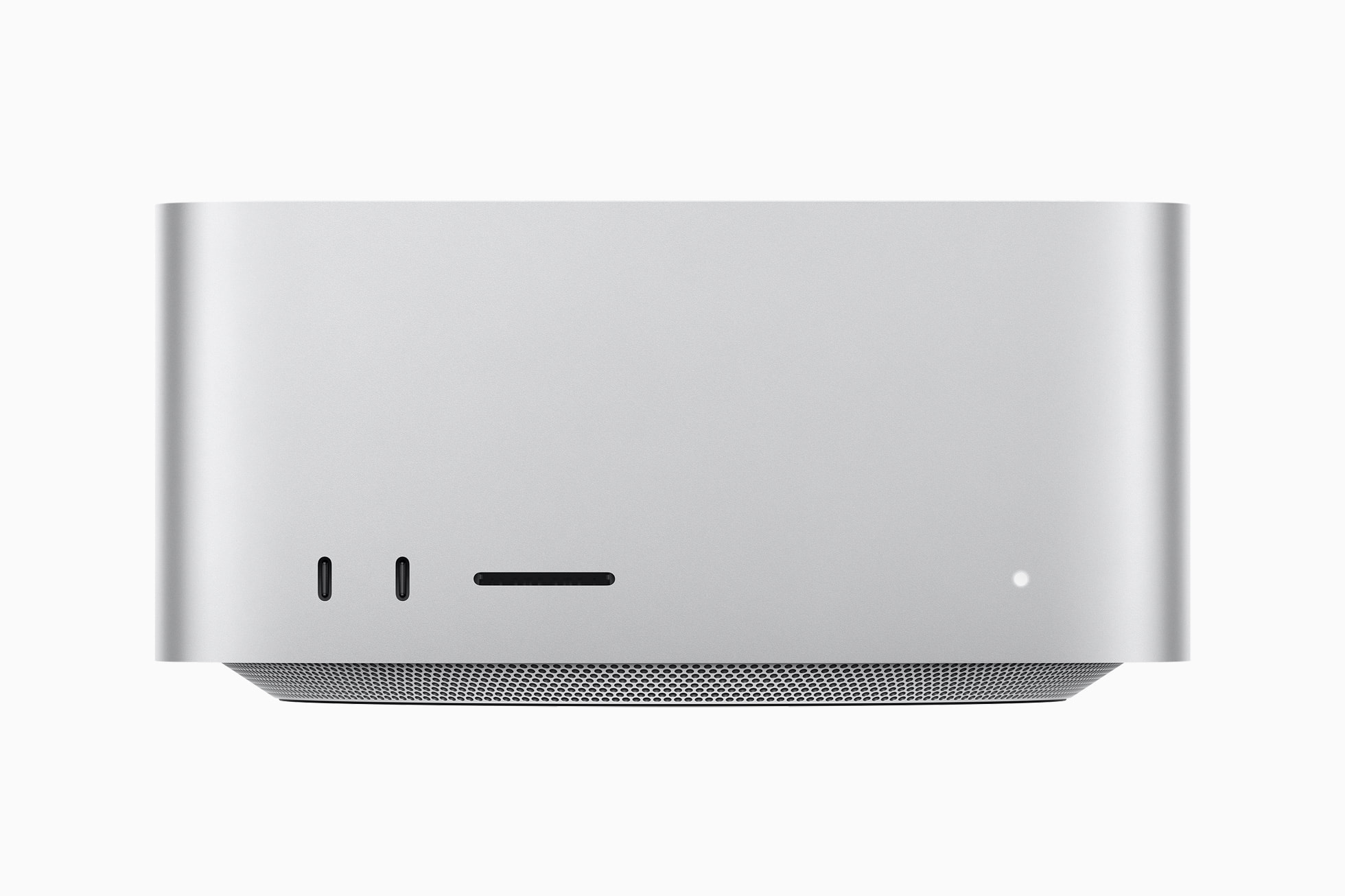
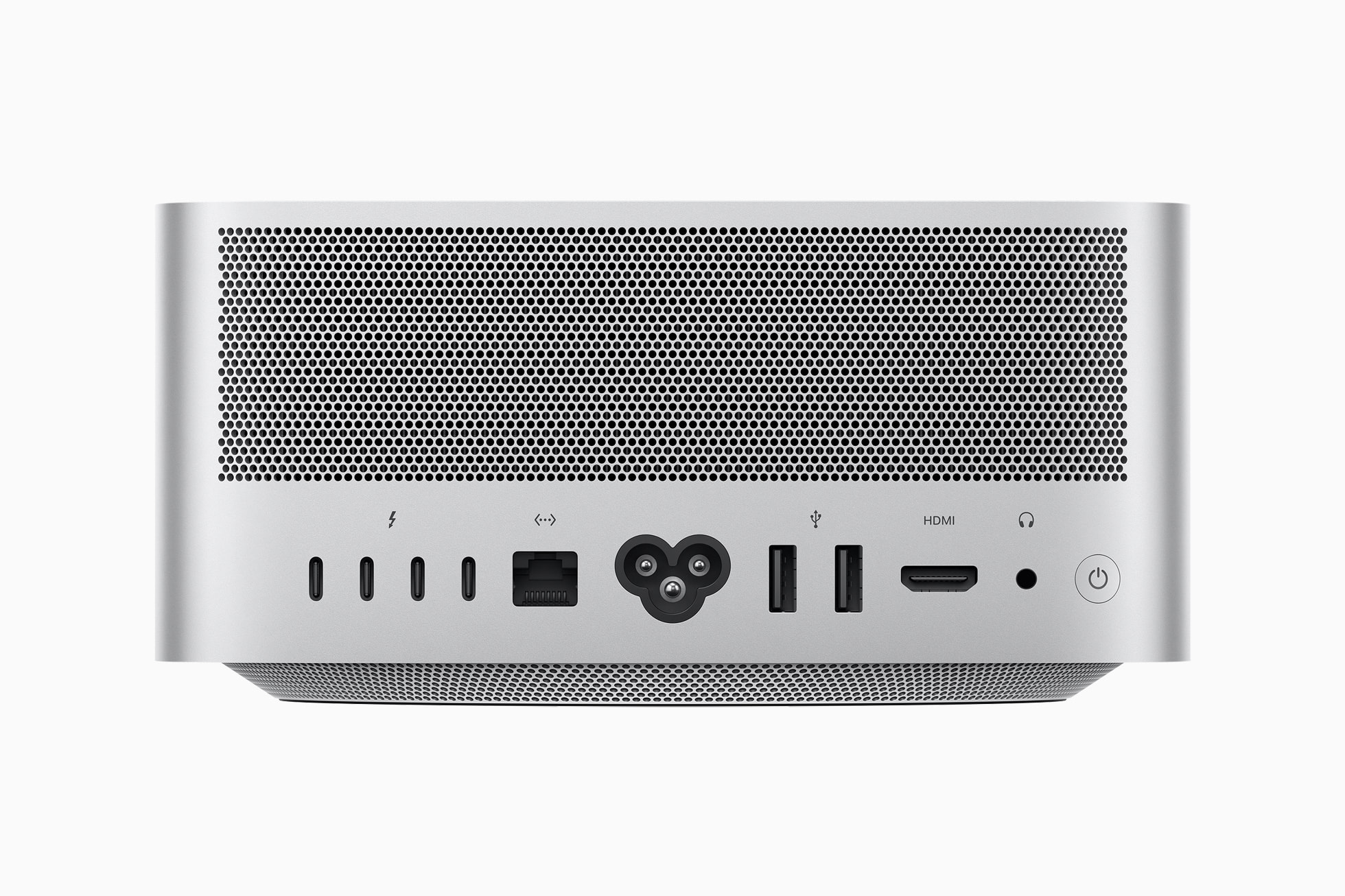
Modularity has evolved in a big way as the Mac Studio came with six Thunderbolt 4 ports for the M1 Ultra model, making it the most versatile computer that Apple has ever designed, so the possibilities for creative professional workflows were endless. You could plug in several Thunderbolt external drives for external storage with ultra-fast data transfer speeds, and you could even drive multiple 6K displays simultaneously with those ports as well. The expansion via Thunderbolt made Mac Studio the most modular setup ever.
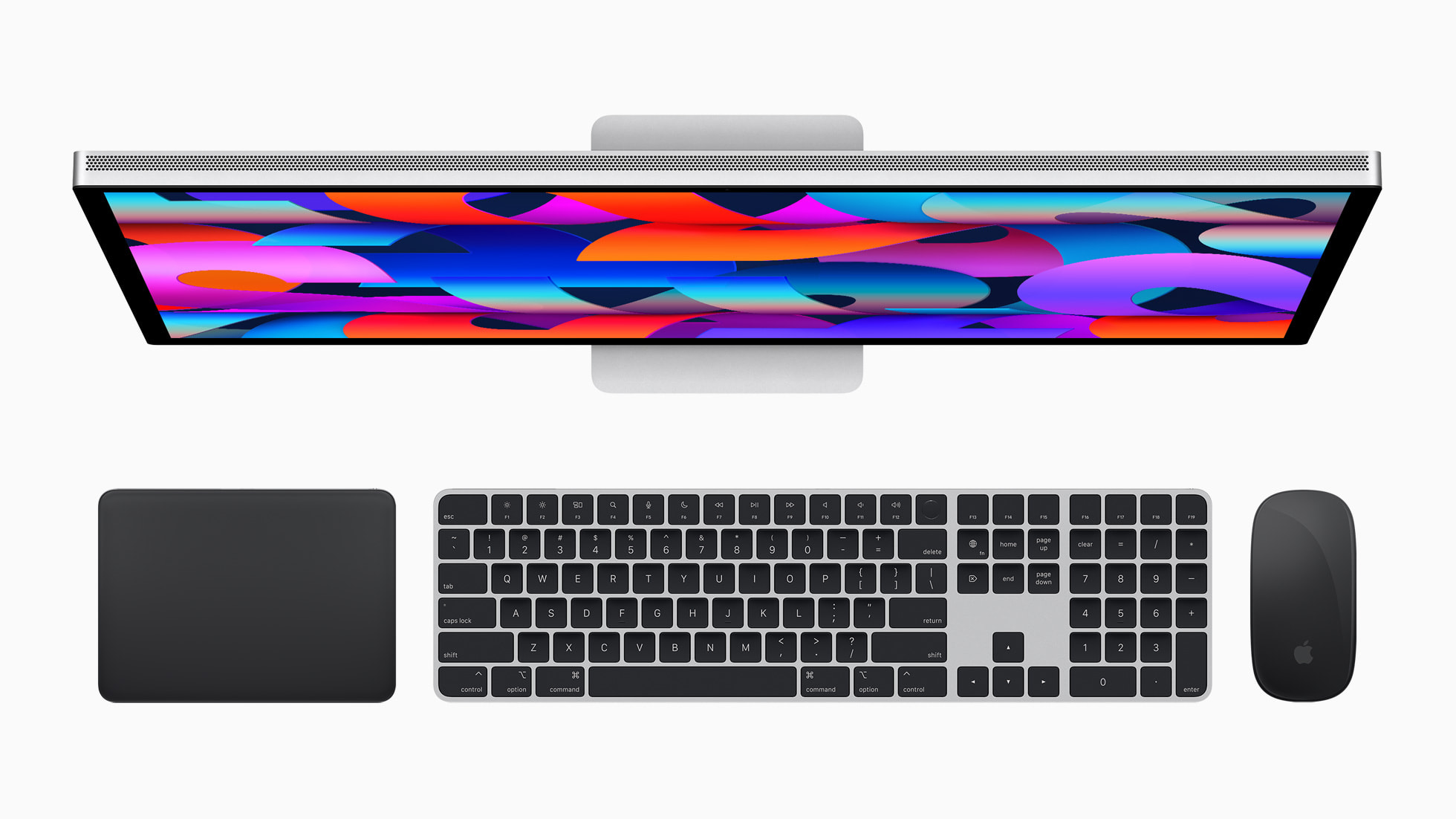
Speaking of accessories, Apple debuted Magic Accessories in silver and black that complemented the Mac Studio and Studio Display’s color scheme, echoing that of the Pro Keyboard and Pro Mouse when Apple debuted the G4 Cube. This included the Magic Keyboard with Touch ID and Numeric Keypad, Magic Mouse, and Magic Trackpad. More prominently, Apple also paid homage to history by reviving the “Studio Display” brand for its all-new monitor to complement the Mac Studio. The Studio Display also works beautifully with any Mac. Thunderbolt connectivity is what Apple had envisioned with its Apple Display Connector in the G4 Cube era, as Thunderbolt not only transfers data at lightning speeds, but it also supports video signals (DisplayPort) and transmits power. This means you’d need only the Thunderbolt cable to connect your MacBook to the Studio Display and charge it simultaneously through that cable, so you don’t need to have another USB-C or MagSafe cable to charge your MacBook. Sure, if you’re using a Mac desktop with the Studio Display, then the Mac desktop and Studio Display would each need to be plugged into the wall, but we have never been this close to having one cable that does it all, and you can use the Studio Display’s built-in USB-C ports for further expandability.
The Mac Studio became a phenomenal success for pro users who want serious performance in a smaller package, and on June 5, 2023, Apple updated the Mac Studio with the M2 Max and M2 Ultra chips, and Apple also brought Apple Silicon to the Mac Pro by updating it with the M2 Ultra. This also meant the Mac Studio was just as capable as the Mac Pro in terms of raw performance. With the launch of the Apple Silicon Mac Pro, this completed the transition to Apple Silicon.
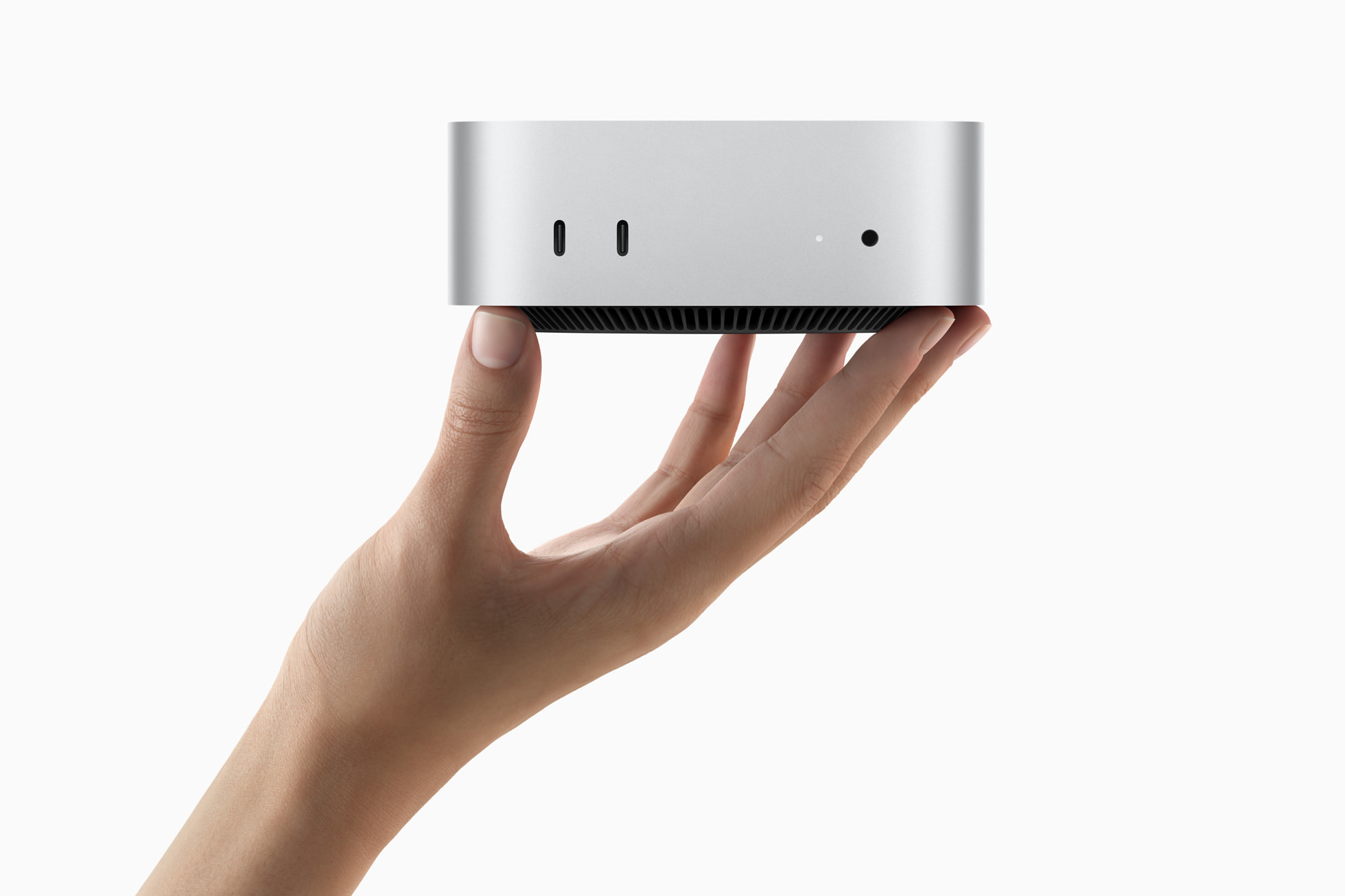
Apple Silicon continues to see solid improvements in both performance and efficiency from generation to generation, as it allows for smaller motherboards to design the MacBook Air and iMac to be thinner and the MacBook Pro to be more performance-packed, as the 14-inch model now has the same higher-end Pro/Max chip options as the bigger 16-inch model. The advances in miniaturization even allowed Apple to design an even smaller Mac mini, which is essentially “the Mac Studio for the rest of us,” as it looks like a smaller version of the Mac Studio.
Conclusion
Today’s Mac Studio features the M4 Max and M3 Ultra chip, the most powerful chip that Apple has ever made, and Thunderbolt 5 allows for even faster data transfer speeds, especially when working with very large files from Thunderbolt 5-based drives such as ProRes video and ProRAW images. The latest version of macOS allows pro users to create clusters of Mac Studios, which can take full advantage of the ultra-fast Thunderbolt 5 speeds to run AI-related and ML-related tasks locally. Jeff Geerling actually tested a cluster of Mac Studio, so you should check out his blog post about it if you’re interested.
The Mac Pro, on the other hand, continues to lag behind as it still features the M2 Ultra chip, meaning it’s limited to Thunderbolt 4, and with the Mac Studio being more versatile and powerful than ever before, there’s no real reason to choose the Mac Pro other than PCI slots, but that I/O technology is more niche nowadays. So it appears that Apple is moving on from the Mac Pro. Even Mark Gurman from Bloomberg suggests that Apple has “largely written off” the Mac Pro. Rumors indicated that Apple would continue to update the Mac Studio and put the Mac Pro on the back burner, as we expect the Mac Studio to feature the M5 Max and M5 Ultra chips as soon as this summer, alongside the rumored “Studio Display XDR.” With that said, the Power Mac G4 Cube failed so that the Mac Studio could live on.
I hope you enjoyed this trip down memory lane as we explored several powerful Mac desktops that led up to the Mac Studio. For more Apple-related news, deals, reviews, and opinions, make sure to follow us at X at (@Appleosophy) and download our app on the App Store to stay up to date with the latest news. Thanks for reading!