
Introduction
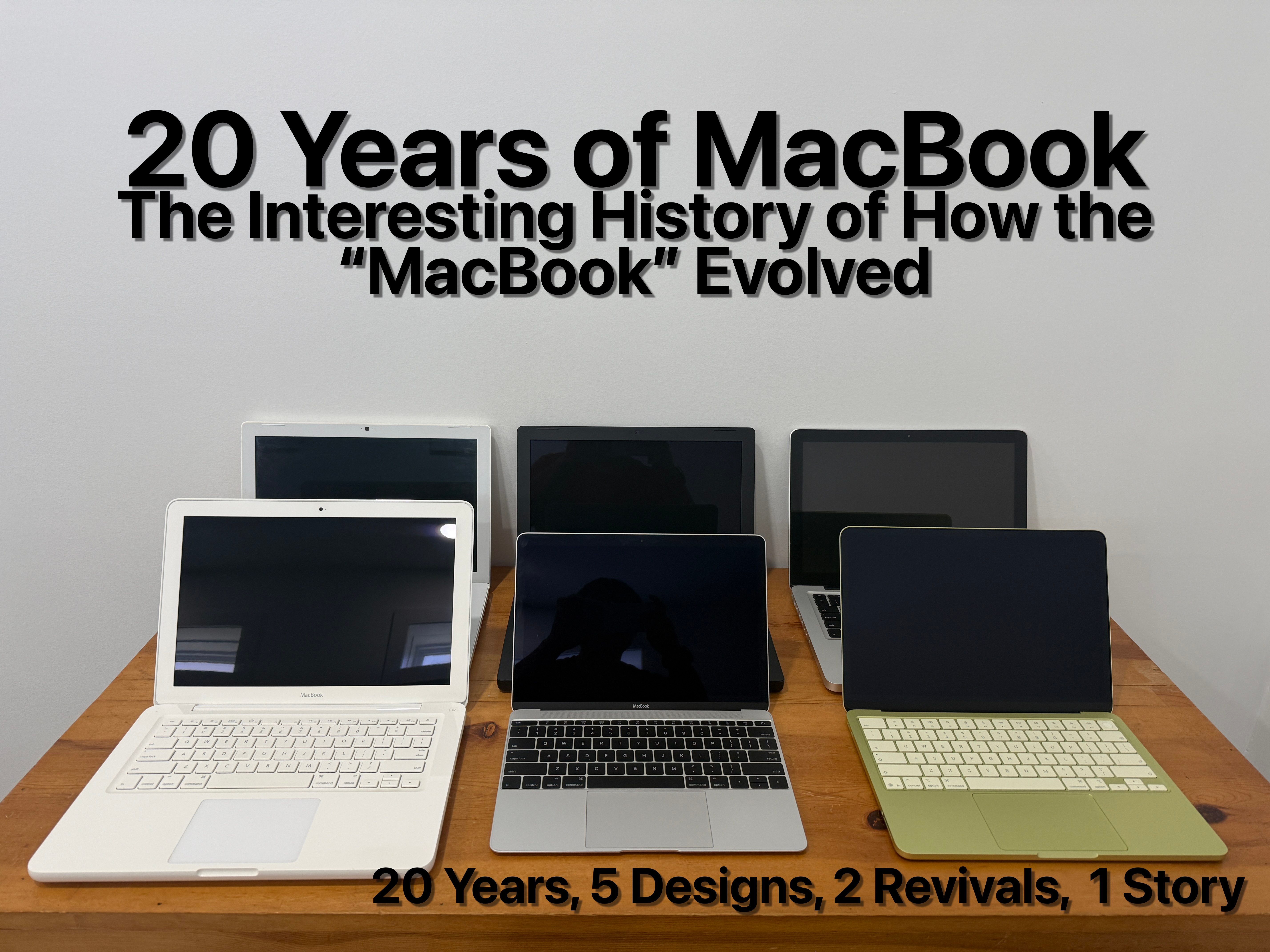
20 years ago, Apple introduced the original “MacBook”, not the MacBook Pro, just the “MacBook” with no suffix at the end. With the launch of the MacBook, Apple completely transitioned its laptop lineup from PowerPC to Intel processors, starting with the 15-inch MacBook Pro in January and the 17-inch MacBook Pro in April, both of which replaced the 15-inch and 17-inch PowerBook G4 models, respectively, and ending with the MacBook, which effectively succeeded both the iBook and the 12-inch PowerBook models. Over the next two decades, the MacBook would have such an interesting history that it would evolve substantially throughout that timespan. Just to clarify and preface this, we will focus solely on the moniker-less MacBook lineup (not the MacBook Air or the MacBook Pro).
Original Polycarbonate Models (2006-2009)
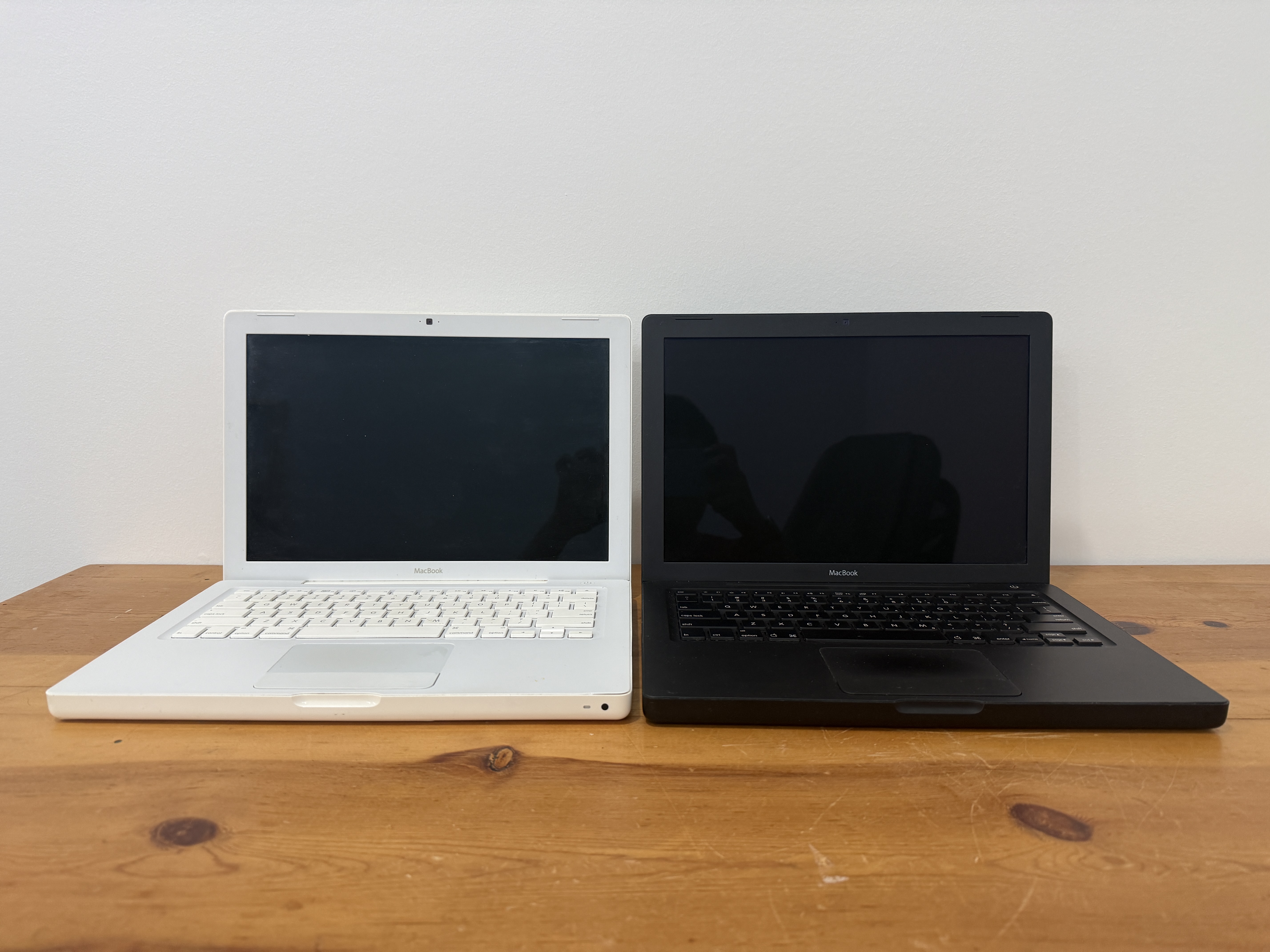
After Apple upgraded its pro-oriented laptops to feature Intel processors, the company was aiming to design an all-new laptop for the rest of us. Enter the “MacBook”. The first MacBooks not only came in polycarbonate shells, but they also came in not one, but two colors: white and black. This was the first time that Apple would offer multiple colors for its laptop since the iBook G3 “Clamshell”.
The MacBook was certainly a significant upgrade in terms of performance, offering up to 4-5x faster performance than the iBook and the 12-inch PowerBook G4 models it replaced, and it was even thinner than the models it replaced at just 1.08 inches thin. It also received substantial improvements. It featured a stunning 13-inch LCD display that was not only brighter than its predecessors, but it also had a wider 16:10 aspect ratio with a higher resolution of 1280×800 pixels compared to the 1024×768 resolution (4:3) on the iBook and the 12-inch PowerBook models. (*Note that the 12-inch and the 14-inch iBook had the same resolution despite different screen sizes). The MacBook also received both Gigabit Ethernet and mini-DVI for the first time on a consumer Apple laptop, and it also borrowed MagSafe, a built-in IR receiver for Front Row, and the built-in iSight camera from the higher-end MacBook Pros. The MacBook didn’t get the faster I/O as FireWire 800 was reserved for the MacBook Pro models back then, but it featured a fair amount of ports, such as FireWire 400 and two USB 2.0 ports, a non-backlit chiclet keyboard, and the scrolling trackpad, and one feature that would make its way to other MacBooks was the thumbscoop. With no physical latch that could easily break or catch onto clothing, the MacBook used magnets so it could open and close cleanly. The original models came with Intel Core Duo processors, but later revisions featured Intel Core 2 Duo processors.
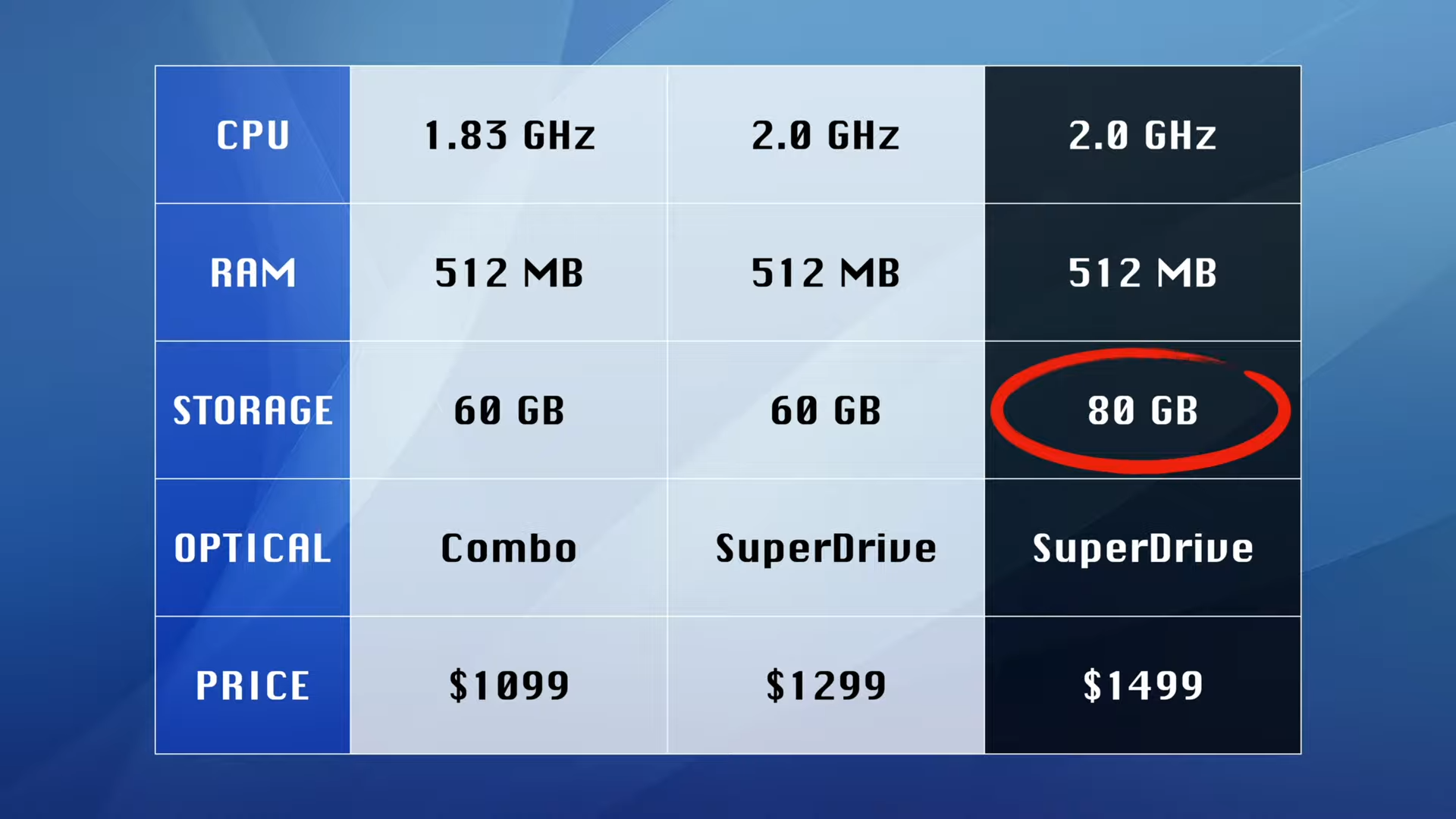
With a starting price of $1,099 and such an inviting design, it became a huge hit for home users, consumers, and even students. One thing to note is that the black model was more expensive, with a higher starting price of $1,499. Now that model came with a larger hard drive as well as a faster processor, so if you upgraded the white model to that same processor and hard drive, you’d really be paying $150 more just to get the black case, hence the term “black tax”. On October 14, 2008, Apple would discontinue the black MacBook and reduce the starting price of the (white) MacBook to $999, but Apple didn’t stop there, as the company would introduce an entirely new model.
Aluminum Unibody Model (2008-2009)
You see, on that day, Apple held a special media event that entirely focused on the company’s redesigned notebooks, hence the invite saying “the spotlight turns to notebooks.” Apple placed a huge emphasis on how the company engineered a new way to design its laptops, and that was machining a precision aluminum unibody enclosure, which allowed Apple to make laptops that were thinner, lighter, and sturdier. In fact, the MacBook Air, which saw its original debut in January of that year, was made possible thanks to the unibody.
Anyways, the MacBook was already a huge hit for customers, so after hearing several requests from them, Apple introduced an entirely redesigned MacBook that featured an all-aluminum and glass design, and that model would sit on top of the white plastic MacBook. The aluminum MacBook had much faster graphics, an all-glass Multi-Touch trackpad (where the whole trackpad was just one button), and a 13-inch LED-backlit display, which made the MacBook more environmentally friendly as it was designed without toxics such as arsenic-free glass and mercury-free LEDs. Did I mention that there were battery indicator lights where you could check the battery level by pressing a dedicated button on the left-hand side? Before, they were located at the bottom, and just like with the previous MacBook, the aluminum MacBook also had a removable battery, but with a simpler latch mechanism.
While the aluminum MacBook sounded like a great deal as it started at just $1,299, it did have several shortcomings, including the lack of any FireWire ports and a less color-accurate LED display (when compared to the higher-end MacBook models). Additionally, the backlit keyboard was exclusive to the higher-end 2.4GHz model priced at $1,499. The aluminum MacBook was actually short-lived because at WWDC 2009, Apple not only updated that laptop to add more pro-oriented features, not to mention standardizing the backlit keyboard, but Apple also rebranded the laptop as a “MacBook Pro.” This left just the white plastic MacBook in the regular MacBook line.
Polycarbonate Unibody Model (2009-2012)
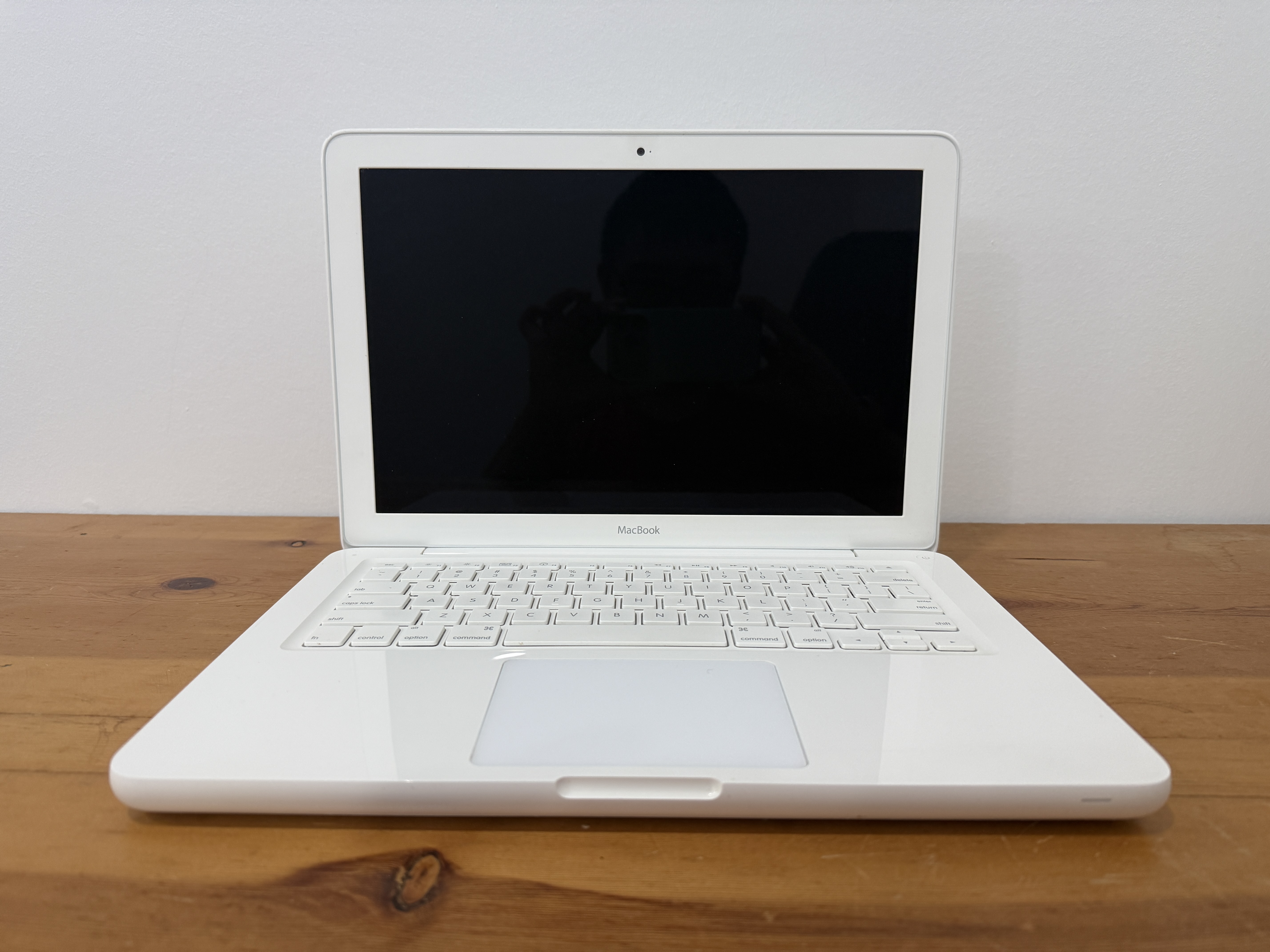
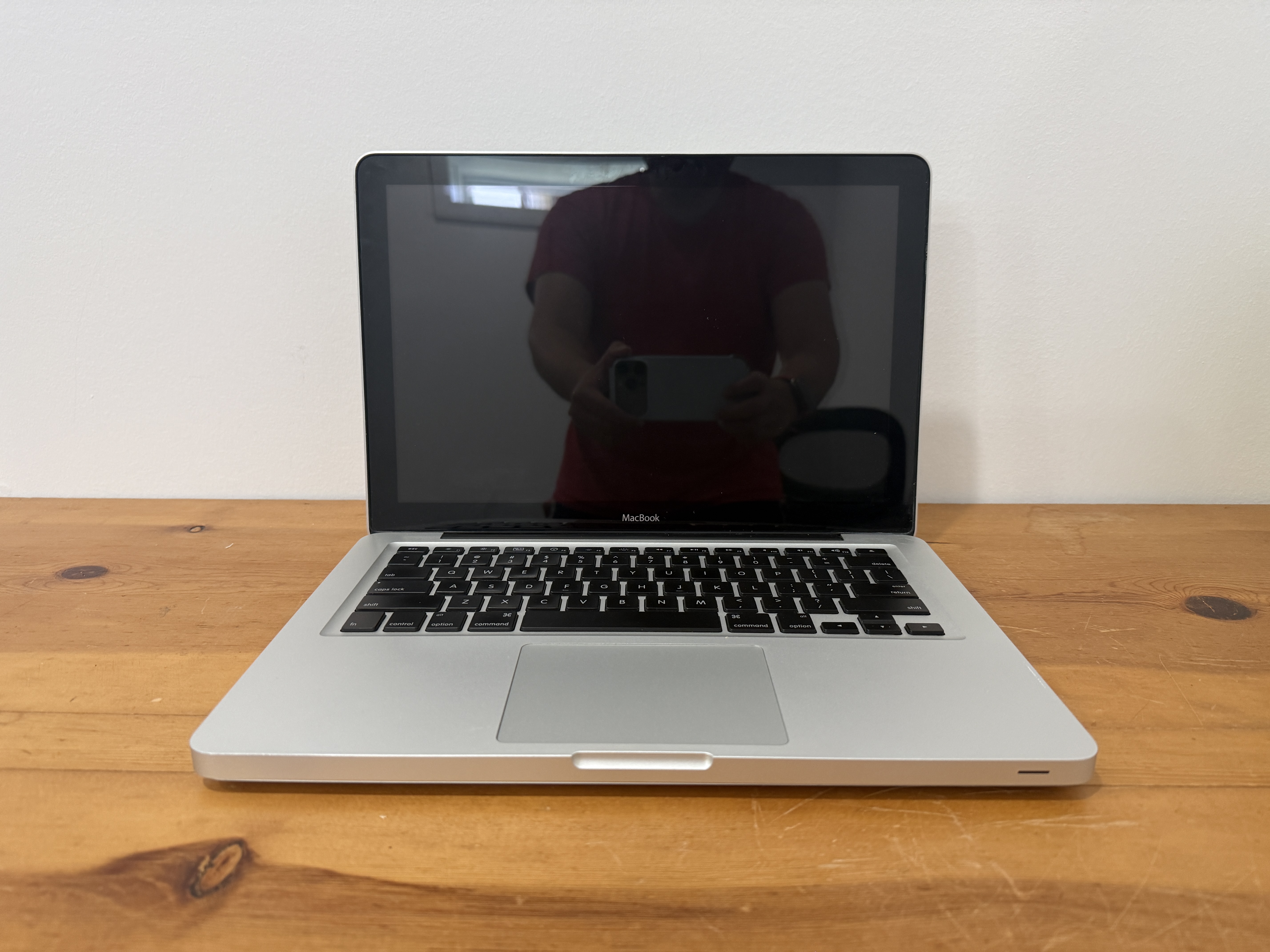
Throughout 2009, the MacBook saw very minimal processor upgrades, and the design was starting to get long in the tooth. So it was time for Apple to redesign the iconic MacBook, and the company delivered that promise on October 20, 2009. The redesigned MacBook featured a polycarbonate unibody design, so it was much more in line with the higher-end MacBook Pro models at the time.
This MacBook standardized the entire MacBook lineup to be the most environmentally friendly line of laptops in the industry, as all MacBooks featured LED-backlit displays that were mercury-free. I believe the LED-backlit display on this MacBook had improved color accuracy and viewing angles over the one on the 2008 aluminum MacBook, though its color gamut wasn’t as wide as something like the 13-inch MacBook Pro back then. This MacBook also had the same all-glass Multi-Touch trackpad, and with the polycarbonate unibody design, the palm rest was glossy this time.
However, this MacBook’s keyboard wasn’t backlit, and the I/O was still limited with no FireWire ports or an SD card slot, and Apple also removed the IR receiver on this MacBook. But the biggest insult to injury was actually the bottom of the MacBook; instead of using rubber feet, Apple did away with those in favor of having the entire bottom surface be covered with rubber. This became a severe durability issue as the rubberized bottom would not only get dirty so easily, but it could also be prone to peeling, which caused Apple to offer a replacement program. On top of that, although the design looked cool, it wasn’t the most durable as the polycarbonate casing was also prone to cracking, particularly around the hinge area.
As the MacBook Air would later become more affordable to customers, Apple would have two MacBook models that start at $999: the 11-inch MacBook Air and the polycarbonate MacBook. The MacBook Air set the future of what a notebook would be: standard SSD storage and no optical disc drives, so it’d make no sense for Apple to keep the plastic MacBook around. On July 20, 2011, when Apple updated the MacBook Air, Apple quietly stopped distributing the white MacBook to regular consumers, but Apple continued to sell it only to educational institutions until February 8, 2012, leaving just the MacBook Air and the MacBook Pro as the only two laptops that Apple sells. With that said, this marked the end of the “MacBook” branding for Apple’s lowest-end laptop, as the MacBook Air now served that role.
12-inch Ultra-Thin “Retina” Model (2015-2019)
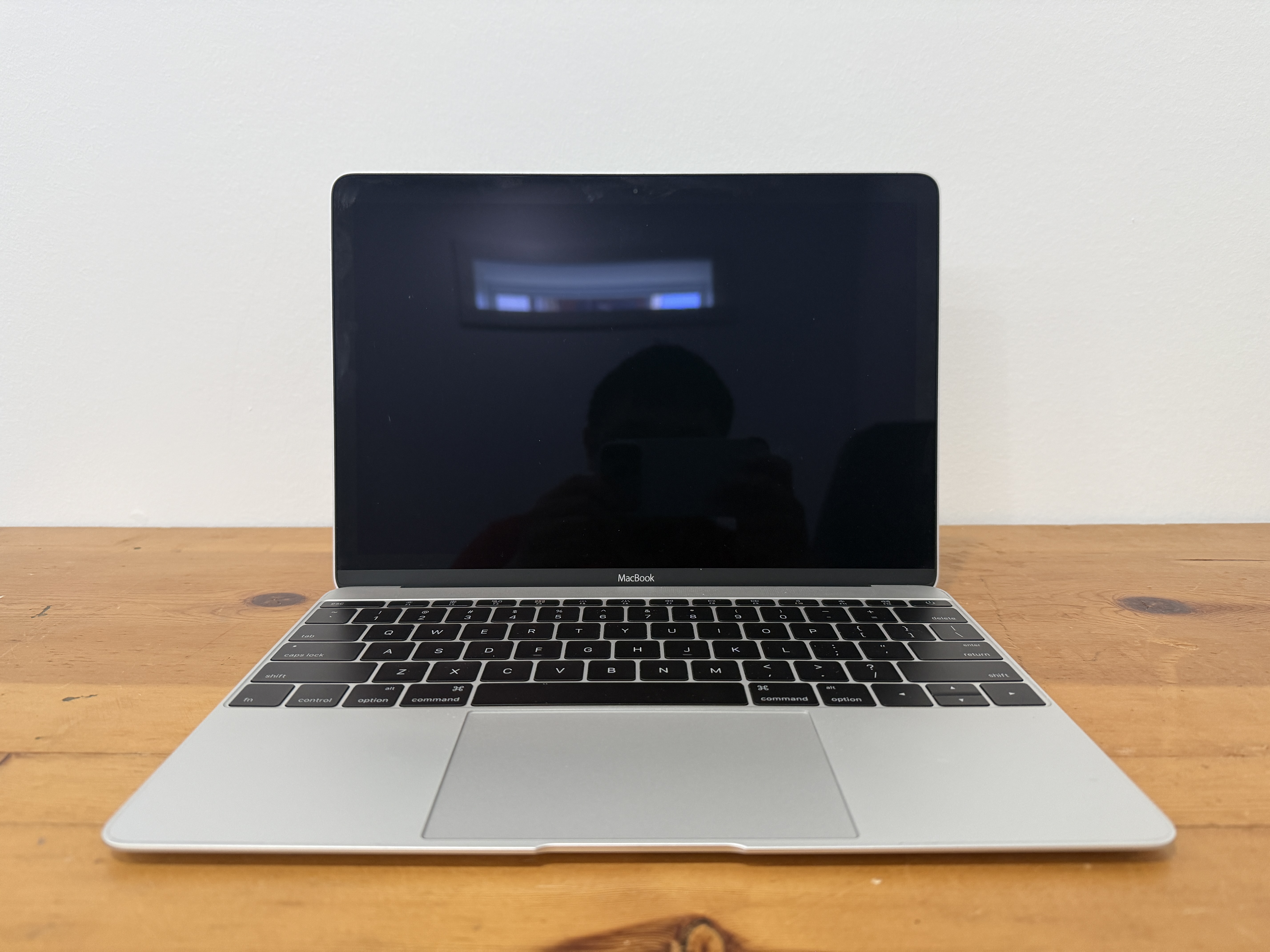
The MacBook Pro models had Retina displays for years since 2012, so it wasn’t a surprise that people were waiting for the MacBook Air to have a Retina display, as it was overdue for an update. On March 9, 2015, Apple unveiled a laptop with an all-new design, but it wasn’t called the MacBook Air, but rather, just called the “MacBook”, reviving that brand since 2011/2012. However, this MacBook was way different than the previous plastic MacBooks. For one, it featured a wedge-shaped design that was even thinner than the MacBook Air at the time. Secondly, it featured a 12-inch Retina display, so combined with the thinner design, it was even smaller than the 11-inch MacBook Air volume-wise.
Besides the incredibly thin design, the MacBook pioneered several breakthrough features that would influence not just other MacBooks but also Apple’s products. The trackpad on this MacBook wasn’t physical, but rather haptic. It’s the most advanced trackpad that Apple has ever engineered. Before, trackpads were hinged at the top, creating a diving-board mechanism as you click on them. This meant the bottom side was easier to press on while the top side was stiffer. But thanks to the taptic engine underneath the glass surface, you could press anywhere on this trackpad and get the exact same feedback. It could even detect various levels of pressure, so you could perform force clicks for additional actions, hence the name for the trackpad “Force Touch”. One of the keystone features introduced on this MacBook was USB-C, which was even more universal as it combined power, video output, and data transfer into a single port. Eventually, USB-C would make its way to other Macs as well as iPads and iPhones, so you’d really need just one cable to charge them all. As a bonus, the USB-C ports on higher-end Macs and iPad Pros would also feature Thunderbolt for faster data transfer speeds and daisy chaining.
Despite the MacBook being far ahead of its time, it wasn’t without its shortcomings. For one, this MacBook was fanless as it used the Intel Core M processor, allowing for silent operation. However, those processors were not that powerful enough to begin with. If you were doing several tasks at once, the MacBook could easily thermal throttle. Secondly, the I/O was really limited with just one USB-C port and a headphone jack, which meant you couldn’t charge and use other peripherals unless you used a dongle. Even worse, Apple had to make a thinner keyboard to accommodate the thin profile of this MacBook by using the butterfly mechanism instead of the scissor mechanism. Those butterfly keyboards were notorious for being so fragile that even one spec of dust or crumb could cause the keys to get jammed. Those problems would become widespread on later MacBook Pro and MacBook Air models with those keyboards. To add insult to injury, if the keyboard failed, you’d have to replace the entire top case. There was even a lawsuit against Apple, as well as a settlement from the company. Even Apple had a repair program for customers needing to replace their keyboards. Lastly, the MacBook was way overpriced for its limited performance, as it started at $1,299, so the MacBook sat between the MacBook Air and the MacBook Pro in terms of pricing. The revived “MacBook” branding was really used for Apple’s ultraportable, premium laptop, making it the odd “middle child” similar to how the original MacBook Air was.
On the bright side, the MacBook came in multiple metallic finishes: silver, space gray, and (yellow) gold. The 2016 revision brought Sandy Lake processors as well as a new rose gold finish. The 2017 revision brought Kaby Lake processors, but when Apple redesigned the MacBook Air with a Retina display and a newer design that was in line with the 12-inch MacBook, Apple added a new, warmer hue of gold that sat between the yellow shade and the rose shade of gold, and thus replaced those two finishes. The writing was on the wall for that MacBook as the Retina MacBook Air would drop in price. On July 9, 2019, when Apple updated the MacBook Air, Apple quietly discontinued the 12-inch MacBook, so history repeated itself with just the MacBook Air and the MacBook Pro for Apple’s lineup of laptops.
MacBook Neo (2026-present)
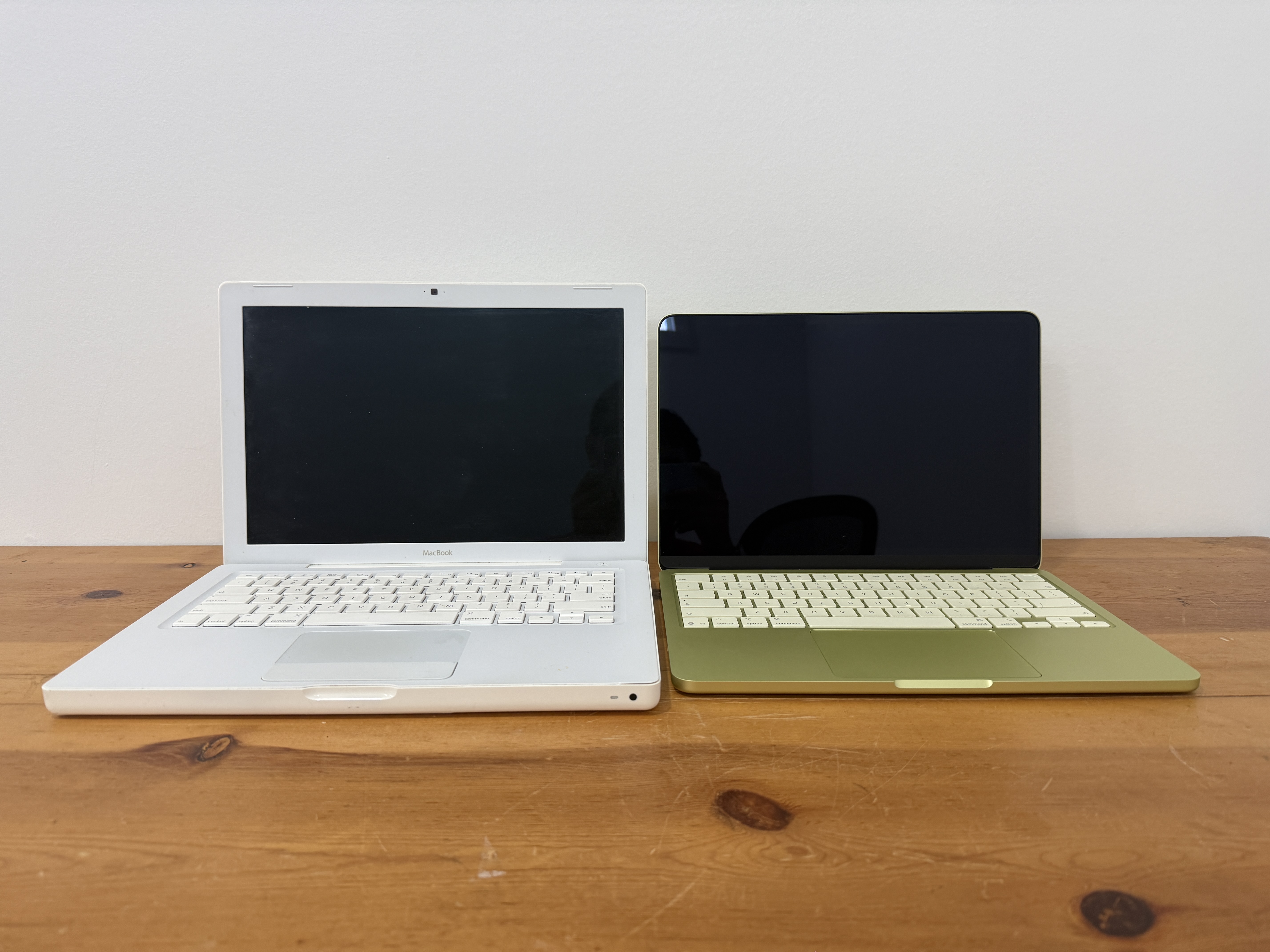
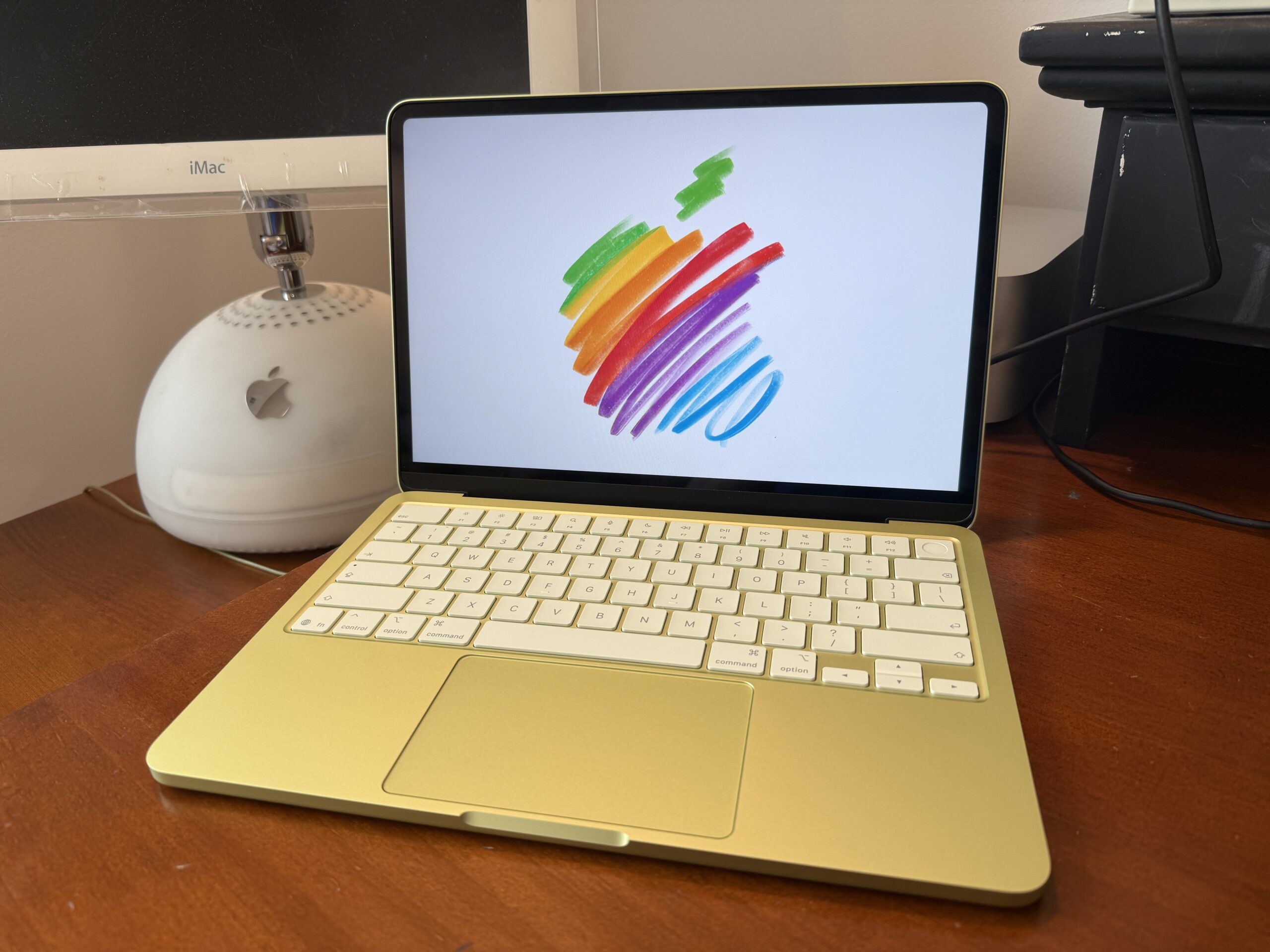
Last year, rumors started to indicate that Apple was developing an upcoming lower-cost MacBook that would be powered by an iPhone-class processor. For years, the entire Mac lineup has used Apple’s own in-house silicon. Many expected it to be another addition to the lineup, thus potentially reviving the “MacBook” brand once again. On March 4 of this year, Apple officially introduced this all-new laptop with a new product name this time, which was the “MacBook Neo.” According to Apple, “Neo” simply means “new or fresh”, and I strongly believe that the MacBook Neo is now the spiritual successor to the original MacBook lineup for various reasons. First of all, the MacBook Neo features a new, fun design that’s more inviting, just like the original MacBooks with rounded edges on both the top and bottom for an all-symmetrical look. Next, the MacBook Neo comes in several vibrant colors: silver, blush, indigo, and citrus. The MacBook Neo features the A18 Pro chip, and although it originally powered the iPhone 16 Pro models, don’t be fooled by this chip, as it’s capable enough to run everyday tasks. We’ve seen how much the A-series chips have improved in both performance and efficiency over the past decade or so. Sure, the 8GB of memory is technically a system-on-a-chip’s design limitation, but Apple’s unparalleled memory optimizations should allow the MacBook Neo to run just fine for the target demographic. Similar to previous “MacBook” models, the MacBook Neo doesn’t have the fastest I/O as it features two USB-C ports (one with USB 3 speeds/DisplayPort and one with slower USB 2 speeds).
But the biggest feature of the MacBook Neo is the starting price. Starting at just $599 (or $499 for students), the MacBook Neo brings the entire macOS experience at an unbelievable price, making this such an appealing option for students and first-time Mac buyers. With the breakthrough advancements of Apple silicon, Apple is able to mass-produce highly performant chips to deliver a lower-cost product that’s actually good, even better than most, if not all, competing Windows laptops. Apple definitely hit a home run with the MacBook Neo, as the MacBook Neo has seen phenomenal sales that Apple just can’t keep up with the demand of this product, with shipping times seeing significant delays, and Apple running low on its remaining A18 Pro chips. Apple is already starting back production of those chips to resolve those supply constraints, so hopefully, more students/customers will be able to get the MacBook Neo soon, especially in time for the back-to-school season. You can read our review of the MacBook Neo here.
Conclusion
The “MacBook” line has had such an interesting history after being revived once or twice, as well as taking on several different designs and form factors. With the introduction of the MacBook Neo, the spirit of the original MacBook lives on as the MacBook Neo carries the same DNA as the original model: to serve as an entry-level laptop with a price point that’s more reachable to the rest of us. It doesn’t need to have the fastest I/O or the latest features, but it just provides the core Mac experience that will introduce potentially new customers to try out Apple’s tight integration across its devices. The MacBook Neo is every inch the original MacBook.
If you like the content we’ve been pushing out, you may bookmark this page, follow us on X, or even download our app, so you can stay up to date with the latest Apple-related news, deals, reviews, and stories. Thanks for reading this in-depth history of the MacBook!
Comments
Comments will load as you approach this section.