

Introduction
Ever since we started hearing rumors about Apple’s lower-end MacBook last year, I became very interested in what features Apple would bring to the table with such a product. I even wrote an in-depth article on why it would be a great idea for Apple that you can read here. Anyway, that product ended up being the “MacBook Neo”. That’s right; it’s an entirely new suffix that Apple never used; at first, I found the naming scheme bizarre, but eventually it grew on me.
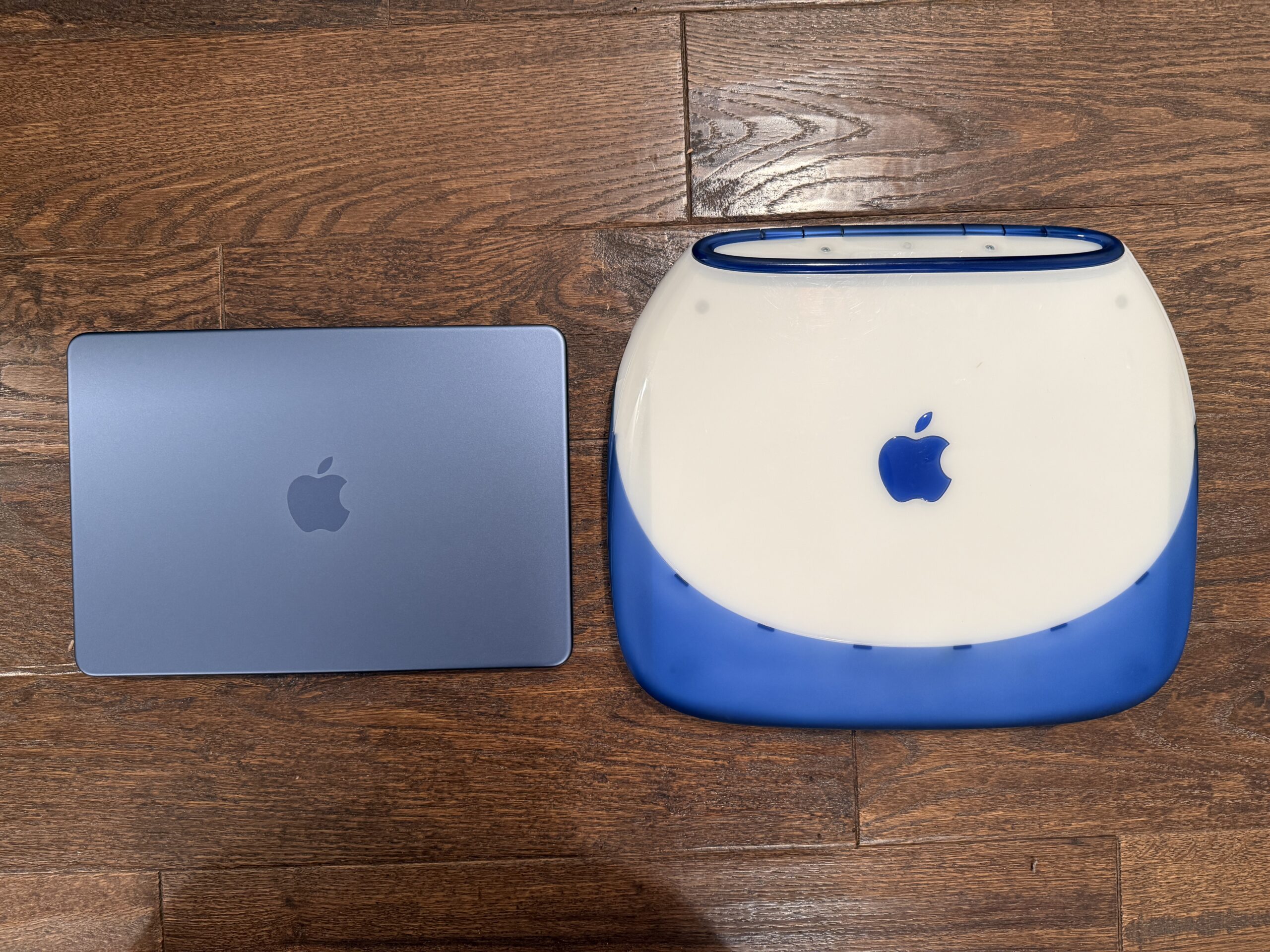
Anyway, as soon as Apple introduced the MacBook Neo, I became very interested in trying it out, so I ordered one. At first, I ordered the Indigo model with 512GB of storage to match the Indigo iBook. I thought the color looked cool, but eventually, I returned it in favor of the Citrus model with the same capacity, and I think I made the right call, as I’d much prefer bright, yet vibrant color hues, not to mention that I love yellow, and Citrus seems like the ideal blend between yellow and green. So after using the MacBook Neo for over a month, here’s an in-depth review of what I have to say about the coolest-looking laptop.
Unboxing and Design
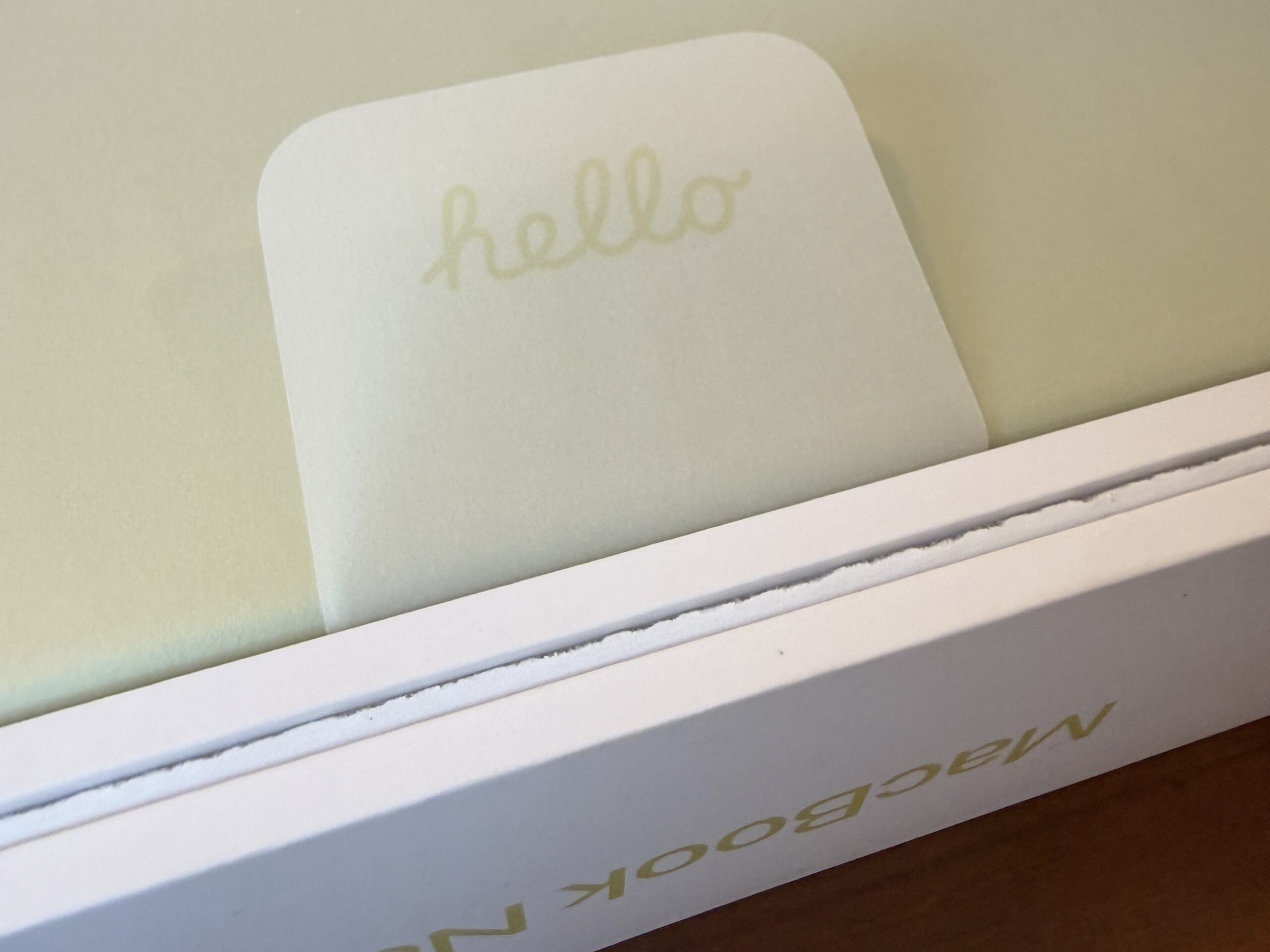
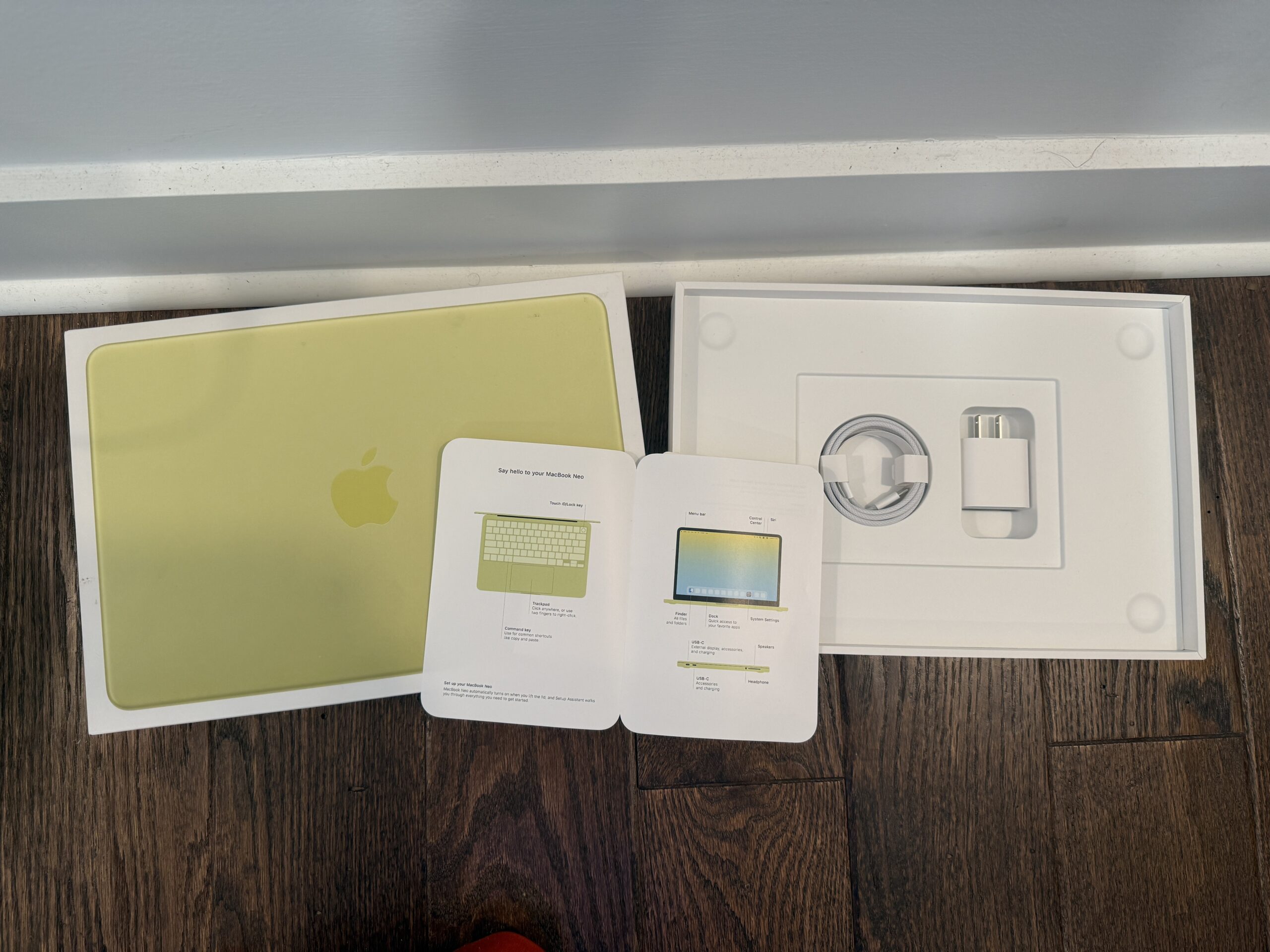
First things first, I’d love to touch up on the unboxing experience. Believe it or not, Apple does put extra details into its packaging to showcase that product’s particular feature. If we take a look at the MacBook Air, the top of the packaging box shows the side profile of the MacBook Air to showcase its thinness. For the MacBook Pro’s packaging box, the top shows the front view with the display on to “promote” the advanced mini-LED display. For the MacBook Neo, it shows the top view of the MacBook Neo’s lid to highlight the vibrant color as its top feature. Even the MacBook Neo branding and the Apple logo on each side of the box are color-matched. The MacBook Neo comes in Silver, Indigo, Blush, and Citrus; while some could argue that the colors could be bolder or would like to see more colors, I’d argue that the colors still look great. After all, had Apple made the colors bolder, then scratches could be more visible. But Apple doesn’t stop there; when you unbox the MacBook Neo, you’ll notice that the pull-tab has the “hello” branding in the iconic cursive style that is also color-matched to the MacBook Neo you pick. Even the MacBook Neo’s illustrations on the quick-start guide are color-matched, as well as the UI elements and the default wallpaper on the welcome screen.
Did I mention that the complimentary wallpaper is animated too? It’s the little things that matter. Sorry, as with other recent Apple products, you won’t get color-matching Apple stickers, just a white 1.5-meter USB-C cable and a 20W USB-C power adapter.
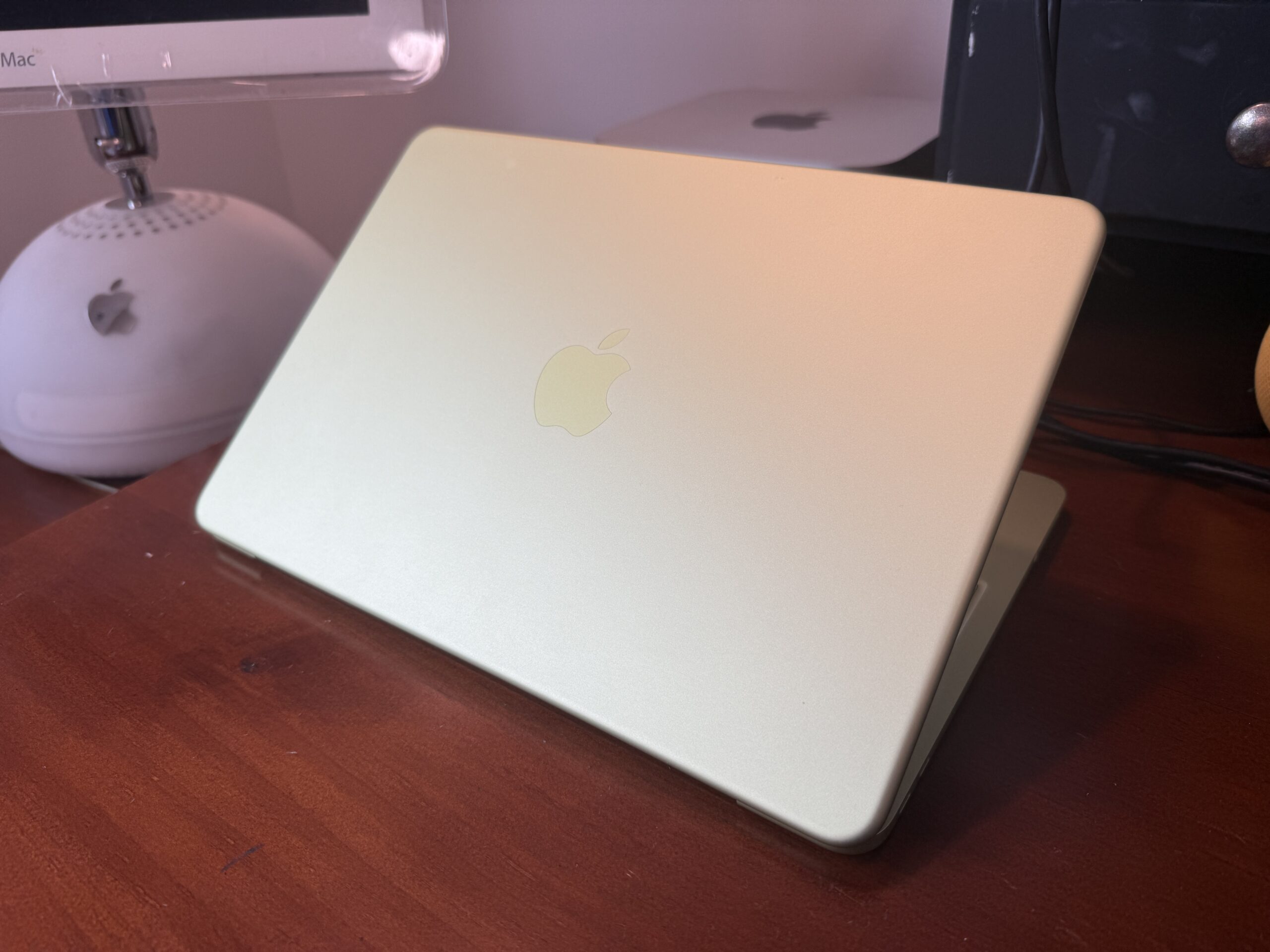
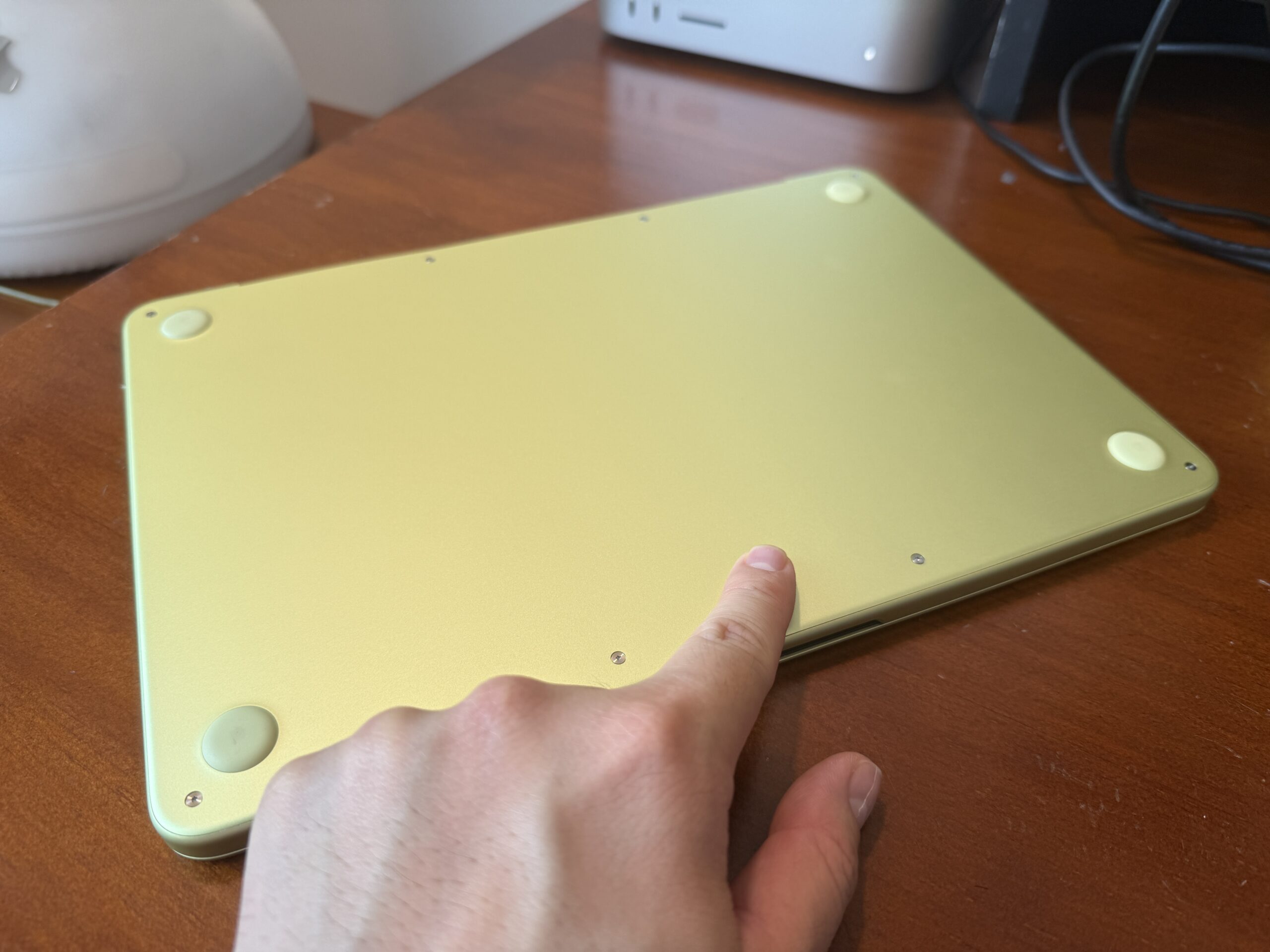
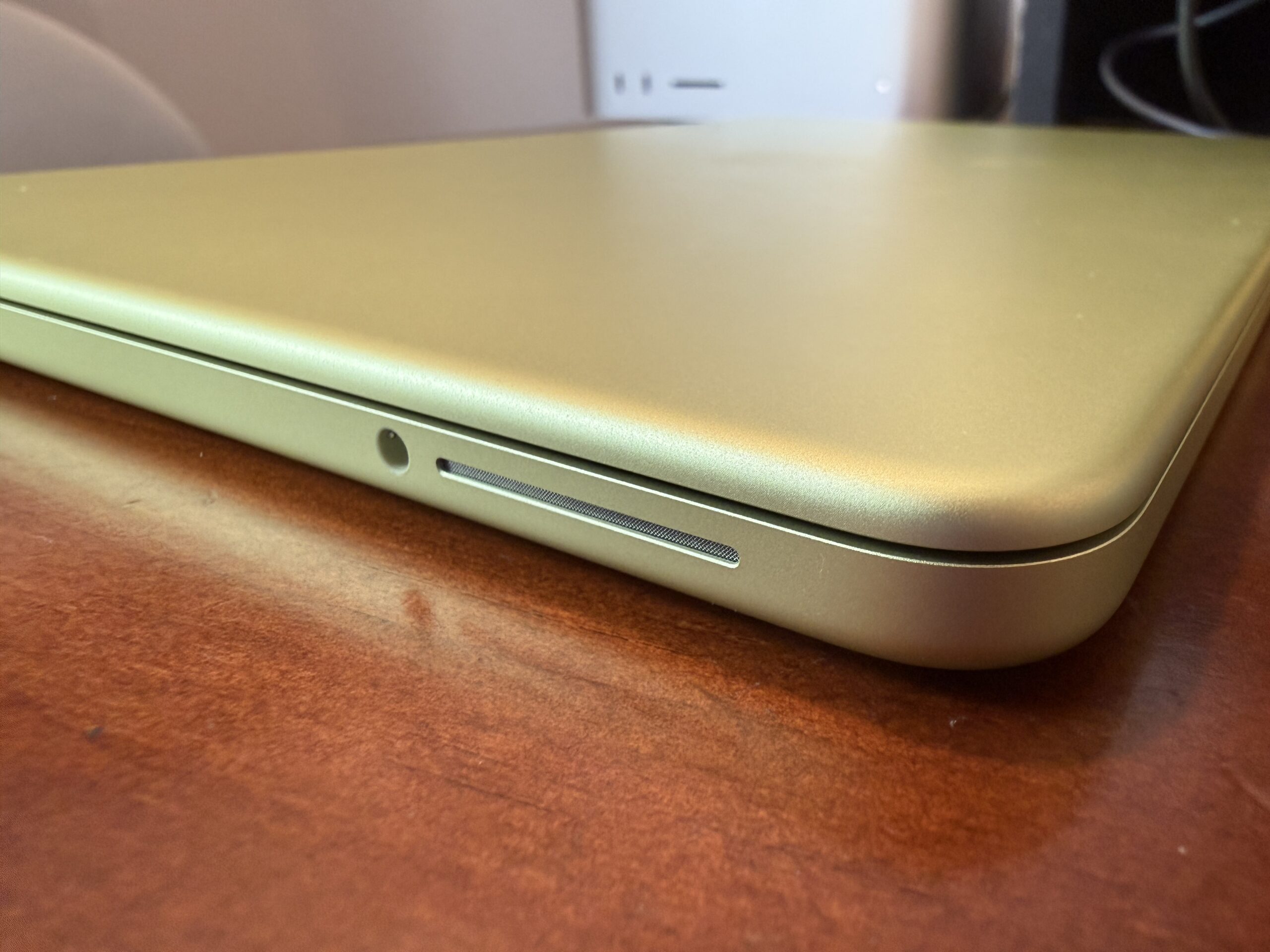
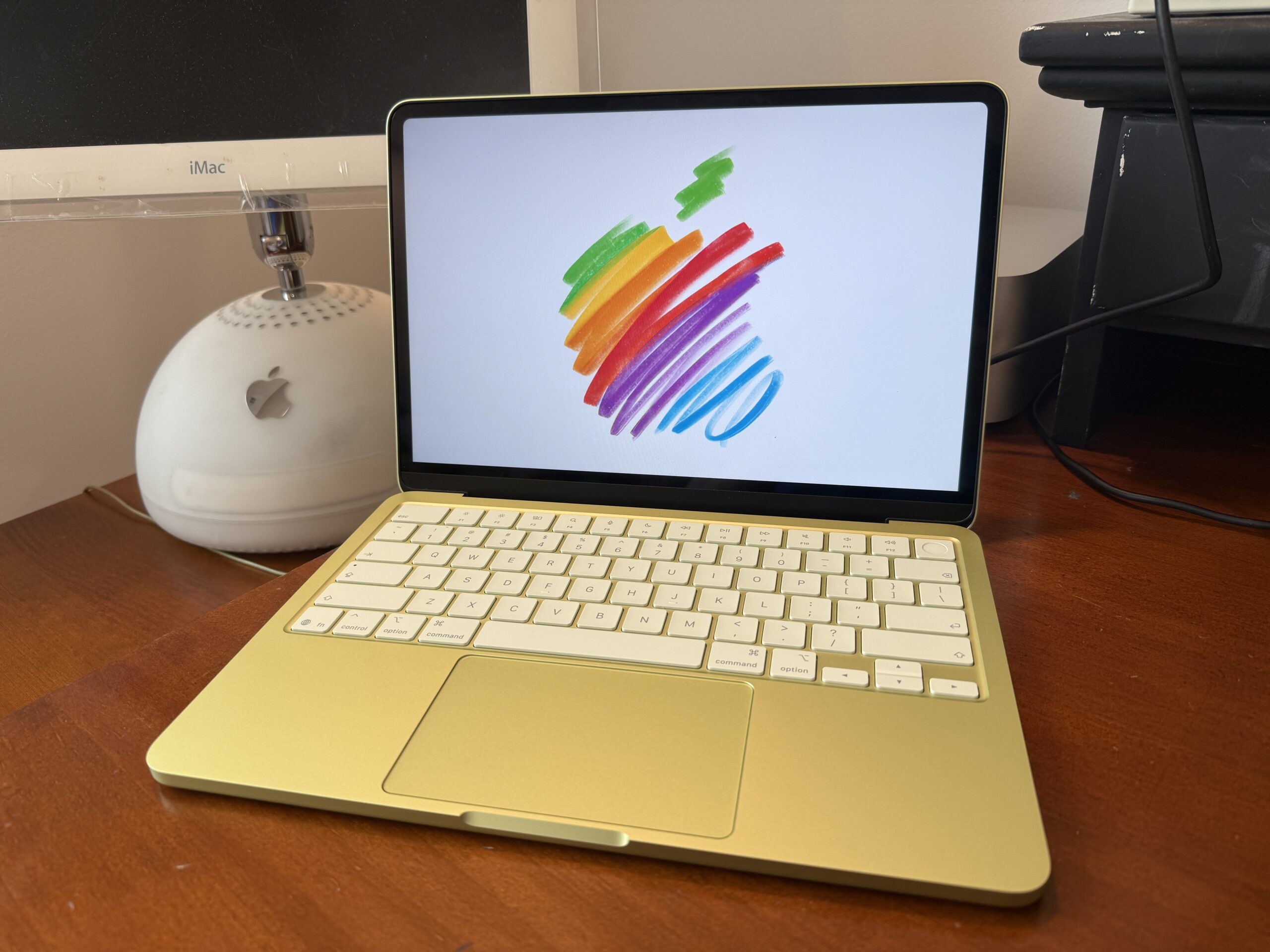
Now, let’s take a look at the MacBook Neo itself. As you can see, one thing that stands out to me the most is the sturdier, aluminum enclosure that feels so premium overall. Other PC laptops around the $600 usually have plastic builds that feel so crummy, with keyboard frames bending so easily and flimsy displays. However, Apple goes above and beyond with the design as it believes that even the little details matter the most. No matter what color you get, everything is color-matched: the USB-C ports, the side-speaker grilles, the Magic Keyboard, the matte Apple logo with a slightly offset hue, and even the rubber feet. It’s worth noting that the rubber feet could show some discoloration, especially with the silver models. I even love that the edges along the lid of the MacBook Neo are now rounded to have their edge radii match those along the bottom side, giving an all-symmetrical look overall (not including the feet, of course), which some customers would find very friendly.
Display
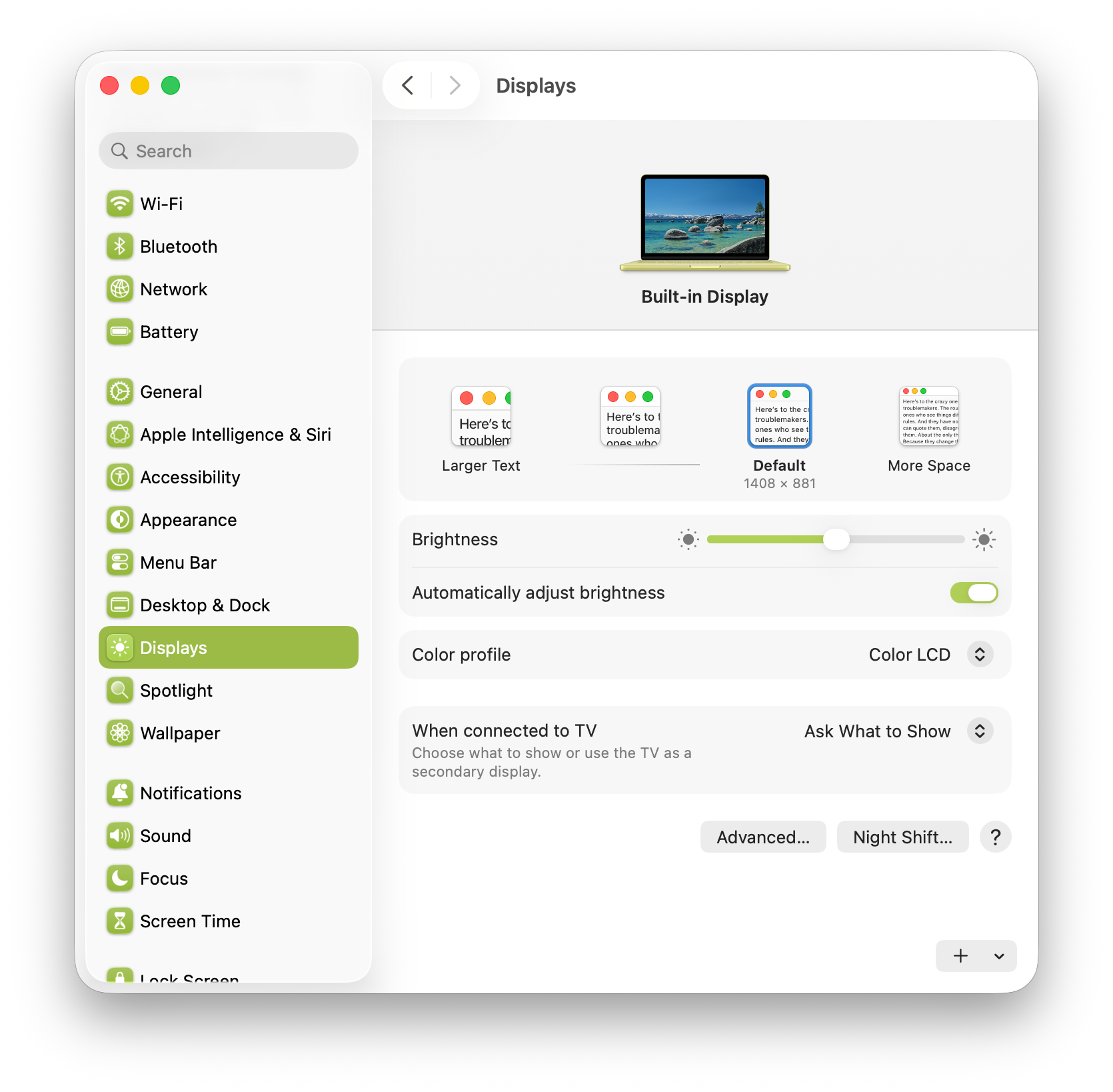
When you open up the MacBook Neo, you’ll be presented with a stunning 13-inch Liquid Retina display (2408 by 1506 pixels at 219 ppi). Now I have used a 15-inch MacBook Air for over two years, and believe me, a 2.3-inch girth is a noticeable difference since I’d sometimes find the 15-inch Air to be a bit more cumbersome. But I’d find the Neo’s more compact footprint to be more satisfying, as I could easily bring it for travel. Additionally, similar to the MacBook Air models, the MacBook Neo’s resolution is actually set to 2816 by 1762 resolution by default (or 1408 by 881 rendered in HiDPI “Retina” mode), which is actually higher than the native resolution of the MacBook Neo.
On the other hand, the built-in display lacks P3 wide color gamut support and True Tone technology, so that’s something to keep in mind if you care about either of those features. Still, I think a majority of first-time Mac buyers wouldn’t even know about those features. Also, it appears the display doesn’t have some antireflective coating, but at least the display is laminated to the glass. That’s another thing to consider if you plan to use this laptop outdoors in a bright, sunny day, as this display could go up to 500 nits of brightness. On the plus side, the built-in display is an IPS LED-backlit display that supports 1 billion colors and the full sRGB color gamut. Of course, since it’s a sub-$1000 machine, don’t expect a fancier display, but I watched HDR movies and TV shows on an M1 iMac, which also supports 1 billion colors, and despite that display being LCD, I gotta say that colors still looked really vibrant on that display. With that said, you should expect similar color accuracy as with other Apple products with standard LCD panels.
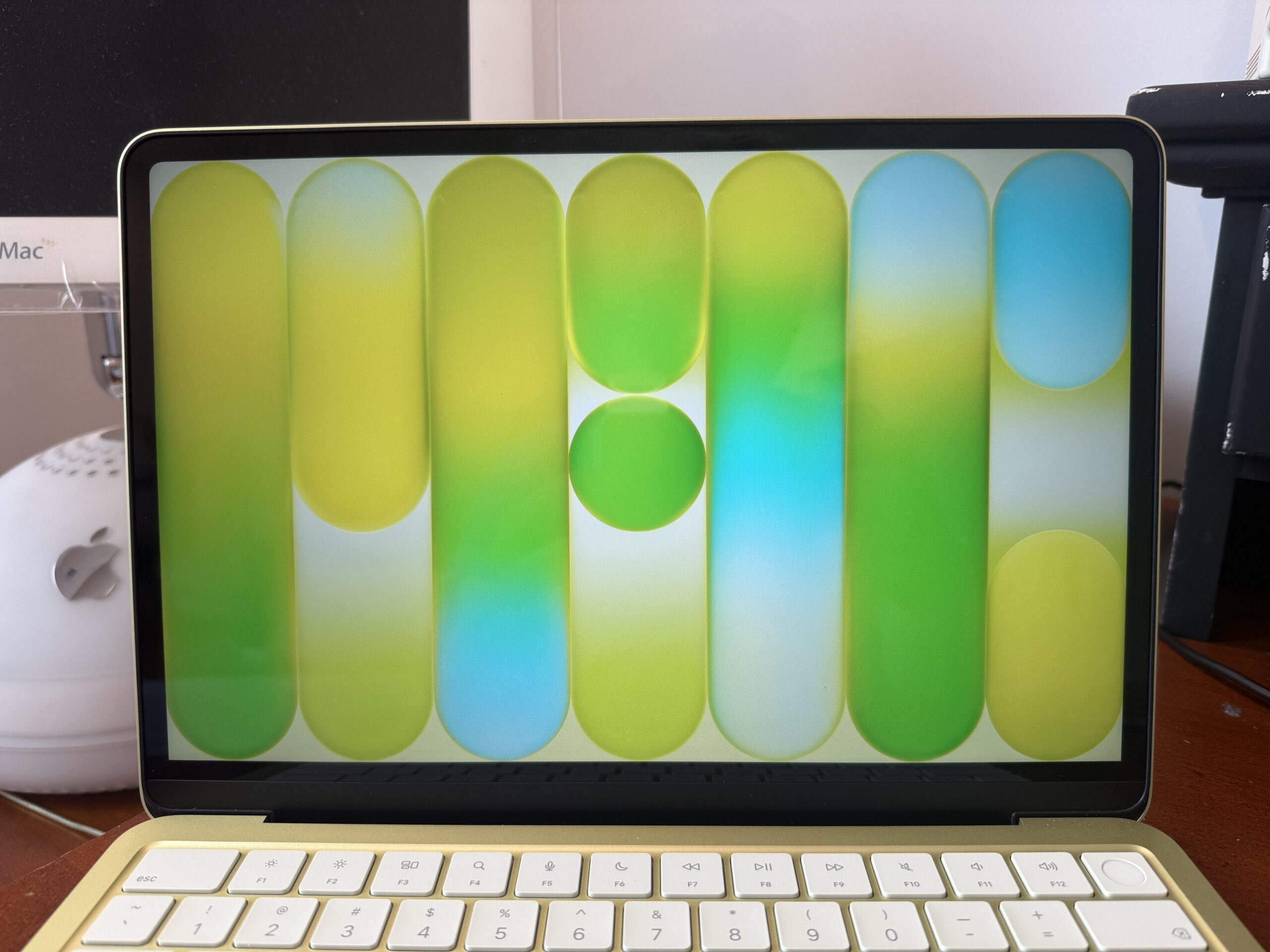
Unlike the MacBook Air, which has a notch, the MacBook Neo has all-uniformed bezels, but that comes at a cost of thicker bezels compared to the MacBook Air, and I could definitely tell the difference. But it’s one of those “caveats” that you could eventually get used to over time. Don’t get me wrong, but the design of the MacBook Neo with its “notch-less” display and colorful, rounded design kinda reminds me of the Surface Laptop, what do you think? Two things that the MacBook Neo lacks, however, are the camera indicator light and the ambient light sensor. Similar to iPhone and iPad, the MacBook Neo has a software-based green indicator that lets you know whether the camera is on. Despite lacking the ambient light sensor, there’s still an “Automatic adjust brightness” setting, so I wasn’t sure how that would work without that sensor. So far, for my testing, the feature appeared “finicky,” but I usually turn that feature off since I wouldn’t need to crank the brightness that high (considering that I use the MacBook Neo indoors with ample lighting). On the side note, I did see the True Tone option in both the menu bar and Control Center despite the lack of that feature; I suppose that may be for toggling that setting for any of the connected Studio Display models, perhaps.
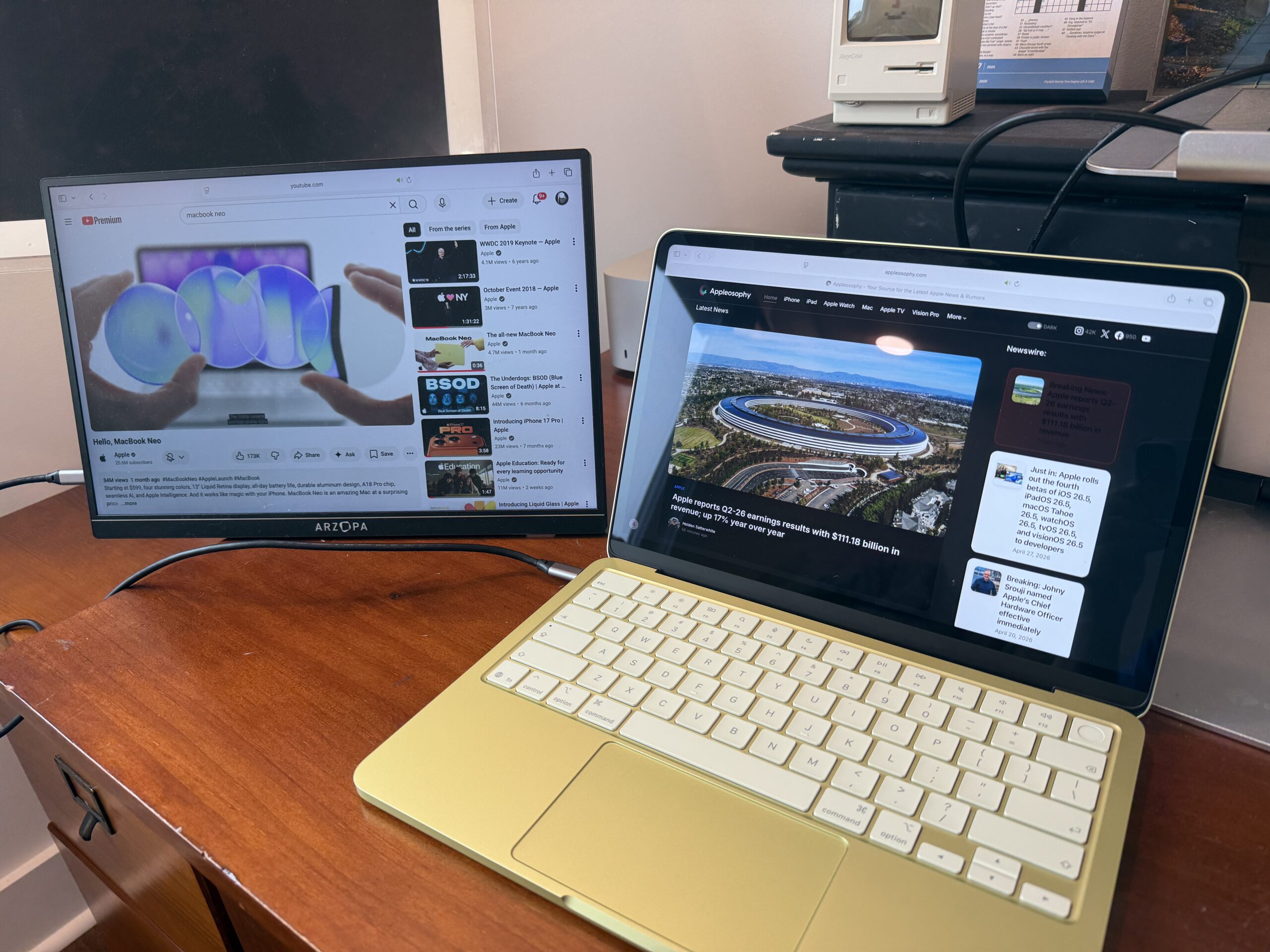
Speaking of which, the MacBook Neo does support external displays at up to 4K at 60Hz, and Apple even confirmed that the latest Studio Display models do support the MacBook Neo (despite no references as compatible on the Tech Specs page), but only at up to that resolution. So if you even have a portable monitor lying around, you could still use that for the MacBook Neo if your heart desires.
Keyboard
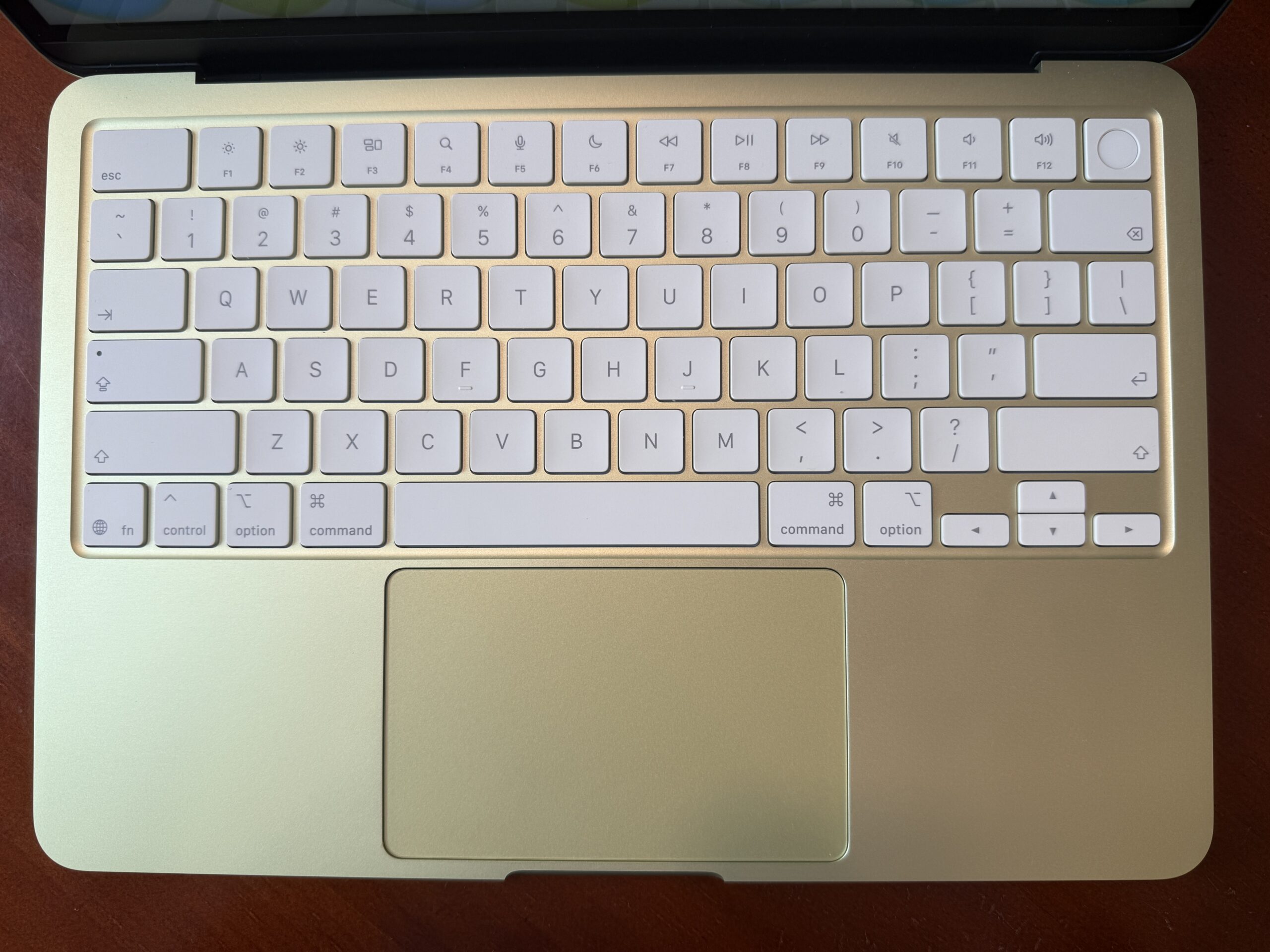
As previously mentioned before, the Magic Keyboard is tint-matched to the color of the MacBook Neo. One particular change made to this Magic Keyboard, along with other MacBook models introduced this year, is that on the U.S. version (at least), Apple went all in with just the symbols on the keys, such as Tab, Shift, and Delete. Anyways, I found typing on the MacBook Neo to be quite enjoyable with that tactile feel, although it’s worth pointing out that the Magic Keyboard is not backlit. Usually, I’d miss the backlit keys on my MacBook Air, but I always use a MacBook in well-lit rooms, so it wouldn’t be a huge deal breaker for me. One thing to note is that if you get the 512GB storage tier, you’d get Touch ID to easily unlock the MacBook Neo as well as conveniently authenticate Apple Pay purchases or log into sites with the built-in Passwords app. The 256GB tier just has the ordinary Lock Key.
Trackpad
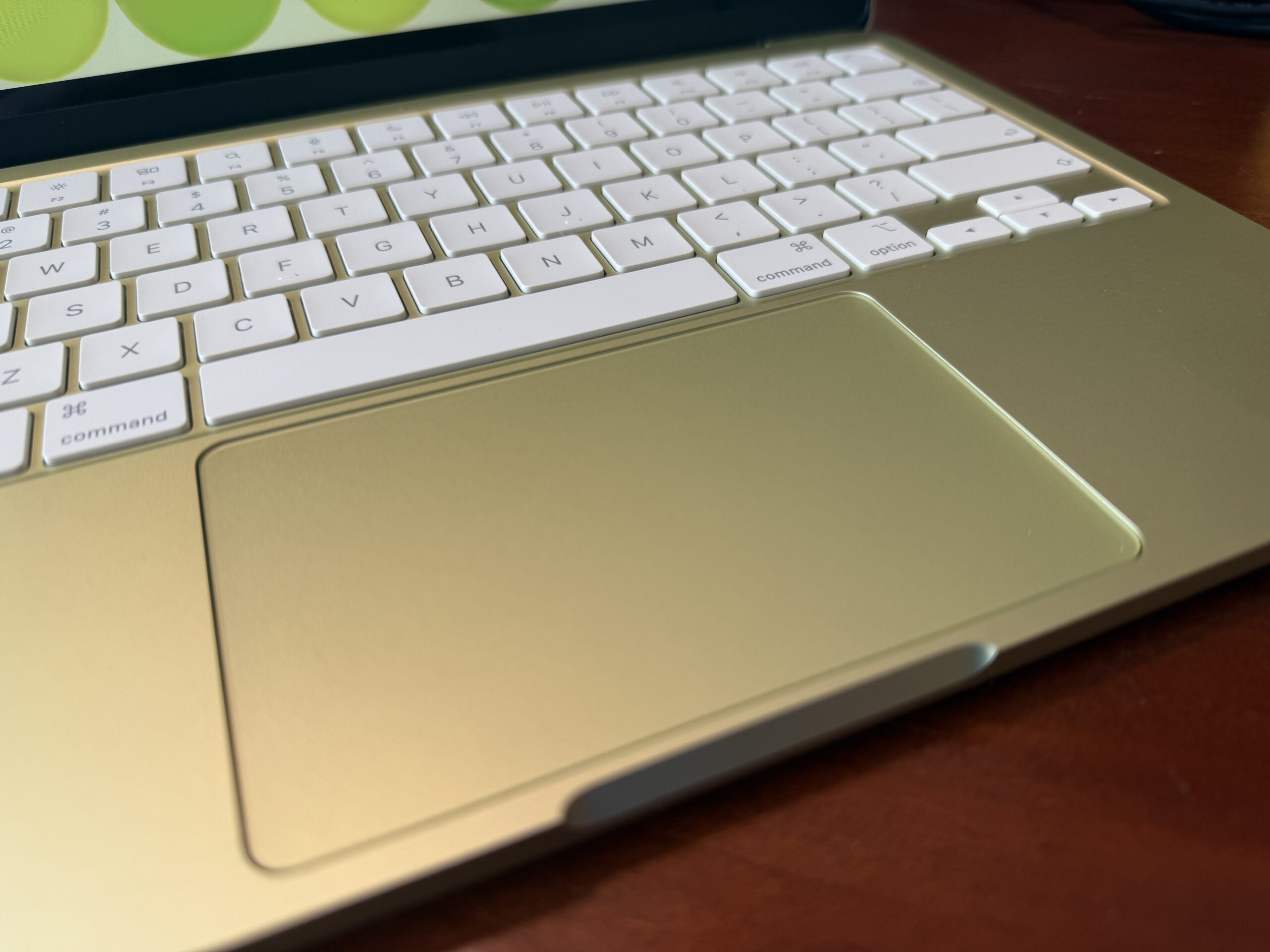
The built-in Multi-Touch trackpad has been a joy to use with its smooth glass surface for me to elegantly swipe across to perform common gestures. However, unlike the MacBook Air and MacBook Pro, this trackpad is not Force Touch, but this time, it actually works differently than the diving board mechanism found in glass trackpads in older MacBook models. The way it works would be similar to the trackpads on the Magic Keyboard Folio for iPad and the Magic Keyboard for iPad Air. By having a structural frame that spans underneath the glass surface and on top of the center “button”, it allows for even clicking no matter where you press. Sure, it would still feel different compared to a Force Touch trackpad, such as the modern Magic Trackpad, as it could require a “harder press”, but I think it feels decent enough and definitely much better than the other trackpads that I’ve tested on PC laptops.
Ports
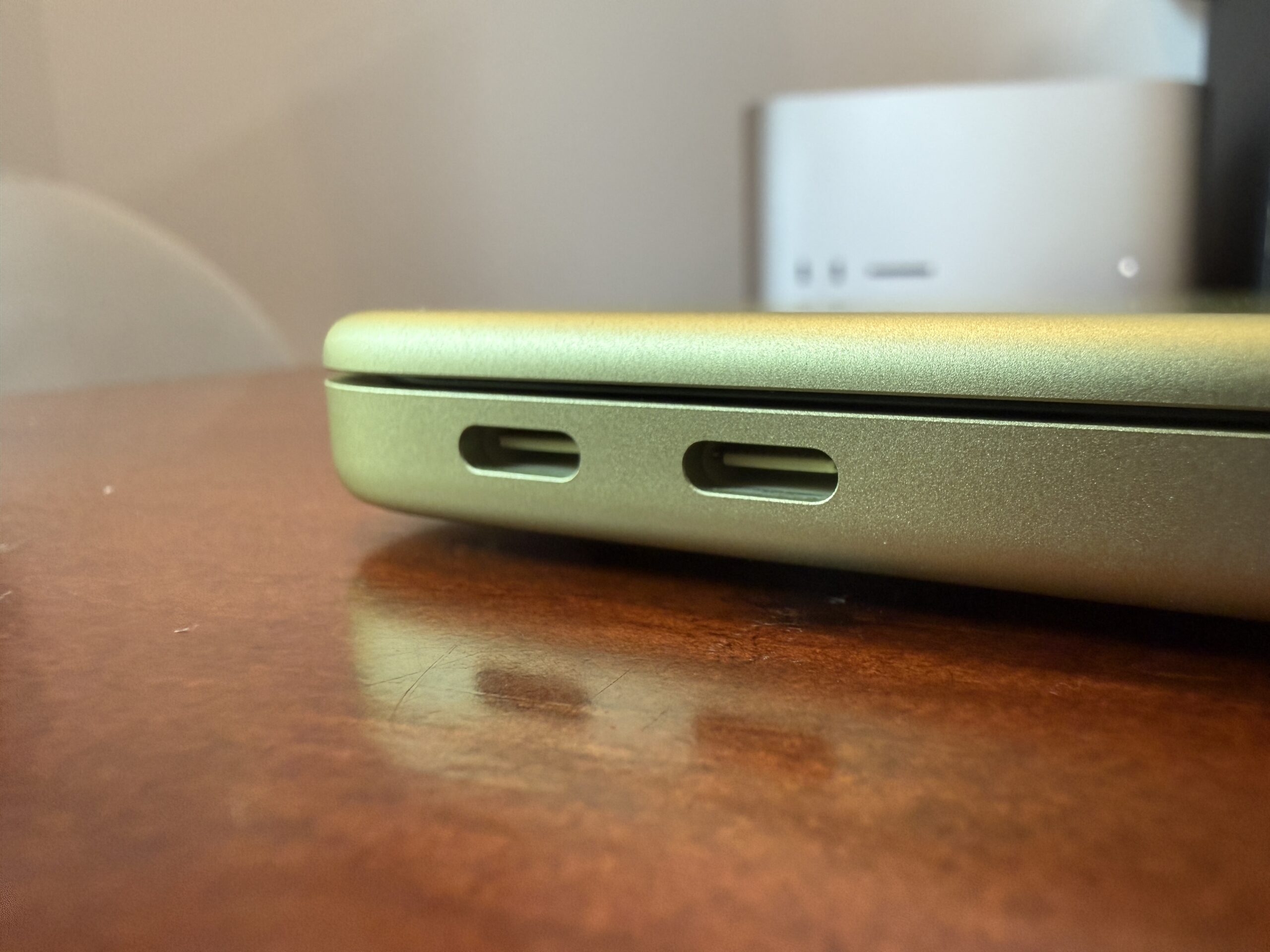
The MacBook Neo has two USB-C ports and a headphone jack – that’s it. No MagSafe, no support for impedance headphones, no Thunderbolt, but alas, and more importantly, both of the USB-C ports are not created equal. Although both ports could be used for charging, one of those ports supports faster USB 3 speeds and DisplayPort for external displays, whereas the other port supports much slower USB 2 speeds. Some may argue that this goes against Apple’s beliefs in having both USB ports perform at the same speed, but I strongly believe that it’s a limitation of the A18 Pro chip, as it features a single USB 3 controller. So how could you tell the difference? There’s no color coding as mentioned before, and unlike the upstream port on the latest Studio Displays, there’s even no dot or indicator that would tell you which port is the more capable one. How Apple does it is quite simple, and it’s through software. Whenever you plug an external USB-C drive that supports faster USB 3 speeds or an external display into the “wrong” port, macOS actually notifies you to use the other port.
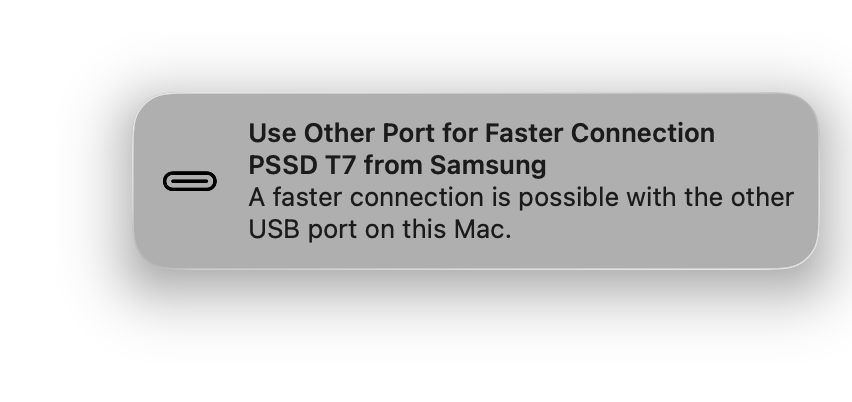
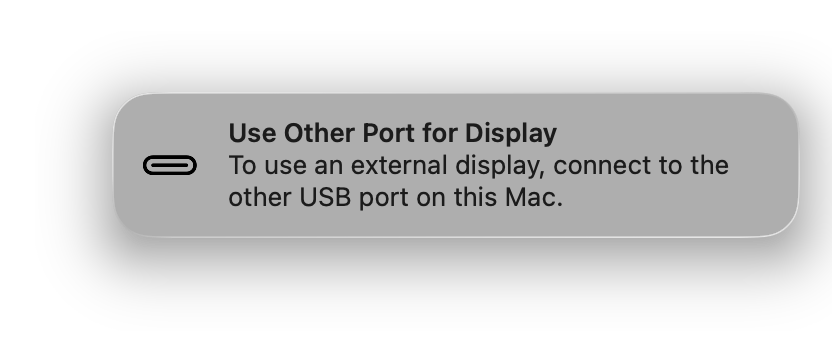
While I could see how Apple wouldn’t want to put some markings next to the ports, I’m sure customers would easily get the hang of using the most optimal port for connecting other peripherals after a little bit of “muscle memory”.
Speakers/Microphones/Camera
The MacBook Neo has two side-firing speakers for a stereo sound system. After watching several videos on YouTube with background music, I think the speakers sound decent enough for any $600 laptop. Sure, it may not provide much bass, so it wouldn’t hold a candle to something like a 15-inch MacBook Air, which features a six-speaker system, but at least it gets the job done. I’d say it’s quite comparable to the M4 iPad Pro despite having a quad-speaker setup.
The microphone quality, on the other hand, sounded weak, in my opinion. I could barely hear myself after doing some recordings with QuickTime. So if you’re planning on doing some voice memos, you still can’t go wrong with an external microphone. I guess it’s better than nothing.
As with the built-in FaceTime camera, it supports 1080p video recording; however, unlike the higher-end MacBook models, it lacks Center Stage and Desk View support. Given that the sensor is quite small to fit into the thin lid, you shouldn’t expect the video quality to be particularly amazing.
Battery and Power
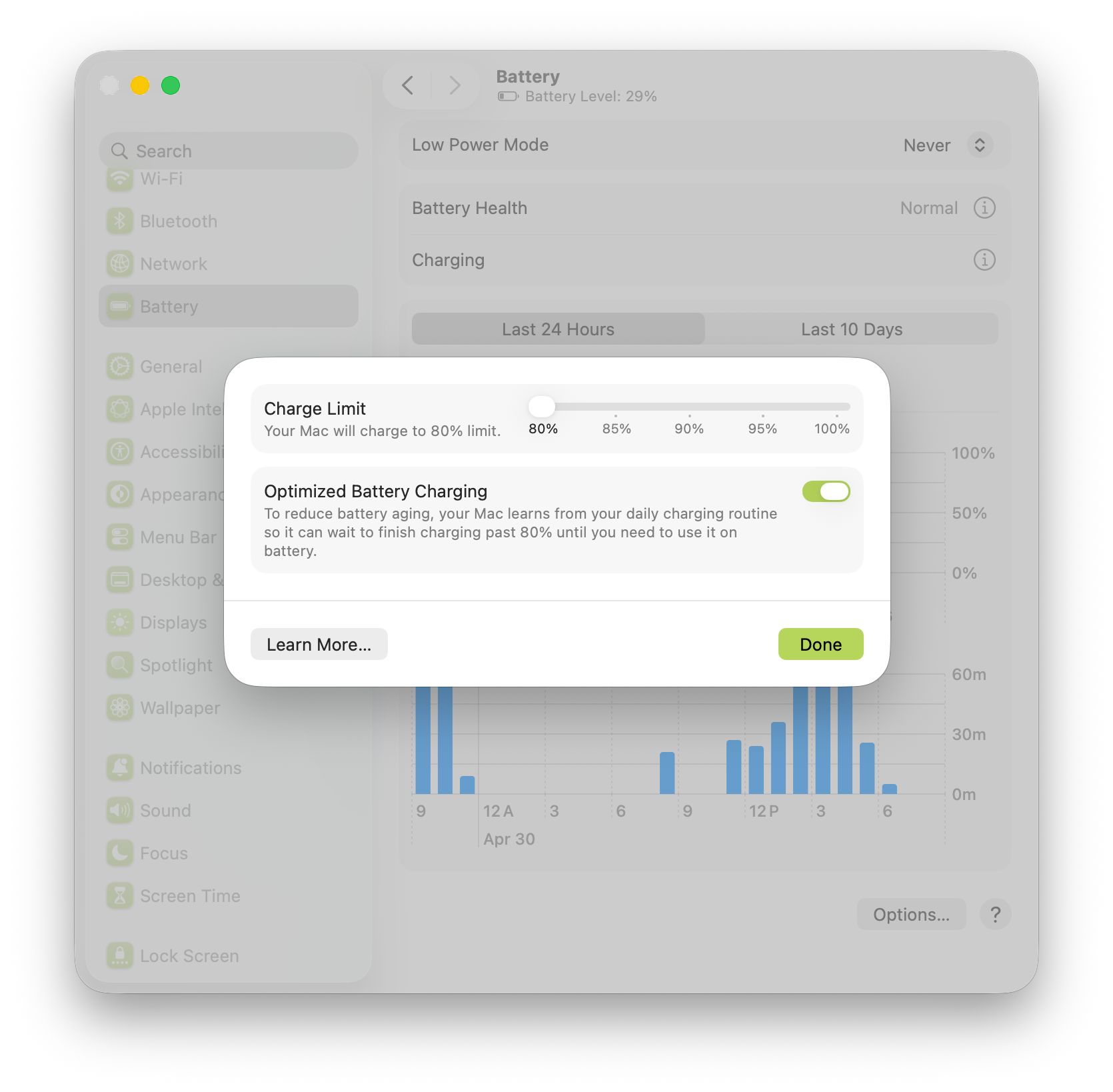
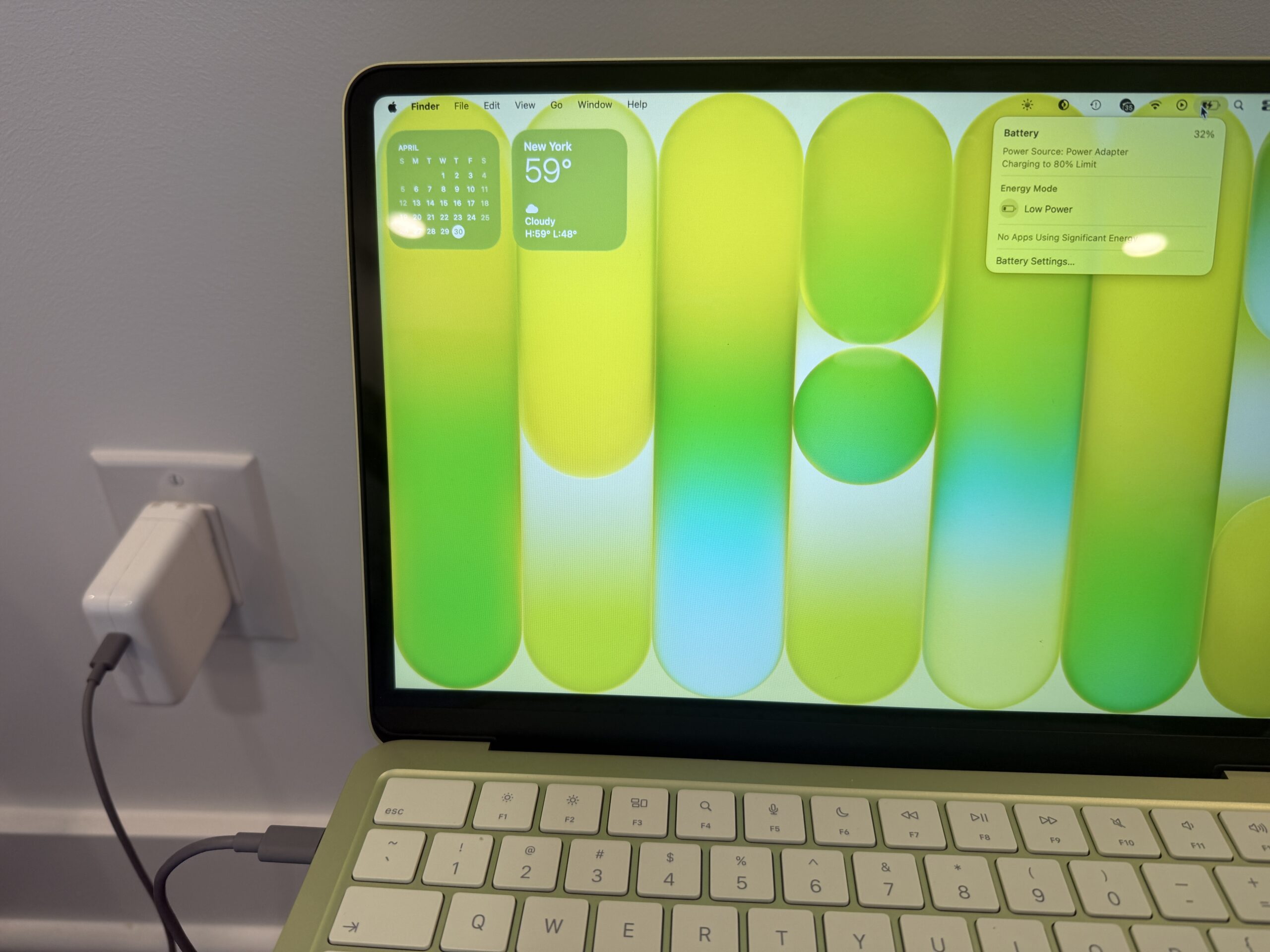
The MacBook Neo is officially rated at up to 11 hours of wireless web or up to 16 hours of video streaming. Of course, battery life would vary based on usage and configuration, but for my use case, the MacBook Neo would last me one to two days before having to recharge. However, unlike the higher-end MacBook models, the MacBook Neo lacks “fast charging” as it can charge at up to 30W, so if you find yourself low on battery by the end of the day, you may need to consider charging it overnight. But with the recent update in macOS Tahoe, you can now set the battery charge limit between 80% to 100% to potentially extend the lifespan of the battery further.
Now, I could see how the absence of MagSafe may be a deal breaker for some people, but with USB-C widely adopted by virtually everyone, the convenience of having one single USB-C cable to charge all devices certainly outweighs the cons. Heck, you could even use any battery pack to charge your MacBook along with your other devices on the go, such as an Anker Laptop Power Bank (not sponsored by the way).
A18 Pro Chip/Memory/Storage
Of course, the biggest question is: how does the MacBook Neo hold up in terms of performance? As you may know, the MacBook Neo features the A18 Pro chip – the same chip found in the iPhone 16 Pro models; however, the MacBook Neo features a binned variant that has one less GPU core. So it’s crazy to think that a Mac is powered by an iPhone-class chip, but you need to keep in mind that the iPad mini and the standard iPad are also powered by A-series chips.
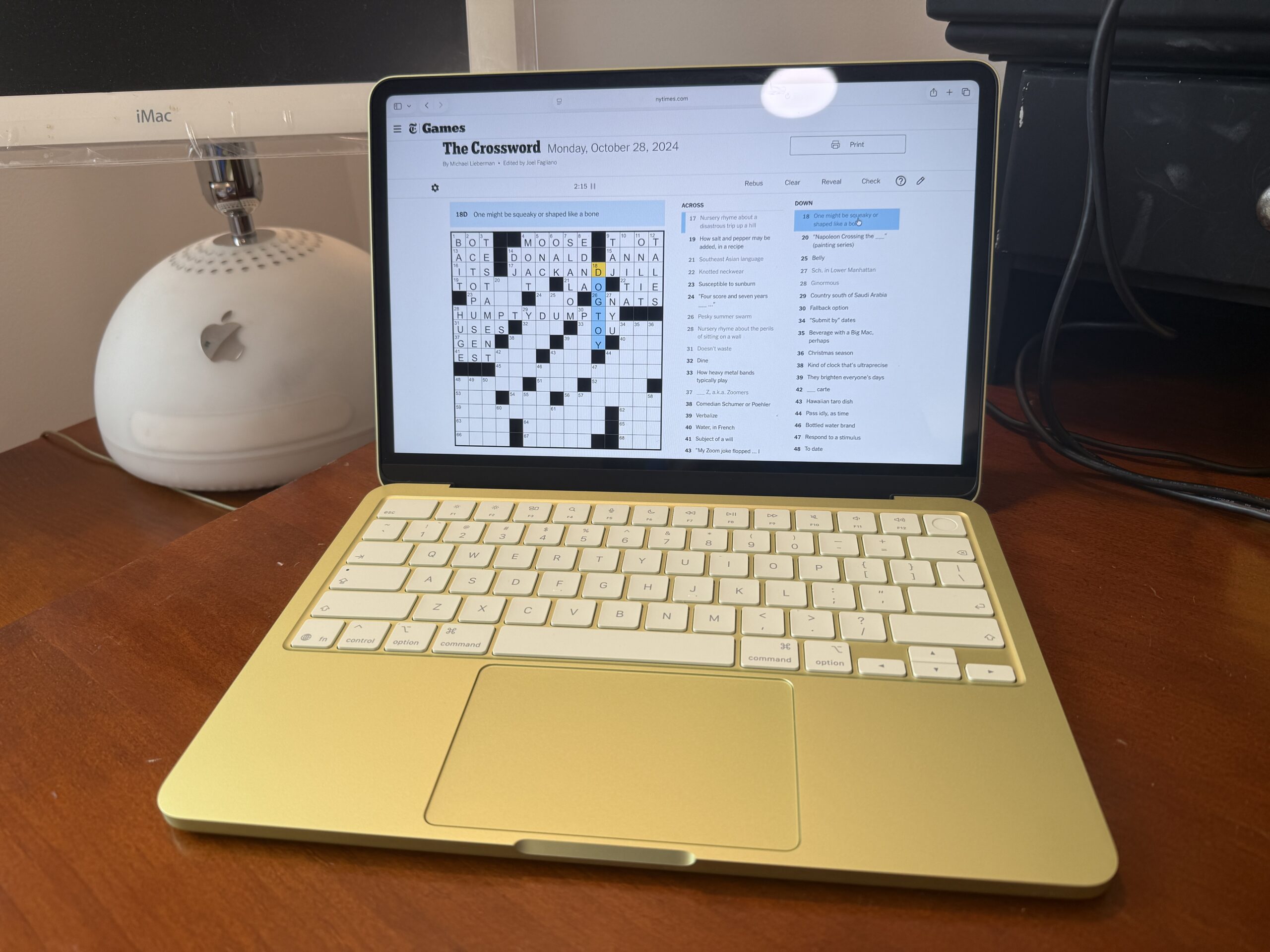
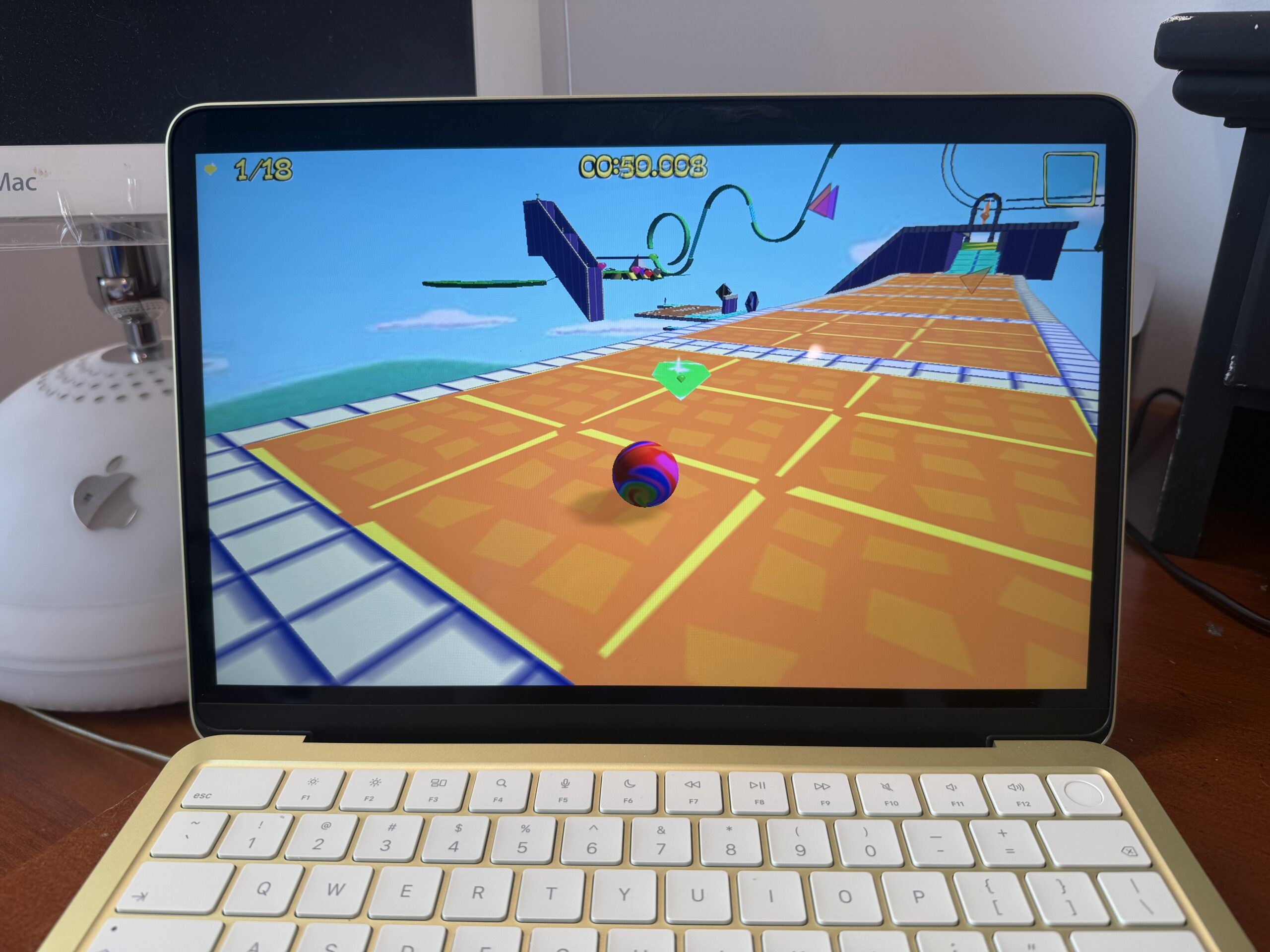
So far, I’ve mainly been using this MacBook Neo for web browsing, checking emails, watching YouTube videos, and solving daily crosswords, and needless to say, it’s more than performant enough for those daily tasks. It can even handle some light gaming, such as Marble Blast, a nostalgic favorite, or editing short clips to share with your friends and family. The only time that the MacBook Neo couldn’t keep up was when I was doing both a video recording and a screen recording on QuickTime while solving a crossword on Apple News+ and researching in Safari with multiple tabs. It lagged immensely for sure, but that was a very unlikely scenario that you would do on a MacBook Neo. Because the A18 Pro chip is very energy efficient, the MacBook Neo runs completely silent with no fan; however, the downside is that it wouldn’t provide longer sustained performance for heavier workloads.
Of course, the biggest elephant in the room is the 8GB of unified memory, whereas all the other Macs with the standard M-series chips now come with 16GB of memory by default. That is certainly due to the system-on-a-chip’s design. So if you plan to have multiple tabs, windows, or applications open, you’d need to set your expectations low, as having too many of those open would increase the memory pressure, making the MacBook Neo feel slower overall. While the virtual memory swap is still there by temporarily using SSD storage as “extra memory”, it could eventually degrade SSD performance over time. Speaking of which, it has been confirmed that SSD speeds are slower compared to those of higher-end Mac machines, including the MacBook Air, again, another limitation of the A18 Pro’s SoC architecture. So if you’re transferring large files on a regular basis, this could be another huge dealbreaker for you, and you could tell the difference if you’re loading even larger apps.
Configuration options are rather limited as you’re just stuck with 8GB of memory and either 256GB or 512GB of storage, so if you’d need either more memory or storage, this laptop may not be the one for you. You’d need to ask yourself if you’re really a power user to justify purchasing any Mac besides the MacBook Neo. Otherwise, the A18 Pro chip provides more than enough performance to handle everyday tasks.
Conclusion
From my point of view, I had an Intel MacBook Pro for college that I would need the necessary power to handle coding assignments and projects. Afterwards, I graduated and got a full-time job a few years ago, so my needs for a personal computer have changed significantly since I wouldn’t need to do heavy programming on it, as the company provided me with another laptop. Thanks to the significant advancements of Apple Silicon, I wouldn’t need a newer MacBook Pro; I could get the MacBook Air back then for personal use. But now that we have the MacBook Neo, this would definitely be the right choice for me, as it wouldn’t require spending more just to get a decently performant computer. The MacBook Neo provides enough computing power and the entire Mac experience for the rest of us.
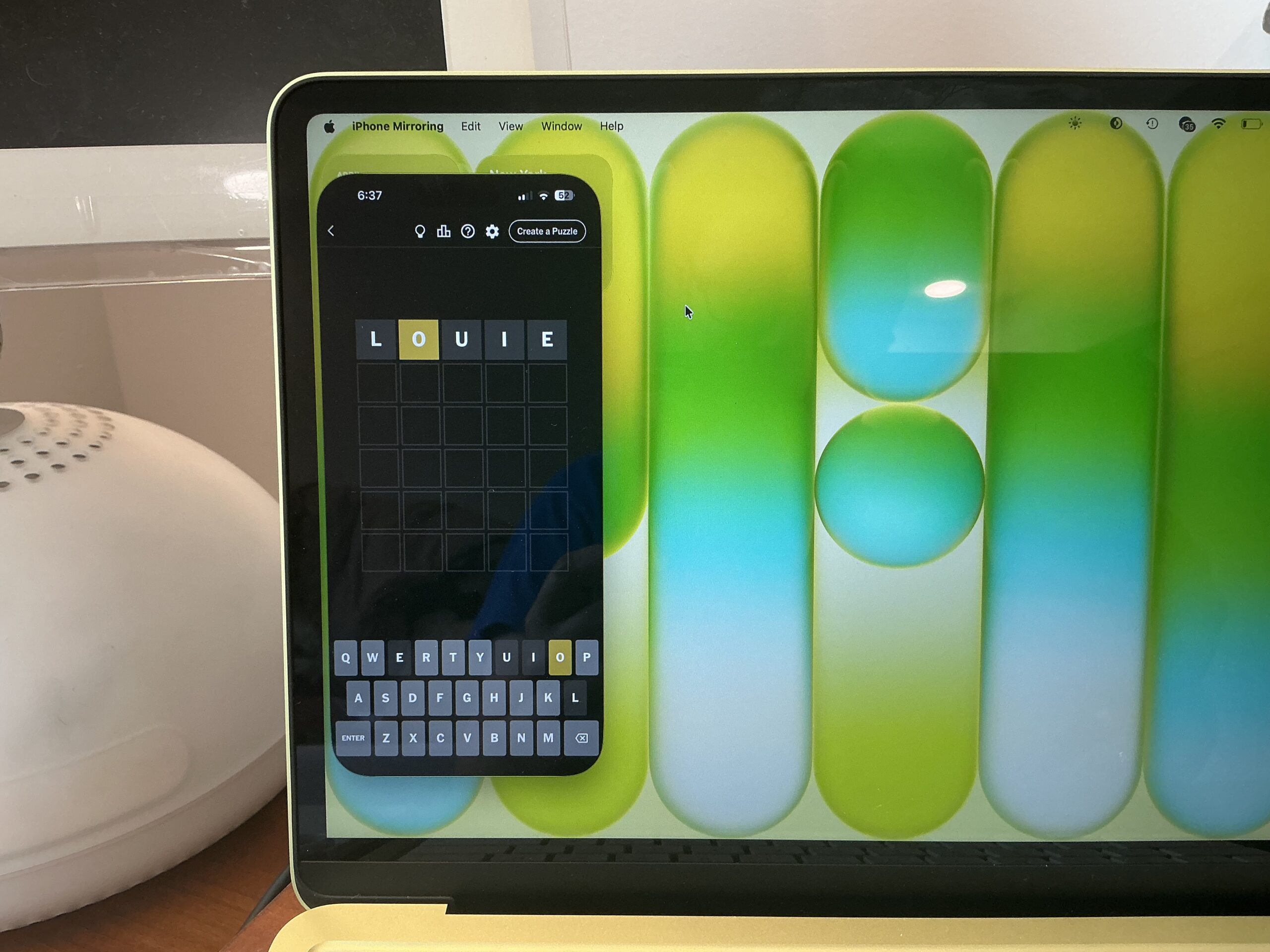
The more I think about it, there are actually more good reasons to consider the MacBook Neo. Sure, it could be their very first Mac for first-time Mac buyers, and it’s perfect for younger audiences, including kids, high-school students, college freshmen, and even elderly people. Of course, given its higher repairability, it’s definitely designed for educators. But the most underrated and overlooked use case is how the MacBook Neo complements other Apple products seamlessly. As you may know, Apple products are designed to work together, performing a tight integration that’s just unparalleled compared to other companies. Even Apple’s own videos for the MacBook Neo are promoting key iPhone integration features such as Universal Clipboard and Handoff. It doesn’t stop there; you can even use your iPhone on the MacBook Neo with iPhone Mirroring.
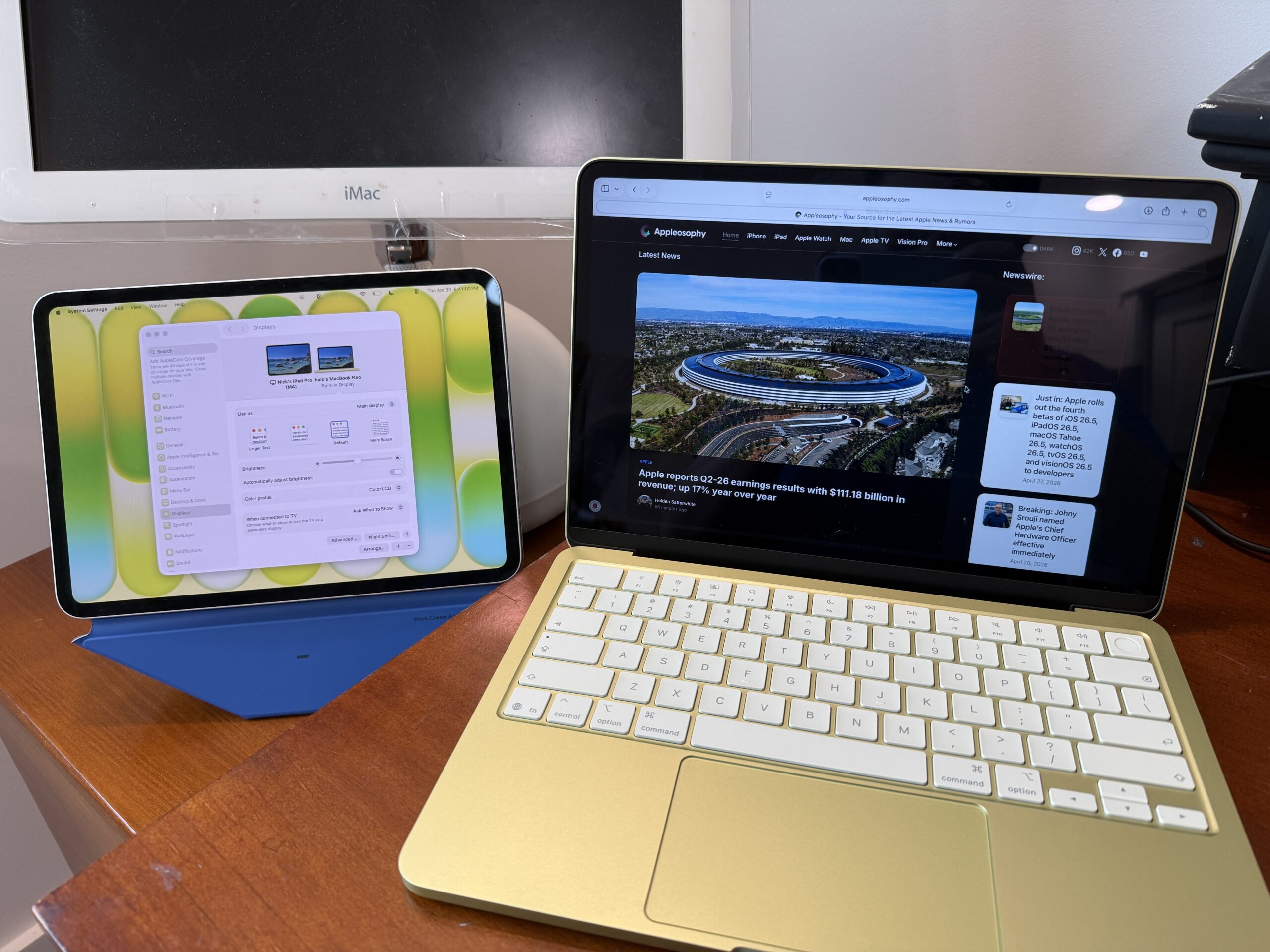
While some argue that the MacBook Neo is the “iPad-killer,” I’d say both the MacBook Neo and the iPad are also designed to complement each other with a plethora of features that enhance the Mac experience even further, such as Sidecar, Universal Control, and you can even annotate PDF files on the Mac using Apple Pencil and iPad. The list goes on.
It also could serve as a “secondary” device, especially to a more powerful Mac, including Mac desktops such as the Mac mini and iMac. Since the MacBook Neo is obviously more affordable compared to something like a spec-out MacBook Pro, the MacBook Neo could be the ideal “travel” device since you’d feel much more comfortable traveling with the MacBook Neo rather than risking losing your main machine with loads of precious data and files. Believe it or not, you can even remote into another Mac using the built-in Screen Sharing app, so you can take the MacBook Neo anywhere you go while accessing your “workstation,” whether it’s on the couch or even overseas.
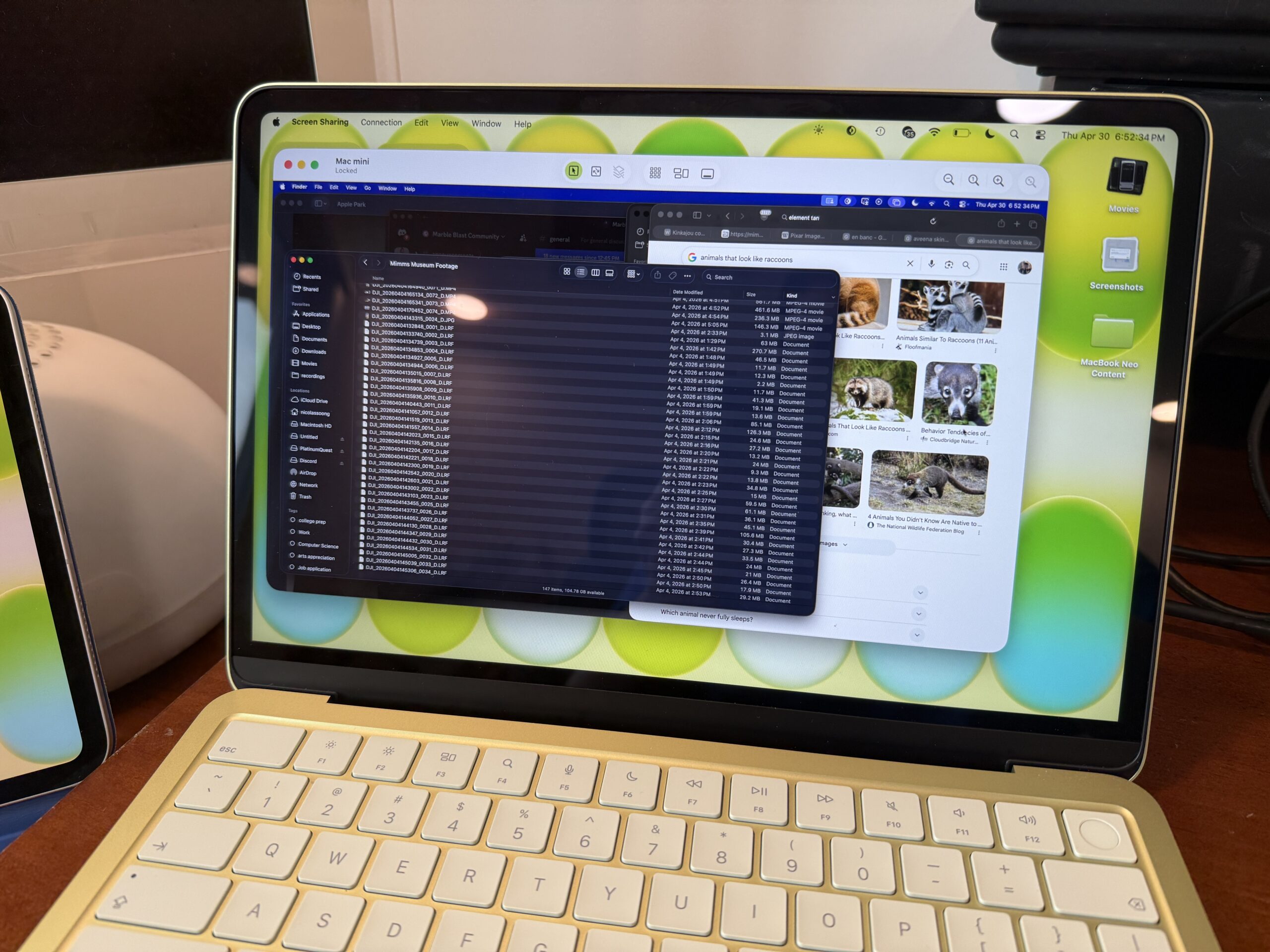
To recap, here are the pros/cons of the MacBook Neo:
Pros:
- Fun colors
- Sturdier aluminum design
- Full macOS experience
- Very compact
- Powerful enough for everyday tasks at an unbeatable price
Cons:
- Keyboard is not backlit
- 8GB memory, up to 512GB of storage, slower SSD speeds, could be limiting for some
- Limited I/O with two USB-C ports (one USB 2/one USB 3) and a headphone port
- No larger-screen option
There’s certainly lots to love about the MacBook Neo despite its few shortcomings, and I strongly believe the MacBook Neo now has a stronger position in the lineup with lots of room for improvement to come in the next few years. The MacBook Neo has already been such a strong success; so much so that it’s already been sold out, so if you want one, I’d strongly urge you to get your order in today, especially before the back-to-school season, as it could take weeks to pick one up.
The MacBook Neo has been what Apple envisioned from the very beginning: to have a computer in every household, and Apple has fulfilled the vision by bringing the whole Mac experience at a magical, amazing price. It just wasn’t possible before, when processors would still be expensive to produce, yet might yield poor performance and efficiency. That’s why Apple strongly believes that they wouldn’t ship junk, or “stripped-down lousy products.” But after several years of developing Apple Silicon, Apple could learn from developing chips for iPhone and iPad by reusing mass-produced silicon to deliver such an affordable product that’s actually both good and best valued. That’s why I think the MacBook Neo is Apple’s best product we’ve seen in years, as well as the most fitting product to celebrate the company’s 50th anniversary.
This review was entirely written on the MacBook Neo, along with the edited feature image using Pixelmator. If you like the content we’ve been pushing out, you may bookmark this page, follow us on X, or even download our app, so you can stay up to date with the latest Apple-related news, deals, reviews, and stories. Thanks for reading this super in-depth review!
Comments
Comments will load as you approach this section.