
Apple’s next major release of macOS is officially named “Golden Gate.” Besides new Apple Intelligence features, rather than introducing new features, Apple is bringing several under-the-hood enhancements that will vastly improve the Mac experience overall. Let’s dive into what’s new in macOS 27 Golden Gate.
Siri AI on Mac
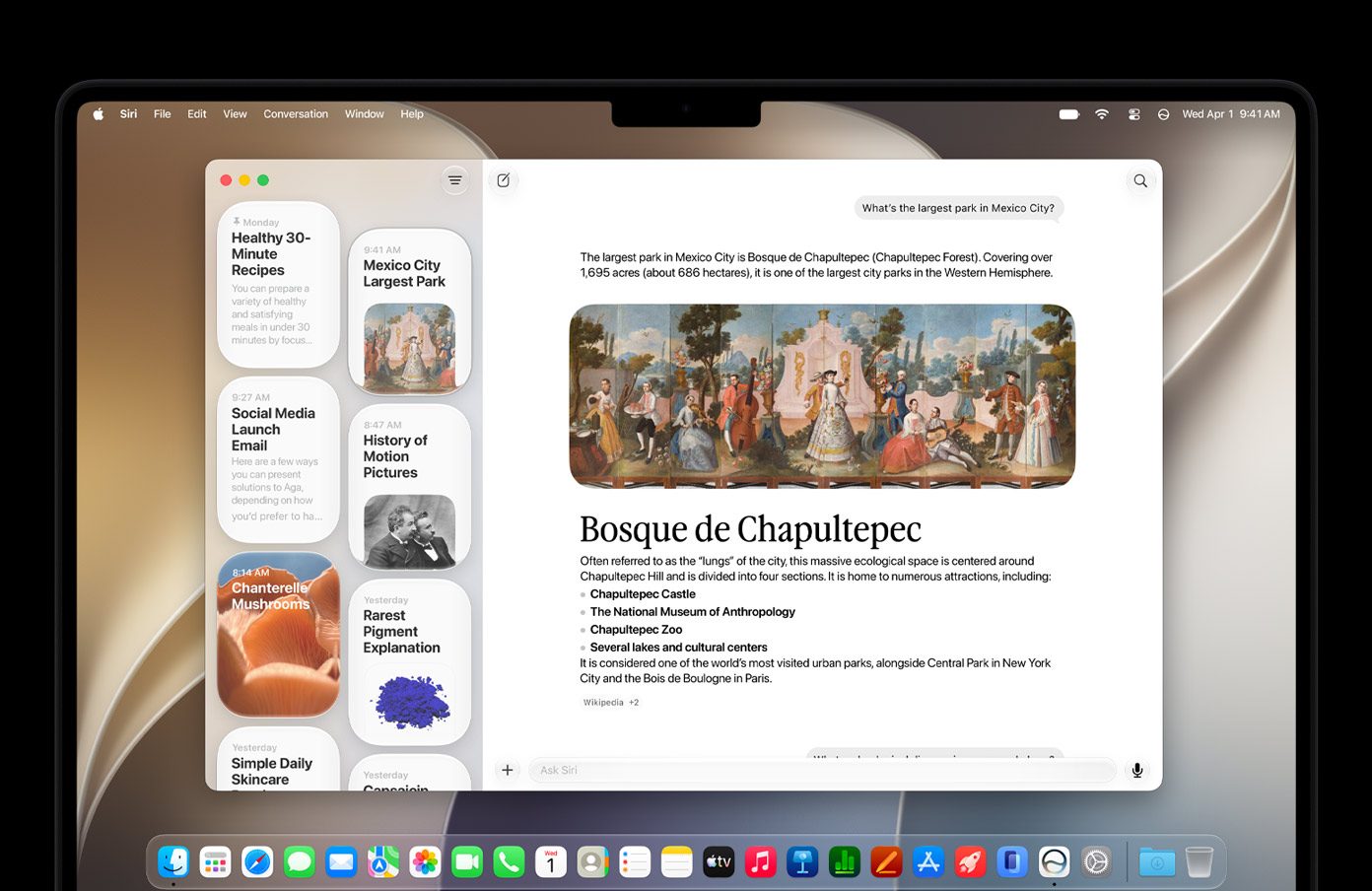
One of the biggest announcements at WWDC is the long-awaited improved Siri, dubbed “Siri AI,” which, as the name implies, is now powered by Apple Intelligence, and Spotlight is now the new home for Apple’s new Siri AI. Just open Spotlight, and ask away to potentially have a back-and-forth conversation that feels more natural. Because Siri AI is now a window, you can drag it anywhere on the screen or even resize it, so you can still multitask other applications with ease. Siri AI shares many of the features found in iOS 27 and iPadOS 27, including smarter searching across your personal data, such as emails, photos, and notes. With the new Siri app, you can even look back on past conversations with Siri in one place.
Apple Intelligence across apps
With macOS 27, Apple Intelligence will soon be able to work even better across all of your apps. In Safari, it can automatically group tabs into topics, so you may seamlessly find related pages with ease. The Passwords app will soon detect weak or compromised passwords, so it could alert you and update you on your behalf. Photos will get even smarter when it comes to editing photos like Spatial Reframing and the Extend Tool. Image Playground will soon let you create stunning images in virtually any style.
Child Safety
As you’ll see on iOS 27 and iPadOS 27, Apple is also bringing Child Safety features that will give parents and guardians a sigh of relief when letting kids go on the internet. This includes approving new websites, protecting children from mature or explicit content that could be shared on apps like Messages and FaceTime, and even setting up Time Allowances to allow kids access to the computer at a certain time or day, and it can even be set up based on categories like games and social media.
OS Improvements
Last, but not least, Apple is making lots of refinements across macOS to provide a vastly improved Mac experience overall. This includes refinements in the Liquid Glass UI design with edge-to-edge sidebars, updated window shapes, and uniform toolbars for a more coherent look. Plus, a new slider lets you customize the overall appearance of Liquid Glass that suits your taste, especially for better readability. You’ll also see faster performance in everyday tasks like loading webpages and AirDrop transfers, and you’ll also be able to easily search for the most relevant emails based on your input.
Compatibility
macOS 27 Golden Gate is compatible with only Macs with Apple silicon, marking the end of an era for hardware support for Intel-based Macs. Here’s the list of support devices that macOS 27 supports:
- MacBook Neo (2026)
- MacBook Air (2020 and later)
- MacBook Pro (2020 and later)
- iMac (2021 and later)
- Mac mini (2020 and later)
- Mac Studio (2022 and later)
- Mac Pro (2023)
However, while all the supported Macs will have access to some of the new Apple Intelligence features, the most powerful on-device AI model will be supported on Macs with an M3 chip or later with at least 12GB of unified memory.
Conclusion
While we didn’t get a lot of new features outside of Siri AI and Apple Intelligence, I strongly believe Apple made the right call in focusing on refinements overall, many of which should make Tahoe users more than satisfied after they’ve had several complaints from using that version. macOS 27 could be well considered a modern-era “Snow Leopard” release, where Apple brought hundreds of refinements that fixed many of the issues that Leopard suffered. macOS 27 Golden Gate will launch this fall with a public beta set to roll out sometime next month.
Comments
Comments will load as you approach this section.